Digital Marketing Vs Traditional: Key Differences You Must Know

Digital Marketing Vs Traditional

Are you wondering whether digital marketing or traditional methods will give your business the best boost? Choosing the right path can make a huge difference in how fast you grow and how many customers you reach.

This article will help you understand the key differences between digital marketing and traditional marketing. By the time you finish reading, you’ll know which approach suits your goals, budget, and audience. Let’s dive in and find the perfect strategy for your success.

Digital Marketing Vs Traditional: Key Differences You Must Know

Credit: www.wsiworld.com

Digital Marketing Basics

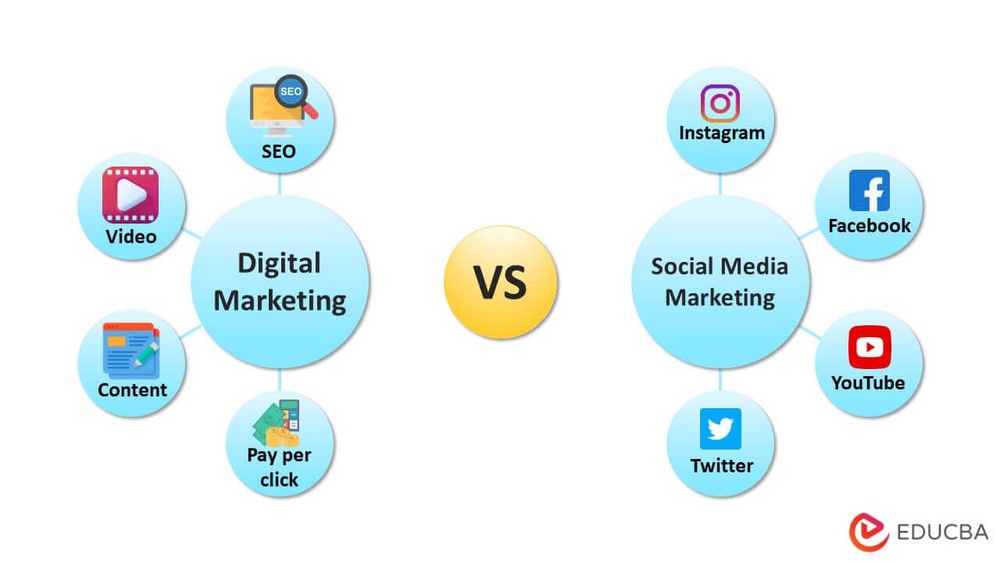
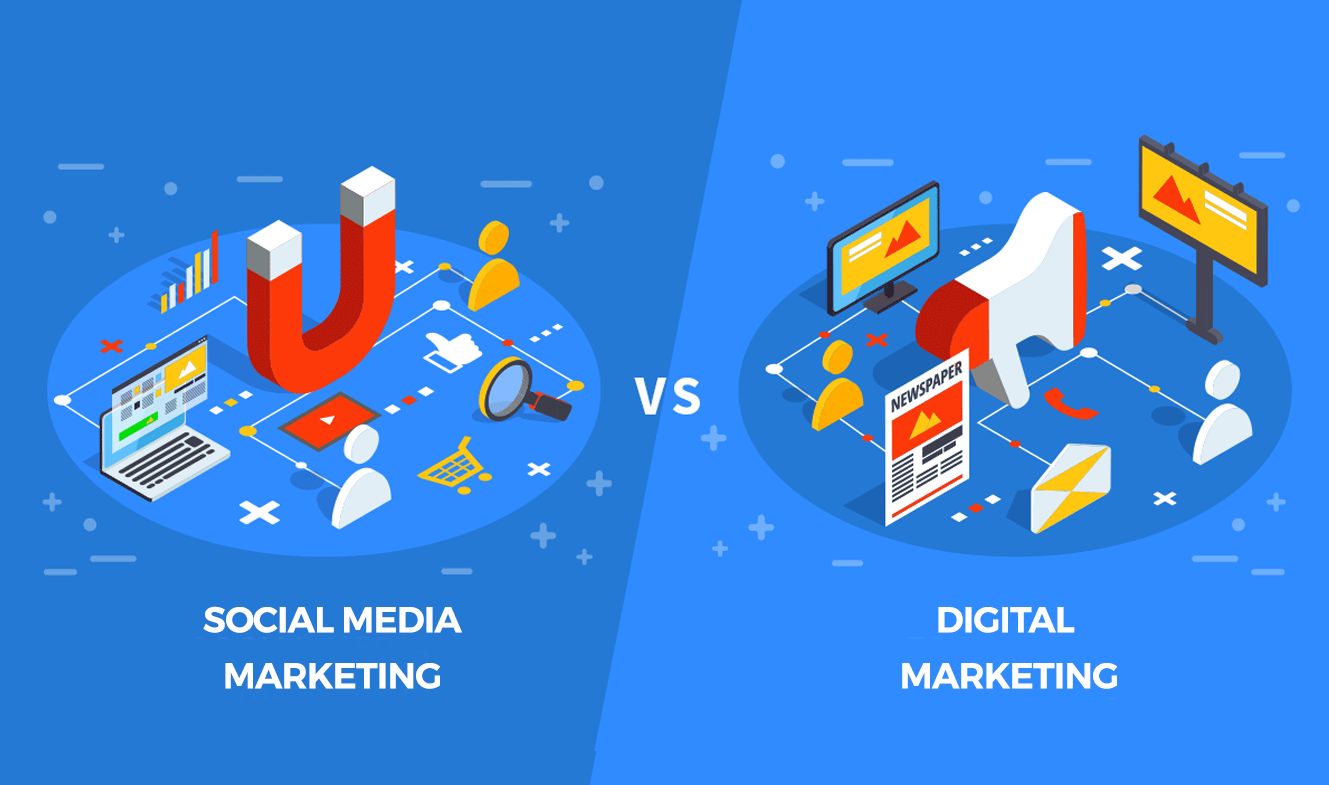
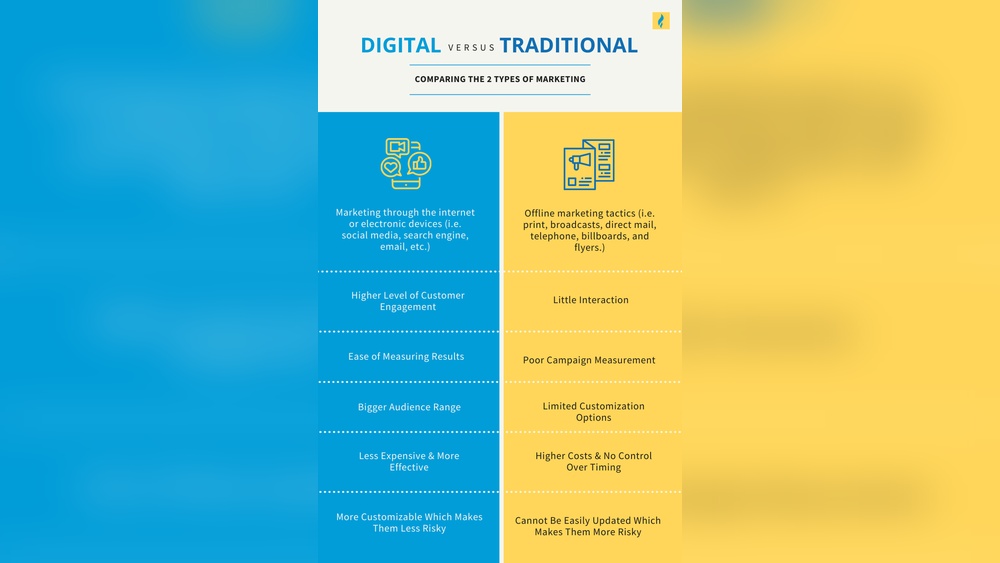
Digital marketing uses the internet and electronic devices to promote products or services. It is different from traditional marketing, which relies on print, TV, and radio ads. Digital marketing offers many ways to connect with people quickly and directly. It also allows businesses to track results and adjust their campaigns easily.

Channels And Tools

Digital marketing uses many channels and tools. Social media platforms like Facebook, Instagram, and Twitter help businesses share content and engage users. Search engines like Google allow companies to show ads based on what people search for. Email marketing sends messages directly to customers. Tools like Google Analytics track website visits and user behavior. These channels make it easier to reach people online.

Target Audience Reach

Digital marketing can reach a specific group of people. Ads can target users by age, location, interests, and behavior. This helps businesses show their message to the right audience. Traditional marketing often reaches a broad group, not always interested. Digital marketing allows for better focus and higher chances of success.

Cost Considerations

Digital marketing is often cheaper than traditional methods. Running ads online usually costs less than TV or print ads. Many platforms let businesses set budgets and choose how much to spend. This makes digital marketing affordable for small and large companies. It also helps avoid wasting money on ads that do not work.

Traditional Marketing Essentials

Traditional marketing uses print, TV, and radio to reach people. It relies on physical ads and direct contact with customers. This approach differs from digital marketing’s online methods.

Common Mediums

Traditional marketing uses several well-known channels. Print ads appear in newspapers and magazines. Billboards catch attention on busy streets. Television commercials reach a broad audience. Radio ads target local listeners. Direct mail delivers flyers and coupons to homes. These mediums have been trusted for decades. Businesses rely on them to create brand awareness.

Audience Engagement

Traditional marketing often engages audiences in a passive way. People see ads but do not respond immediately. It builds recognition over time through repeated exposure. Face-to-face events like trade shows create personal connections. Flyers and posters inform but rarely invite dialogue. Interaction is limited compared to digital marketing. Still, it can build trust and familiarity.

Budget Factors

Traditional marketing can be costly. Print and TV ads require significant investment. Production costs add to the expense. Buying space or airtime often means paying upfront. Small businesses may find budgets too tight. Planning campaigns carefully helps control spending. Some methods, like flyers, remain affordable for local reach. Budget size influences the scope and frequency of campaigns.

Comparing Reach And Accessibility

Reach and accessibility are key factors in any marketing strategy. They determine how many people see your message and how easy it is for them to engage. Traditional and digital marketing differ greatly in these areas. Understanding these differences helps businesses choose the right approach.

Global Vs Local Impact

Traditional marketing usually targets local audiences. Billboards, flyers, and local TV ads focus on specific areas. Digital marketing can reach people worldwide. Online ads, social media, and email campaigns connect with global audiences instantly. Businesses can expand beyond borders without extra cost.

24/7 Availability

Traditional marketing runs on fixed schedules. Ads appear during set times or events. Digital marketing works nonstop. Websites, social media, and email campaigns are always live. Customers can access information anytime. This constant presence increases chances of engagement.

Personalization

Traditional marketing often sends one message to many people. Digital marketing allows tailored messages. Data helps target specific interests and needs. Personalized ads appear based on user behavior. This creates a stronger connection with customers and improves results.

Measuring Success

Measuring success is vital in both digital marketing and traditional marketing. It shows how well your efforts work. You can see which methods bring results and which need change. Understanding success helps spend money wisely and get better outcomes.

Tracking And Analytics

Digital marketing uses tools to track actions online. These tools show clicks, views, and sales. You can see real-time data. Traditional marketing tracks success by surveys or sales increases. It is harder to get exact numbers. Digital tracking gives clear, quick feedback.

Return On Investment

ROI shows how much profit comes from marketing spend. Digital marketing measures ROI by comparing costs to online sales. It can calculate exact numbers. Traditional marketing ROI is harder to measure. It often relies on estimating customer response. Digital methods give more accurate ROI figures.

Adjusting Strategies

Digital marketing allows fast changes based on data. If a campaign does not work, you can change it quickly. Traditional marketing takes longer to adjust. Print ads or TV commercials cannot be changed once released. Digital marketing is more flexible and responsive to results.

Speed And Flexibility

Speed and flexibility are key in marketing today. Businesses need to move fast and adapt quickly. Digital marketing offers clear advantages in these areas. Traditional marketing often requires more time and effort to change course.

Campaign Launch Times

Digital campaigns can start almost immediately. A few clicks and your ads are live online. Traditional campaigns need weeks or months to launch. Printing, mailing, and booking media take time. Quick starts allow digital marketers to reach audiences faster.

Real-time Adjustments

Digital marketing lets you change campaigns on the fly. You can pause ads, change budgets, or try new strategies instantly. Traditional marketing is less flexible. Once materials are printed or aired, changes are costly or impossible. Real-time updates keep campaigns relevant and efficient.

Content Updates

Content in digital marketing can be updated anytime. You can add new offers, fix errors, or improve messages quickly. Traditional content like billboards or flyers cannot be updated easily. This flexibility saves money and keeps marketing fresh.

Consumer Interaction

Consumer interaction plays a key role in marketing. It shapes how brands connect with their audience. Both digital and traditional marketing offer ways to interact. Yet, the methods and effects vary greatly.

Understanding these differences helps businesses choose the right approach. This section explores how each marketing type handles consumer interaction.

Two-way Communication

Digital marketing allows real-time two-way communication. Customers can ask questions and get instant replies. Social media platforms and chatbots make this possible. This creates a dynamic conversation between brands and consumers.

Traditional marketing mostly uses one-way communication. TV ads, billboards, and flyers deliver messages without immediate feedback. The interaction is limited and slower. Consumers receive the message but cannot respond quickly.

Building Relationships

Digital marketing helps build strong, ongoing relationships. Personalized emails and social media posts keep customers engaged. Brands can tailor messages to individual needs and preferences. This fosters trust and loyalty over time.

Traditional marketing focuses more on broad reach than personal connection. It builds brand awareness but often lacks deep engagement. Relationships develop slowly, if at all, since contact is less frequent.

Feedback Mechanisms

Digital channels offer fast and direct feedback. Customers leave reviews, comments, and ratings online. This feedback guides businesses to improve products and services. It also shows customers their opinions matter.

Traditional marketing gathers feedback through surveys or focus groups. These methods take more time and effort. The process is less immediate and less frequent. Collecting and analyzing feedback can be slower and costlier.

Branding And Trust

Branding and trust are key to business success. They help customers recognize and believe in a company. Both digital marketing and traditional methods build these elements but in different ways. Understanding these differences can guide your marketing choices.

Long-term Presence

Traditional marketing builds long-term presence through repeated exposure. Billboards, magazines, and TV ads stay visible over time. People see these messages often, which strengthens brand memory. Digital marketing can also create lasting presence. Websites, social media profiles, and email lists keep your brand accessible. Regular updates keep the connection alive.

Visual Identity

Visual identity is how a brand looks to the audience. Traditional marketing uses logos, colors, and print design to create this identity. Physical materials make the brand tangible. Digital marketing expands visual identity with videos, animations, and interactive content. It allows quick changes to suit trends and audience feedback. Strong visuals help customers spot your brand anywhere.

Credibility Factors

Trust grows from credibility. Traditional marketing often relies on trusted media channels and physical presence. Being in a known magazine or a popular TV show adds trust. Digital marketing builds credibility through reviews, testimonials, and social proof. Responding to customer questions online also boosts trust. Both methods need consistency to maintain credibility.

Digital Marketing Vs Traditional: Key Differences You Must Know

Credit: www.somsdigital.co.za

Choosing The Right Approach

Choosing the right marketing approach is key for business success. Digital marketing and traditional marketing both have strengths. Understanding which fits your needs helps reach goals faster. Think about your industry, audience, and budget. Each factor affects the best choice for your marketing strategy.

Careful planning avoids wasted effort and money. Your approach should match your company’s unique situation. This makes your message clear and effective.

Industry Considerations

Different industries respond better to different marketing styles. Tech companies often gain more from digital marketing. Local businesses may benefit more from traditional methods like flyers or radio ads. Some sectors require trust and face-to-face contact. Others thrive on online engagement and quick updates. Knowing your industry’s habits guides your decision.

Target Demographics

Your audience’s habits shape your marketing choices. Younger people spend more time online. Digital ads, social media, and email suits them well. Older customers may prefer newspapers, TV, or direct mail. Consider language skills and internet access too. Reach your audience where they pay attention.

Budget Allocation

Money matters a lot in marketing. Digital marketing often costs less and allows precise spending. You can track results and adjust quickly. Traditional marketing can be expensive and harder to measure. Large budgets can support billboards or TV spots. Smaller budgets may fit better with online ads or social posts. Spend wisely to get the best return.

Digital Marketing Vs Traditional: Key Differences You Must Know

Credit: www.reddit.com

Frequently Asked Questions

What Are The Main Differences Between Digital And Traditional Marketing?

Digital marketing uses online channels, while traditional marketing relies on offline media. Digital allows real-time tracking; traditional focuses on broad reach.

Which Marketing Type Is More Cost-effective For Small Businesses?

Digital marketing is usually cheaper and offers flexible budgets. Traditional marketing often requires larger upfront costs for ads and print.

How Do Digital And Traditional Marketing Reach Different Audiences?

Digital marketing targets specific groups using data and online behavior. Traditional marketing reaches local or broad audiences through TV, radio, or print.

Can Traditional Marketing Still Work In A Digital World?

Yes, traditional marketing builds trust through physical presence. It works well combined with digital for stronger brand impact.

How Quickly Can Results Be Seen In Digital Vs Traditional Marketing?

Digital marketing shows results fast through clicks and views. Traditional marketing takes longer as it depends on customer response.

Conclusion

Digital marketing and traditional marketing both have clear strengths. Digital marketing offers fast results and wide reach. Traditional marketing builds strong local connections and trust. Choosing the right approach depends on your goals and audience. Many businesses blend both methods for best impact.

Testing and learning help find what works best. Marketing success comes from understanding your customers well. Keep your message simple and consistent across all channels. Stay open to change as markets and technology evolve.
Digital Input Vs Analog Input: Key Differences You Must Know

Digital Input Vs Analog Input

Are you confused about the difference between digital input and analog input? You’re not alone.

Understanding these two types of signals is key to working with electronics, sensors, and everyday devices. Knowing how they work can help you make smarter choices in your projects or even improve your tech skills. Keep reading, and you’ll discover clear, simple explanations that make these concepts easy to grasp—plus practical tips you can start using right away.

Don’t miss out on unlocking the power behind your devices!

Digital Input Vs Analog Input: Key Differences You Must Know

Credit: www.wellpcb.com

Digital Input Basics

Digital inputs are a key part of many electronic systems. They allow devices to understand simple signals. These signals have only two states. This makes digital inputs easy to read and use in many applications.

Understanding digital input basics helps in choosing the right input type. It also helps in designing better electronic systems. Below are the main points about digital inputs.

Definition And Examples

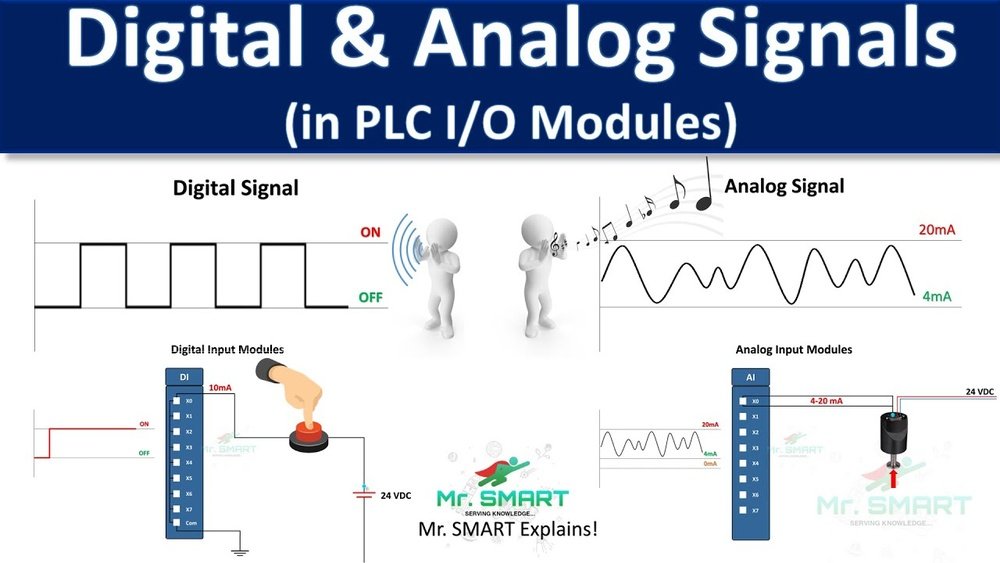
A digital input reads signals that have two states: ON or OFF. These states are often called HIGH or LOW. The signal is either 1 (high) or 0 (low).

Examples include a light switch, a button press, or a sensor output. A door sensor that shows open or closed is a digital input. The signal does not have values in between.

Signal Characteristics

Digital input signals are simple and clear. They use specific voltage levels to show ON or OFF. For example, 5 volts may mean ON, and 0 volts means OFF.

The signal changes quickly between these two states. There is no middle value or range. This makes digital signals easy to process and less prone to noise.

Common Applications

Digital inputs are common in many devices. They are used in computers, home appliances, and security systems. A keyboard key press is a digital input.

They also work in industrial machines to detect switches or buttons. Digital inputs help control systems decide what action to take. They are reliable and simple to use.

Digital Input Vs Analog Input: Key Differences You Must Know

Credit: www.industrialautomationco.com

Analog Input Basics

Analog input plays a key role in how devices sense the world around them. It captures real-world data as continuous signals. These signals change smoothly and carry detailed information. Understanding analog input basics helps in many technology fields.

Definition And Examples

Analog input means a signal that varies over time. Unlike digital signals, it is not limited to just two states. For example, a microphone picks up sound waves as analog input. A temperature sensor also sends analog signals based on heat levels.

Signal Characteristics

Analog signals have infinite values within a range. They change smoothly and continuously. This allows precise measurement of real-world events. The signal can be voltage, current, or another physical quantity. Noise and distortion can affect analog signals.

Common Applications

Analog inputs are used in many devices. Thermostats measure temperature using analog data. Medical equipment monitors heartbeats through analog signals. Audio equipment captures sound with analog inputs. They help machines understand and respond to the environment.

Signal Processing Differences

Signal processing differs greatly between digital and analog inputs. These differences affect how devices read and interpret data. Understanding these variations helps in choosing the right input type for your project.

Data Representation

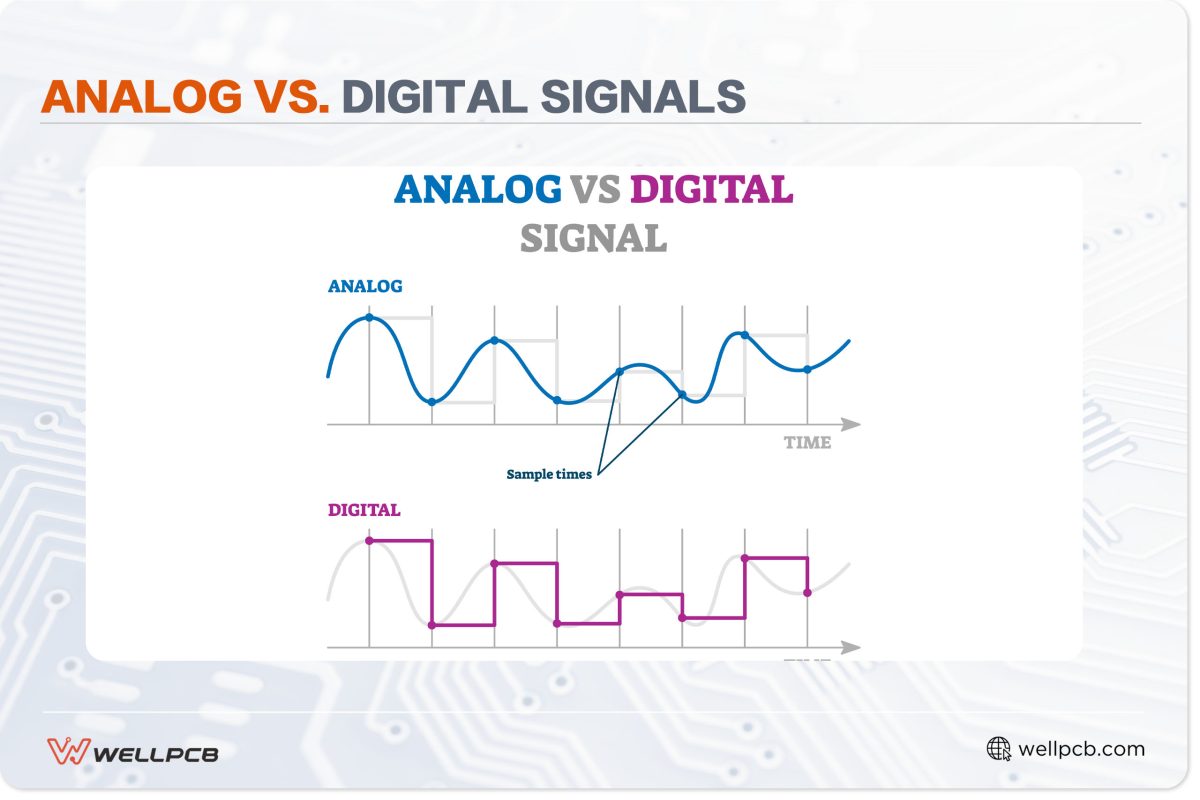
Analog inputs represent data as continuous signals. These signals vary smoothly over time. Digital inputs use discrete values, usually zeros and ones. This binary format is easier for computers to process and store.

Noise And Accuracy

Analog signals are prone to noise from the environment. This noise can distort the signal and reduce accuracy. Digital signals are less affected by noise because they use clear, distinct values. This makes digital inputs more reliable for precise data.

Conversion Methods

Analog signals require conversion to digital form for processing. This is done using an Analog-to-Digital Converter (ADC). The ADC samples the analog signal at intervals and converts it into digital data. Digital inputs do not need this conversion step, as they are already in a digital format.

Digital Input Vs Analog Input: Key Differences You Must Know

Credit: www.youtube.com

Hardware Requirements

Hardware requirements differ between digital and analog inputs. These needs affect what sensors and devices you use, the input interfaces required, and system compatibility. Understanding these factors helps in choosing the right hardware for your project.

Sensors And Devices

Digital inputs require sensors that output clear on/off signals. Examples include push buttons, switches, and digital temperature sensors. These sensors send signals as either 0 or 1, representing off or on states.

Analog inputs use sensors that output a range of values. Common devices include potentiometers, light sensors, and thermistors. They provide varying voltages or currents depending on the measurement.

Input Interfaces

Digital inputs connect directly to microcontroller pins configured for digital reading. These interfaces are simple and need less processing power. They read high or low voltage levels without extra conversion.

Analog inputs require analog-to-digital converters (ADCs). ADCs transform continuous signals into digital values for the processor. Many microcontrollers have built-in ADCs, but external ones may be necessary for higher precision.

Compatibility Considerations

Check if your microcontroller supports the input type. Some devices handle only digital signals, while others support both analog and digital. Matching sensor output with the input type avoids damage and errors.

Voltage levels must match between sensors and input pins. Digital inputs often use 3.3V or 5V logic levels. Analog sensors must operate within the ADC’s voltage range to provide accurate readings.

Performance And Reliability

Performance and reliability are key factors in choosing between digital and analog inputs. These aspects affect how well a system functions and how long it lasts. Understanding the differences helps in making the right choice for your project or device.

Response Time

Digital inputs typically offer faster response times. They switch clearly between on and off states. This quick change reduces delay in signal processing. Analog inputs take longer because they measure a range of values. This measurement needs extra time to convert signals into usable data.

Signal Integrity

Digital signals maintain high integrity over long distances. They resist noise and interference better than analog. Analog signals are more prone to distortion. Noise can alter the signal, leading to errors. Proper shielding and cables can improve analog signal quality.

Environmental Impact

Digital inputs handle harsh environments well. They are less affected by temperature and humidity changes. Analog inputs can drift or degrade under extreme conditions. This can cause inaccurate readings and system failures. Choosing the right input type depends on the environment where it operates.

Choosing Between Digital And Analog

Choosing between digital and analog inputs depends on several important factors. Both types have unique strengths that suit different projects. Understanding these differences helps select the right input for your needs.

Application Needs

Digital inputs read simple on/off signals. They work well for switches and sensors that give clear yes or no answers. Analog inputs measure a range of values. They are best for sensors that detect temperature, pressure, or light levels. Pick digital for clear, simple signals. Choose analog for detailed, variable data.

Cost Factors

Digital input systems often cost less. They require simpler components and less processing power. Analog systems can be more expensive. They need precise converters and more complex circuits. Consider your budget and the value of detailed data before deciding.

Scalability And Flexibility

Digital inputs are easy to expand. Adding more on/off sensors is simple and cheap. Analog inputs offer more flexibility. They provide richer data but need careful calibration. Choose based on how much you want to grow or change your system later.

Future Trends

The future of digital and analog inputs is full of exciting changes. Technology keeps improving. This will affect how devices read and use data. Understanding these trends helps us prepare for smarter systems. Both digital and analog inputs will evolve to meet new needs.

Advancements In Input Technologies

Sensors are getting smaller and more accurate. New materials improve sensitivity and durability. Signal processing is faster and more efficient. This means devices can handle complex tasks better. Both digital and analog inputs will benefit from these changes. More precise inputs lead to better control and feedback in machines.

Integration With Iot

Internet of Things (IoT) connects many devices to the internet. Digital and analog inputs play a key role here. They collect data from the environment and send it to the cloud. This allows real-time monitoring and decision-making. Devices can work together smoothly using shared data. IoT will push input systems to become smarter and more responsive.

Emerging Use Cases

New applications require advanced input methods. Smart homes use inputs to control lighting and temperature. Health devices monitor vital signs with precise analog sensors. Industrial machines rely on digital inputs for safety and efficiency. Robotics combine both input types to perform complex tasks. These use cases show how inputs shape future technology.

Frequently Asked Questions

What Is The Main Difference Between Digital And Analog Input?

Digital input uses only two states: ON or OFF. Analog input reads a range of values, like temperature or light intensity.

How Do Digital Inputs Work In Electronic Devices?

Digital inputs detect signals as either 0 or 1. This helps devices understand simple ON/OFF commands quickly.

Why Are Analog Inputs Important For Sensors?

Analog inputs capture changing values from sensors. This helps measure real-world data like speed or pressure smoothly.

Can Digital And Analog Inputs Be Used Together?

Yes, many systems combine both inputs. This allows precise control and simple on/off actions in one device.

Which Input Type Is Better For Accuracy, Digital Or Analog?

Analog inputs offer more precise data over a range. Digital inputs are more reliable for simple, clear signals.

Conclusion

Digital and analog inputs serve different roles in electronics. Digital inputs handle simple on/off signals. Analog inputs measure a range of values, like temperature or light. Choosing the right input type depends on your project’s needs. Both have strengths and limits to consider.

Understanding these differences helps you design better systems. Keep these points in mind for clearer, more accurate data. This knowledge makes working with sensors and devices easier. Your electronics projects will benefit from the right input choice.

Digital Camera Vs DSLR: Ultimate Guide to Choose the Best Camera

Digital Camera Vs Dslr

Are you confused about choosing between a digital camera and a DSLR? You’re not alone.

Picking the right camera can feel overwhelming with so many options out there. But what if you could quickly understand which one fits your needs better? Whether you want sharp photos, easy handling, or something that suits your budget, this guide will help you decide.

Keep reading to discover the key differences and find the perfect camera for your style.

Digital Camera Basics

Understanding digital cameras starts with the basics. These devices capture images electronically. They store photos on memory cards. Digital cameras vary widely in design and function. Knowing the basics helps you choose the right one for your needs.

Types Of Digital Cameras

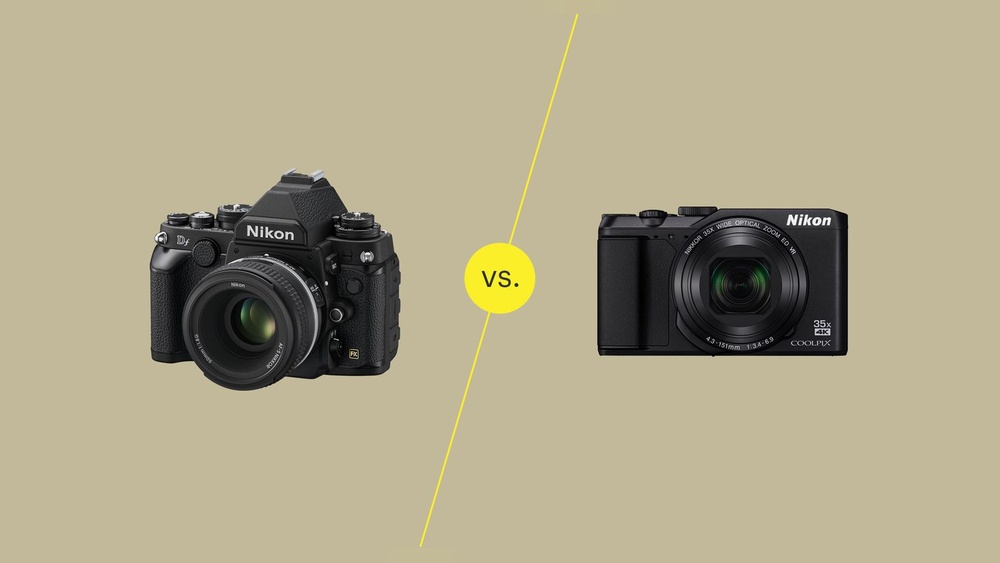
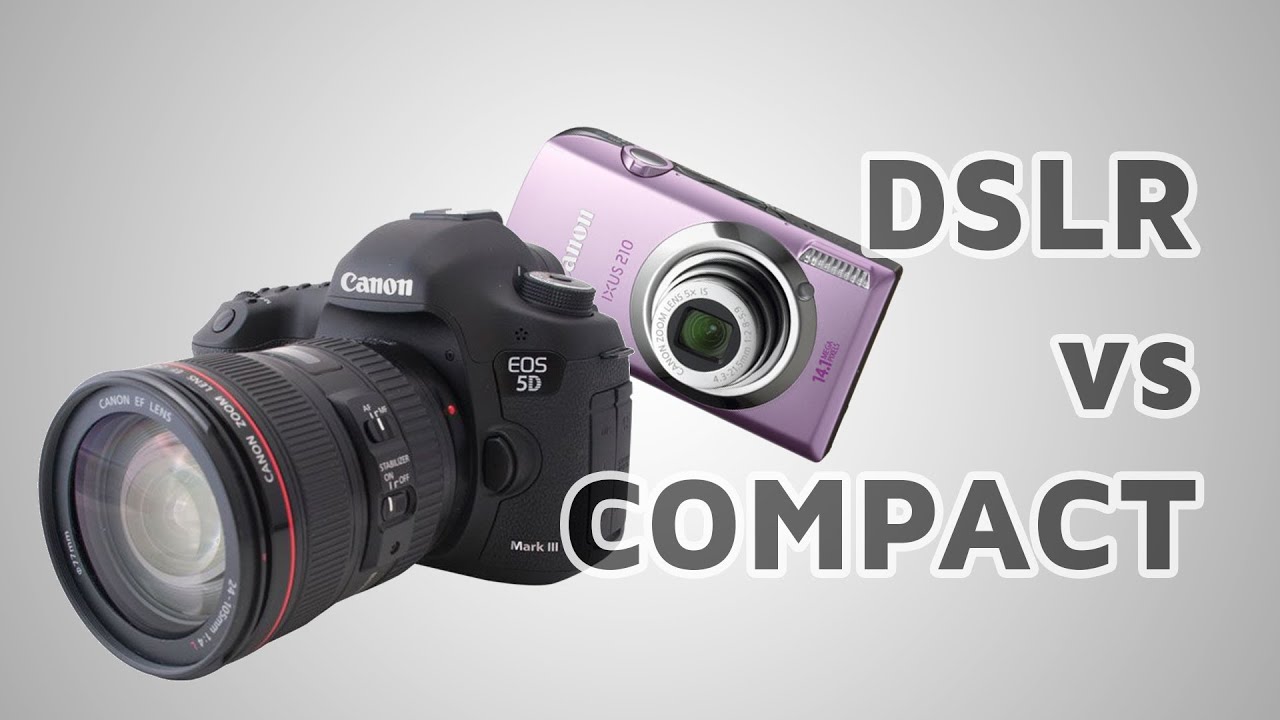
There are several types of digital cameras. Compact cameras are small and easy to use. They fit in your pocket and suit casual shooting. Bridge cameras offer more zoom and control than compacts. Mirrorless cameras are lightweight with interchangeable lenses. DSLR cameras have a mirror system and offer high image quality. Each type serves different photography styles and budgets.

Key Features To Know

Image sensor size affects photo quality. Larger sensors capture more light for better images. Megapixels determine the resolution but are not the only quality factor. Zoom lets you get closer without moving. Optical zoom keeps image quality, digital zoom may reduce it. Autofocus helps keep subjects sharp and clear. Some cameras have built-in Wi-Fi for easy sharing. Battery life varies and affects shooting time. Understanding these features guides smart camera choices.

Dslr Essentials

DSLR cameras are popular among both beginners and experts. They offer better control over photos. Understanding DSLR essentials helps you choose the right camera. These cameras use special technology to capture sharp, clear images.

Many photographers prefer DSLRs for their performance and flexibility. Knowing how DSLRs work and their main advantages makes a big difference. This knowledge helps you take better pictures and enjoy photography more.

How Dslrs Work

DSLR stands for Digital Single-Lens Reflex. It uses a mirror inside the camera body. The mirror reflects light from the lens up to an optical viewfinder. This lets you see exactly what the lens sees.

When you press the shutter button, the mirror flips up. This lets light reach the image sensor. The sensor captures the photo in high detail. This process happens very fast, allowing quick shots.

Main Advantages Of Dslrs

DSLRs offer excellent image quality with large sensors. They perform well in low light conditions. You can change lenses to suit different photo styles. This makes DSLRs very versatile.

These cameras have fast autofocus systems. They also provide a wide range of manual settings. This gives you full control over exposure and focus. DSLRs often have longer battery life than digital cameras.

Image Quality Comparison

Image quality is a key factor when choosing between a digital camera and a DSLR. Both types capture photos but differ in how they handle light and detail. Understanding these differences helps pick the best option for your needs.

Sensor Size And Resolution

The sensor size directly affects image quality. DSLRs usually have larger sensors than digital cameras. Larger sensors capture more light and detail, producing clearer images. They also perform better in low light conditions.

Resolution means the number of pixels in an image. Higher resolution offers sharper pictures and more room for cropping. Both digital cameras and DSLRs come with various resolutions. DSLRs tend to have higher resolution options, but some digital cameras also provide excellent detail for everyday use.

Lens Quality And Flexibility

Lens quality greatly impacts how your photos look. DSLRs use interchangeable lenses, giving more control over focus and zoom. This flexibility allows you to choose lenses for different situations like portraits or landscapes.

Digital cameras usually have fixed lenses. They are convenient and easy to use but limit creative control. Some digital cameras offer good zoom and sharp lenses, but they can’t match the variety of DSLR lenses.

Performance And Speed

Performance and speed are key factors in choosing between a digital camera and a DSLR. These features affect how quickly and accurately you can capture moments. Speed matters in fast-moving scenes like sports or wildlife. Performance influences image quality and ease of use. Understanding these aspects helps you pick the right camera for your needs.

Autofocus And Shutter Speed

DSLRs often have faster and more precise autofocus systems. They use phase-detection autofocus, which tracks moving subjects well. Digital cameras usually rely on contrast-detection autofocus, which can be slower. Shutter speed controls how fast the camera captures an image. DSLRs offer faster shutter speeds, ideal for freezing motion. Digital cameras may have slower shutter speeds, causing motion blur in fast scenes.

Burst Mode And Frame Rate

Burst mode lets you take several photos in quick succession. DSLRs generally have higher frame rates, capturing more shots per second. This helps in action photography or capturing the perfect moment. Digital cameras might have lower burst speeds, which can miss fast events. Higher frame rates also improve video quality in DSLRs. Digital cameras may lag in this area, affecting smoothness in videos.

Portability And Design

Portability and design play a big role in choosing between a digital camera and a DSLR. These factors affect how easy it is to carry and use the camera. Both types serve different needs based on their size, weight, and build quality. Understanding these differences helps you pick the right camera for your lifestyle and shooting habits.

Size And Weight Differences

Digital cameras are usually smaller and lighter than DSLRs. They fit easily in a pocket or small bag. This makes them great for travel and casual photography. DSLRs are larger and heavier because of their complex parts. They need space for lenses and mirrors. Carrying a DSLR can be tiring over long periods. Yet, their size allows for better handling and more control during shooting.

Build Quality And Durability

DSLRs often have stronger bodies made from metal or tough plastic. They are built to handle rough use and tough weather. Many models have weather sealing to protect against dust and moisture. Digital cameras usually have simpler, lighter bodies. They may not last as long under harsh conditions. Still, some advanced digital cameras offer good durability for everyday use.

Digital Camera Vs DSLR: Ultimate Guide to Choose the Best Camera

Credit: www.youtube.com

User Experience

User experience plays a big role in choosing between a digital camera and a DSLR. It affects how comfortable and enjoyable it is to take photos. This section explores key parts of the user experience, such as ease of use and the viewfinder options.

Ease Of Use And Controls

Digital cameras often have simple menus and automatic settings. They are designed for quick shots without much effort. Beginners find them easy to handle. DSLR cameras offer more buttons and dials. These controls give more power but may seem complex at first. Users can change settings like shutter speed and aperture easily once familiar. Learning the controls takes time but adds flexibility.

Viewfinder And Screen Options

Digital cameras usually rely on an LCD screen to frame shots. The screen is bright and shows colors clearly. Some models have touchscreens for easy navigation. DSLRs have an optical viewfinder that shows the real scene. This helps see details even in bright light. Many DSLRs also include an LCD screen that can tilt or swivel. Both options allow clear viewing but offer different experiences.

Battery Life And Storage

Battery life and storage are key factors to think about when choosing between a digital camera and a DSLR. Both affect how long you can shoot and how many photos you can save. Understanding these differences helps you pick the right camera for your needs.

Battery Performance

Digital cameras usually have smaller batteries. This means they may need charging more often. They use less power because their screens and sensors are smaller.

DSLRs have bigger batteries. These last longer because they power bigger sensors and optical viewfinders. You can take more photos before recharging.

Still, battery life depends on how you use the camera. Using the flash or video mode drains batteries faster. Carrying extra batteries is a smart choice for both types.

Memory Card Compatibility

Digital cameras often support standard memory cards like SD or microSD. These cards are easy to find and affordable. Most digital cameras use a single memory card slot.

DSLRs usually support SD cards too, but some models accept faster cards like CFexpress. These cards save images quicker and handle large files better. Many DSLRs have dual card slots for backup or extra storage.

Choosing the right card depends on the camera and your shooting style. Faster cards help when taking many photos or shooting video.

Digital Camera Vs DSLR: Ultimate Guide to Choose the Best Camera

Credit: www.youtube.com

Price And Value

Price and value are key factors when choosing between a digital camera and a DSLR. Both options offer different benefits depending on your budget and needs. Understanding the cost and long-term value helps make a smart choice.

Cost Comparison

Digital cameras usually cost less than DSLRs. Basic models start at a low price, making them easy to buy. DSLRs have a higher starting price because of better features and quality parts. Accessories like lenses and flashes add extra cost to DSLRs. Digital cameras often include everything you need in one package. You pay more upfront for DSLRs but get better image quality and control.

Long-term Investment

DSLRs offer more flexibility for future upgrades. You can change lenses and add new accessories over time. This can improve your photography without buying a new camera. Digital cameras have limited upgrade options and may need replacement sooner. DSLRs often hold their value better for resale. Spending more on a DSLR can save money in the long run if you plan to grow your skills.

Best Uses For Each Camera

Choosing the right camera depends on your photography needs. Digital cameras and DSLRs serve different purposes. Each camera fits certain activities better. Understanding their best uses helps you pick the right one.

Casual And Travel Photography

Digital cameras are perfect for casual and travel shots. They are small and easy to carry. You can quickly capture moments without much setup. Their automatic settings handle different lighting well. Travelers enjoy the convenience and light weight. No need to change lenses or adjust many controls. Ideal for snapshots, family events, and sightseeing photos.

Professional And Creative Work

DSLRs suit professional and creative photography. They offer higher image quality and control. Photographers can change lenses for different effects. Manual settings allow precise adjustments to light and focus. Perfect for portraits, landscapes, and studio work. DSLRs work well with accessories like external flashes. They give more freedom to experiment and improve skills.

Digital Camera Vs DSLR: Ultimate Guide to Choose the Best Camera

Credit: www.iconasys.com

Choosing The Right Camera

Choosing the right camera can be a big decision. It depends on what you want to do with your photos. Both digital cameras and DSLRs have good points. Understanding your needs helps you pick the best one for you.

Assessing Your Needs

Think about why you need a camera. Is it for casual photos or serious photography? Digital cameras are simple and easy to use. DSLRs offer more control and better image quality. Consider how much time you want to spend learning your camera.

Budget Considerations

Set a clear budget before shopping. Digital cameras usually cost less. DSLRs can be expensive, especially with extra lenses. Don’t forget to budget for accessories like memory cards and bags. A higher price does not always mean better for your needs.

Future-proofing Your Choice

Plan for how long you want to use the camera. DSLRs can grow with your skills. You can change lenses and add accessories. Digital cameras may become outdated faster. Choose a camera that fits your goals for the next few years.

Frequently Asked Questions

What Is The Main Difference Between Digital Cameras And Dslrs?

Digital cameras are usually compact and simple, while DSLRs have larger bodies and interchangeable lenses. DSLRs offer better image quality and manual controls.

Which Camera Type Is Better For Beginners?

Digital cameras are easier to use and more portable, making them great for beginners. DSLRs require learning but offer more creative options.

Can Digital Cameras Match Dslr Photo Quality?

Digital cameras have improved but usually can’t match the sharpness and detail of DSLRs. DSLRs have bigger sensors that capture better images.

How Do Lenses Differ Between Digital Cameras And Dslrs?

Most digital cameras have fixed lenses, but DSLRs allow you to change lenses for different shots. This adds flexibility and better photo results.

Are Dslrs More Expensive Than Digital Cameras?

DSLRs tend to cost more due to advanced features and lens options. Digital cameras are generally cheaper and good for casual photography.

Conclusion

Choosing between a digital camera and a DSLR depends on your needs. Digital cameras are easy to carry and use. DSLRs offer better image quality and more control. Both can take great photos in different ways. Think about your budget, skill level, and photo goals.

This will help you pick the right camera. Enjoy capturing moments with the camera that suits you best. Happy shooting!

Film Photos Vs Digital: Ultimate Showdown for Timeless Quality

Film Photos Vs Digital

Have you ever wondered whether film photos or digital images are better for capturing your special moments? Choosing between these two can be tricky because each has its own unique charm and benefits.

But which one truly suits your style and needs? By the end of this article, you’ll have a clear understanding of how film and digital photography compare, helping you make the best choice for your next shoot. Let’s dive in and explore what makes each option stand out—so you can create photos you’ll love every time.

Film Photos Vs Digital: Ultimate Showdown for Timeless Quality

Credit: fstoppers.com

Film Photography Basics

Film photography uses physical film to capture images. It started over a century ago and still holds charm today. Many photographers enjoy its tactile feel and unique results. Understanding film basics helps appreciate its art and process.

Types Of Film

Film comes in various types based on color and speed. Color film captures images in full color. Black and white film records only shades of gray. Film speed, called ISO, affects light sensitivity. Low ISO films need more light but give finer detail. High ISO films work better in low light but can look grainy.

How Film Captures Images

Film has a light-sensitive layer with tiny silver halide crystals. When exposed to light, these crystals change chemically. The camera lens focuses light onto the film, creating a hidden image. This image is invisible until the film is developed in a darkroom or lab.

Processing And Development

Film processing turns the invisible image into a visible one. It involves a series of chemical baths. First, the film goes into a developer that makes the image appear. Then, a stop bath halts development. Finally, a fixer makes the image permanent. After washing and drying, the film is ready to print or scan.

Film Photos Vs Digital: Ultimate Showdown for Timeless Quality

Credit: www.infinibandta.org

Digital Photography Essentials

Digital photography changed the way people capture moments. It offers quick results and easy sharing. Understanding the basics helps you take better photos. Knowing how digital cameras work improves your skills.

Here are some key points about digital photography essentials. Learn about sensors, file types, and editing options. This knowledge helps you make the most of your camera.

Digital Sensors Explained

Digital cameras use sensors to capture light and create images. These sensors are made of millions of tiny pixels. Each pixel records light intensity and color. Larger sensors capture more detail and perform better in low light. Different sensor types affect image quality and camera size. Common sensors include CMOS and CCD.

Image Storage And Formats

Photos are stored as digital files on memory cards. Common formats include JPEG and RAW. JPEG files are smaller and easy to share. RAW files keep all image data for editing. Choosing the right format depends on your needs. More storage means you can take more photos without deleting.

Editing And Post-processing

Digital photos can be edited on a computer or phone. Editing adjusts brightness, contrast, colors, and sharpness. Post-processing helps correct mistakes and improve images. Simple edits can make photos look more professional. Many free and paid apps offer basic editing tools. Learning to edit helps you create better pictures.

Image Quality Comparison

Image quality plays a big role in choosing between film photos and digital images. Both have unique strengths and weaknesses. Understanding these differences helps photographers pick the right tool for their needs. This section compares key aspects of image quality in film and digital photography.

Resolution And Detail

Digital cameras capture images with pixels. More pixels mean higher resolution and sharper details. Modern digital cameras offer very high resolution, perfect for large prints.

Film captures images using tiny grains of silver or dye. These grains vary in size depending on the film type. Some fine-grain films deliver excellent detail, but they usually don’t match digital resolution.

Film may look less sharp but often shows a natural texture. Digital images can sometimes appear too perfect or artificial.

Color Reproduction

Digital cameras record colors based on sensors and software. They produce vibrant and accurate colors in most conditions. Color can be easily adjusted after taking the photo.

Film colors depend on the chemical composition of the film. Different films produce unique color tones and moods. Film often has a warm, nostalgic feel that many people enjoy.

Color shifts in film can add character but may not always be true to life.

Dynamic Range

Dynamic range means how well a camera captures details in bright and dark areas. Film usually has a wide dynamic range. It preserves details in both shadows and highlights better than many digital sensors.

Digital sensors have improved but can lose details in very bright or dark parts. Photographers must adjust settings carefully to avoid blown-out highlights or deep shadows.

Film handles harsh light softly, creating smooth transitions between tones.

Film Photos Vs Digital: Ultimate Showdown for Timeless Quality

Credit: www.youtube.com

Aesthetic Differences

The aesthetic differences between film photos and digital images shape how we see and feel the pictures. Each medium brings unique visual qualities that affect the overall look. These differences influence the style, texture, and emotion a photo can convey. Understanding these can help you choose the right tool for your creative vision.

Grain Vs Noise

Film photos show grain, a natural texture created by tiny silver particles. Grain adds a soft, organic feel to images. Digital photos have noise, which appears as random dots or specks. Noise often looks harsh or distracting. Grain can enhance the artistic look, while noise usually reduces image quality.

Tonal Characteristics

Film offers smooth and rich tones with gradual transitions. It captures colors and shades in a subtle way. Digital images may have sharper contrasts and more vivid colors. This can make photos look cleaner but less natural. Film’s tones create depth, while digital tones emphasize clarity.

Mood And Atmosphere

Film photos often feel nostalgic and timeless. They carry a warm, emotional mood that is hard to copy. Digital photos tend to feel modern and precise. They create a clear and accurate atmosphere. Film’s mood invites imagination. Digital’s mood shows reality as it is.

Longevity And Preservation

Longevity and preservation are key factors in choosing between film and digital photography. Both methods have unique strengths and weaknesses in keeping images safe over time. Understanding these differences helps decide which format suits your needs for storing memories.

Physical Durability Of Film

Film photos exist as physical prints or negatives. They can last for decades if stored properly. Film resists sudden loss from power failures or digital corruption. But film is fragile. Heat, moisture, and light can damage it. Scratches and tears may ruin images. Proper storage in cool, dark places extends film life. Archival sleeves and boxes protect film from physical harm. Film’s physical nature means it requires careful handling.

Digital File Maintenance

Digital photos need ongoing care to remain accessible. Files can be copied and backed up easily. They do not degrade with use like film. Digital images can be lost due to hardware failure or accidental deletion. Regular backups on different devices or cloud storage reduce risks. File formats may become outdated over time. Conversion to new formats helps keep files usable. Digital maintenance requires active attention and effort.

Archiving Challenges

Film archives demand space and careful environmental control. They need protection from dust, humidity, and temperature changes. Organizing physical files can be time-consuming. Digital archives require managing many files and folders. Metadata and proper naming systems aid in locating images. Digital storage devices have limited lifespans and need replacement. Both film and digital archives face risks. Planning and consistent care improve preservation chances.

Cost And Accessibility

Choosing between film and digital photography often depends on cost and accessibility. Both have unique expenses and learning paths. Understanding these helps pick the best fit for you.

Equipment And Supplies

Film cameras often cost less initially but require ongoing purchases. Film rolls, batteries, and lenses add up. Digital cameras have a higher upfront price but fewer extra costs. Memory cards and batteries are mostly reusable. Digital gear offers more options for different budgets.

Processing Expenses

Film photos need developing and printing, which costs money each time. Labs charge for chemicals and paper. Digital photos are free to view and edit on a computer. Printing digital images costs only when you want a physical copy. This makes digital cheaper over time.

Learning Curve

Film photography demands more patience and skill. You must understand manual settings and light exposure. Digital cameras often have automatic modes. This helps beginners learn faster. Editing digital photos is easier and quicker than fixing film mistakes.

Creative Control And Flexibility

Creative control and flexibility shape the way photographers capture images. Choosing between film and digital affects this control deeply. Each method offers unique tools for creativity. Understanding these differences helps photographers decide what suits their style.

Manual Settings In Film

Film cameras require manual adjustments for focus, exposure, and aperture. Photographers learn to control light and depth carefully. This hands-on approach encourages thoughtful composition and planning. Mistakes are costly since you cannot see results immediately. It builds skill and patience over time.

Instant Feedback In Digital

Digital cameras show photos instantly on a screen. Photographers check exposure, focus, and framing right away. This feature allows quick corrections and experimentation. It helps capture the perfect shot faster. Beginners find this feedback useful for learning camera settings.

Post-processing Options

Digital photos offer extensive editing options on a computer. Adjusting brightness, contrast, and color is easy and fast. Photographers can try different styles without risking the original image. Film photos require scanning to edit digitally, limiting some flexibility. Still, film has a unique look that editing cannot fully copy.

Environmental Impact

The environmental impact of film photos and digital photography differs greatly. Both methods affect the planet but in unique ways. Understanding these differences helps make smarter choices for the environment.

Chemical Use In Film

Film photography relies on chemicals to develop pictures. These chemicals include developers, fixers, and stabilizers. Many of these substances are harmful if not disposed of properly. They can pollute water and soil. Film labs must handle waste carefully to reduce damage. This process uses resources and creates toxic byproducts.

Energy Consumption Of Digital

Digital photography uses electricity for cameras, computers, and servers. Storing and sharing photos online requires large data centers. These centers consume huge amounts of energy. The production of digital devices also uses many raw materials. This leads to mining and manufacturing impacts. Energy use is ongoing with digital photography, not just a one-time event.

Sustainability Considerations

Film photography creates chemical waste, but digital devices need energy and rare materials. Recycling electronics helps reduce digital waste. Using renewable energy can lower digital photography’s footprint. Some photographers reuse film or choose eco-friendly labs. Both film and digital can be part of a sustainable practice. Awareness and careful choices make a big difference.

When To Choose Film

Choosing film over digital depends on the mood and style you want. Film offers a special look that digital can’t copy exactly. It suits projects where the feel and texture matter most. Some situations call for the classic charm of film photos.

Film can slow down the process. Each shot counts. This makes it perfect for thoughtful, creative work. The decision to use film often comes from wanting something unique and timeless.

Artistic Projects

Film is great for art and creative projects. It captures light and color in a rich, organic way. Artists love the unpredictability and texture of film photos. The slow pace helps focus on composition and detail. It pushes creativity beyond the usual digital sharpness. Film’s grain and tones add depth to images.

Nostalgic Appeal

Film carries a strong sense of nostalgia. It reminds people of old photos and memories. The look feels warm and personal. Many enjoy the soft colors and natural imperfections. Film photos seem to tell stories from the past. They evoke emotion that digital images often lack.

Unique Visual Effects

Film creates effects that digital can’t fully mimic. Light leaks, grain, and color shifts give images character. These effects happen naturally in film cameras. They add an artistic touch without extra editing. Using different film types changes the mood of photos. These unique traits make film a favorite for creative photographers.

When To Choose Digital

Choosing digital over film makes sense in many situations. Digital cameras offer features that save time and effort. They suit fast-paced shooting and varied environments. Understanding these benefits helps photographers pick the right tool for their needs.

Convenience And Speed

Digital cameras show images instantly on a screen. No need to wait for film development. This saves hours or even days. You can delete bad shots on the spot. No waste of film or money. Easy to share photos online right away. Perfect for events or quick projects.

High Volume Shooting

Digital cameras store thousands of photos on one memory card. No need to change film rolls often. Useful for sports, wildlife, or busy sessions. Keeps the camera ready for continuous shooting. No interruptions mean better chances to capture the moment. Also lowers cost compared to buying film constantly.

Versatility In Various Conditions

Digital cameras adapt well to different lighting and weather. Many have built-in features like autofocus and image stabilization. These help in low light or fast action. Easy to adjust settings on the fly. Works well indoors, outdoors, day, or night. Makes photography easier for beginners and pros alike.

Frequently Asked Questions

What Are The Main Differences Between Film And Digital Photos?

Film photos capture images on physical film, while digital photos use electronic sensors. Film offers a unique grain and color style. Digital photos are easier to edit and share instantly.

Which Is Better For Beginners: Film Or Digital Photography?

Digital photography is usually better for beginners. It allows instant feedback and easy corrections. Film requires more patience and knowledge about exposure and development.

How Does Image Quality Compare Between Film And Digital?

Film often has a softer, organic look with natural grain. Digital images are sharper and clearer with higher resolution. Each has its own charm depending on the style you want.

Are Film Photos More Expensive Than Digital Photos?

Film photography costs more due to buying film rolls and processing. Digital photography mainly requires a one-time camera purchase. Over time, digital is usually cheaper to maintain.

Can Film Photos Be Digitized For Online Use?

Yes, film photos can be scanned into digital files. This allows easy sharing and editing on computers. Many photographers use this to combine the best of both worlds.

Conclusion

Film photos offer a unique, classic feel many love. Digital photos provide quick, easy sharing and editing. Both have their strengths and suit different needs. Choosing depends on your style and purpose. Enjoy the process, experiment with both types. Photography is about capturing moments, no right or wrong.

Embrace what works best for you. Keep shooting, keep learning, and have fun.

Compact Flash Vs Secure Digital: Ultimate Storage Showdown

Compact Flash Vs Secure Digital

When it comes to choosing the right memory card for your camera or device, you might find yourself stuck between Compact Flash and Secure Digital cards. You want the best speed, storage, and reliability—but which one really fits your needs?

Understanding the key differences can save you time, money, and frustration. Keep reading, and by the end, you’ll know exactly which card to pick for your gear. Your photos and videos deserve the right storage—let’s find it together.

Compact Flash Vs Secure Digital: Ultimate Storage Showdown

Credit: www.delkin.com

Storage Formats At A Glance

Storage formats matter a lot for cameras, phones, and other devices. Choosing the right card affects speed, capacity, and device compatibility. Compact Flash and Secure Digital are two popular types. Each has its own history and features. Understanding their background helps in making the right choice.

Here is a quick look at both storage formats and how they developed over time.

History Of Compact Flash

Compact Flash (CF) cards arrived in the mid-1990s. They were designed for professional cameras and devices needing fast data transfer. CF cards use a larger form factor than SD cards. Early models had storage of just a few megabytes. Over time, capacity grew to hundreds of gigabytes.

CF cards rely on a parallel interface. This made them fast for their time. They became popular in DSLRs and video equipment. Their size and speed kept them relevant for many years.

Evolution Of Secure Digital Cards

Secure Digital (SD) cards appeared in 1999. They were smaller and more compact than CF cards. Initially, SD cards had low storage capacity and speed. New versions improved these limits quickly. SDHC and SDXC formats now support high capacities and fast speeds.

SD cards use a serial interface. This helps reduce the size and power consumption. They became the standard for smartphones, tablets, and many cameras. Their small size and easy compatibility made them very popular.

Physical Design And Durability

Physical design and durability play a big role in choosing between Compact Flash and Secure Digital cards. These factors affect how well the cards perform and last. Both types have unique features in size, shape, and toughness. Understanding these differences helps pick the right card for different devices and conditions.

Size And Form Factor Comparison

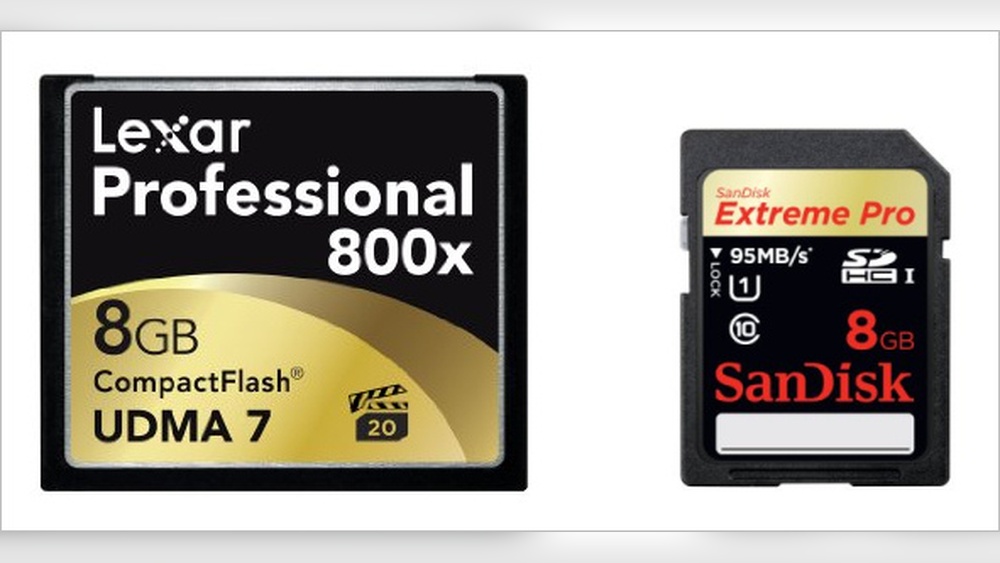
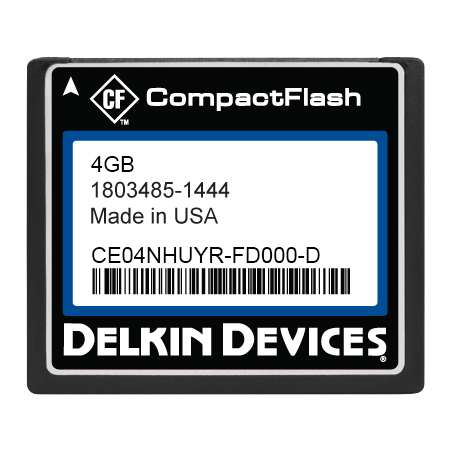
Compact Flash cards are larger and thicker than Secure Digital cards. They measure about 43mm by 36mm and are 3.3mm thick. Secure Digital cards are smaller, roughly 32mm by 24mm and only 2.1mm thick. The smaller size of SD cards makes them ideal for compact devices. CF cards need more space, so they fit better in larger cameras or equipment.

Build Quality And Reliability

Compact Flash cards have a solid build and often include a metal shell. This metal casing protects against drops and rough use. Secure Digital cards are made mostly of plastic but still offer good durability. Both types resist shocks and vibrations, but CF cards tend to handle tough conditions better. SD cards focus on lightweight design while keeping decent strength for everyday use.

Performance And Speed

Performance and speed are key factors when choosing between Compact Flash and Secure Digital cards. These aspects affect how fast your device saves and loads data. They also influence the overall user experience, especially in cameras and other electronics.

Read And Write Speeds

Compact Flash cards often offer higher read and write speeds. This makes them suitable for tasks that need quick data transfer, like shooting high-resolution videos. Secure Digital cards vary widely in speed. Some are fast enough for everyday use, while others support 4K video recording and rapid photo capture. Speed classes and UHS ratings help identify the performance level of SD cards.

Impact On Device Performance

Faster memory cards help devices work smoothly without lag. Compact Flash cards with high speeds reduce the wait time during file transfers. This is useful for professional photographers who take many shots in a short time. Secure Digital cards improve smartphone and tablet responsiveness by speeding up app loading and file access. Slow cards can cause delays, buffering, or even errors in recording data.

Compatibility And Usage

Compatibility and usage play a big role in choosing between Compact Flash and Secure Digital cards. Each type fits different devices and tasks. Understanding where each works best helps pick the right card for your needs.

Supported Devices For Compact Flash

Compact Flash cards fit well in older cameras and professional gear. Many DSLR cameras used them before SD cards became common. They also work with some audio recorders and video equipment. Their large size means they need a bigger slot, so newer small gadgets rarely use them.

Secure Digital Card Applications

Secure Digital cards suit many modern devices. Smartphones, tablets, and digital cameras often use them. They are also common in laptops and game consoles. Their small size and wide range of storage options make them a flexible choice. Many devices support microSD cards, a tiny form of SD, for extra convenience.

Storage Capacity Options

Storage capacity is a key factor when choosing between Compact Flash and Secure Digital cards. Capacity affects how many photos, videos, or files you can store. Different devices need different storage sizes. Understanding the max capacity helps pick the right card.

Max Capacity For Compact Flash

Compact Flash cards offer large storage options. The max capacity can reach up to 512 GB. This size suits professionals who capture high-resolution photos or videos. These cards handle big files easily. They are ideal for cameras and devices needing fast data transfer.

Max Capacity For Secure Digital

Secure Digital cards vary widely in capacity. The max size is up to 1 TB for SDXC cards. This is twice the max size of most Compact Flash cards. SD cards fit well in many devices like smartphones, tablets, and cameras. They balance storage size and convenience for everyday use.

Compact Flash Vs Secure Digital: Ultimate Storage Showdown

Credit: www.photoreview.com.au

Price And Availability

Price and availability play a big role in choosing between Compact Flash and Secure Digital cards. These factors affect how easily you can buy them and how much you will pay. Understanding these aspects helps you make a smart choice.

Cost Comparison

Secure Digital cards usually cost less than Compact Flash cards. SD cards are made in larger quantities, which lowers their price. Compact Flash cards tend to be pricier because they are used less often.

The price difference grows with higher storage sizes. Large SD cards offer more space for less money. Compact Flash cards with the same storage size can cost double or more.

Market Availability And Trends

Secure Digital cards are widely available in stores and online. Most cameras and devices support SD cards, so they are easy to find. Compact Flash cards have become harder to find as newer devices use SD or other types.

Market trends show SD cards growing in popularity. Many manufacturers focus on SD cards for their devices. Compact Flash cards still serve some professional uses but are less common in everyday gadgets.

Future Of Storage Cards

Storage cards have evolved significantly over the years. Both Compact Flash (CF) and Secure Digital (SD) cards have served as essential tools for photographers, videographers, and tech users. The future of storage cards looks promising with new technologies emerging and changes in user needs. Understanding these trends helps us see which type of card will remain relevant.

Emerging Technologies

New storage technologies focus on speed, capacity, and durability. SD cards are adopting faster standards like UHS-II and UHS-III. These offer higher transfer rates suitable for 4K and 8K video. CF cards are also evolving, with CFast and CFexpress formats providing ultra-fast speeds. These newer formats target professional users with high data demands. Other innovations include improved error correction and better power efficiency. The goal is to support larger files and faster workflows.

Longevity And Market Demand

SD cards dominate consumer electronics such as smartphones and cameras. Their small size and affordability keep them popular. CF cards remain preferred in some professional fields due to durability. They handle heavy use and harsh conditions better. Market demand for SD cards grows faster than CF cards. This trend affects production and availability. Despite this, CF cards will stay relevant for niche uses. Both types will coexist but serve different user needs.

Compact Flash Vs Secure Digital: Ultimate Storage Showdown

Credit: www.photoreview.com.au

Frequently Asked Questions

What Is The Main Difference Between Compact Flash And Secure Digital?

Compact Flash cards are larger and use a different connection type than Secure Digital cards. SD cards are smaller and more common in everyday devices.

Which Card Type Is Faster For Data Transfer?

Compact Flash cards generally offer faster data transfer speeds than Secure Digital cards. This makes them better for high-speed photography and video.

Are Compact Flash Cards Compatible With All Devices?

No, Compact Flash cards fit only in devices designed for their size and connection. Secure Digital cards are more widely compatible with many gadgets.

Which Storage Card Is More Durable And Reliable?

Compact Flash cards tend to be more robust and last longer under tough conditions. Secure Digital cards are good but can be less durable.

Can Secure Digital Cards Replace Compact Flash Cards In Professional Use?

Secure Digital cards are increasingly used in professional gear due to improved speed and capacity. Still, some pros prefer Compact Flash for certain cameras.

Conclusion

Choosing between Compact Flash and Secure Digital depends on your device and needs. Compact Flash cards offer durability and speed for professional use. Secure Digital cards are smaller and widely compatible with everyday gadgets. Both have different sizes, speeds, and prices.

Think about what fits your camera or device best. Also, consider how much storage you require. Each card type serves a purpose. Your choice should match your specific situation and budget. Simple and clear.

Analog Vs Digital Clock: Ultimate Guide to Choosing Right

Analog Vs Digital Clock

Have you ever stopped to think about the clock you use every day? Whether it’s on your wall, your phone, or your wrist, the way time is shown can make a big difference in how you experience it.

Analog and digital clocks each have their own unique style and advantages. But which one suits you best? By the end of this article, you’ll discover how these two types of clocks impact your daily routine and why choosing the right one could actually change the way you manage your time.

Keep reading—you might be surprised by what you learn!

Analog Clock Basics

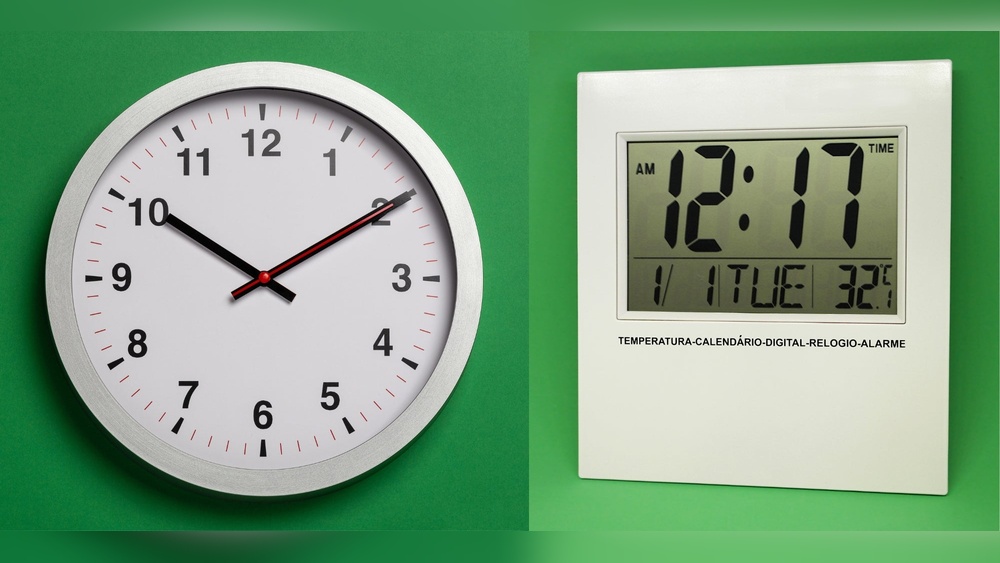
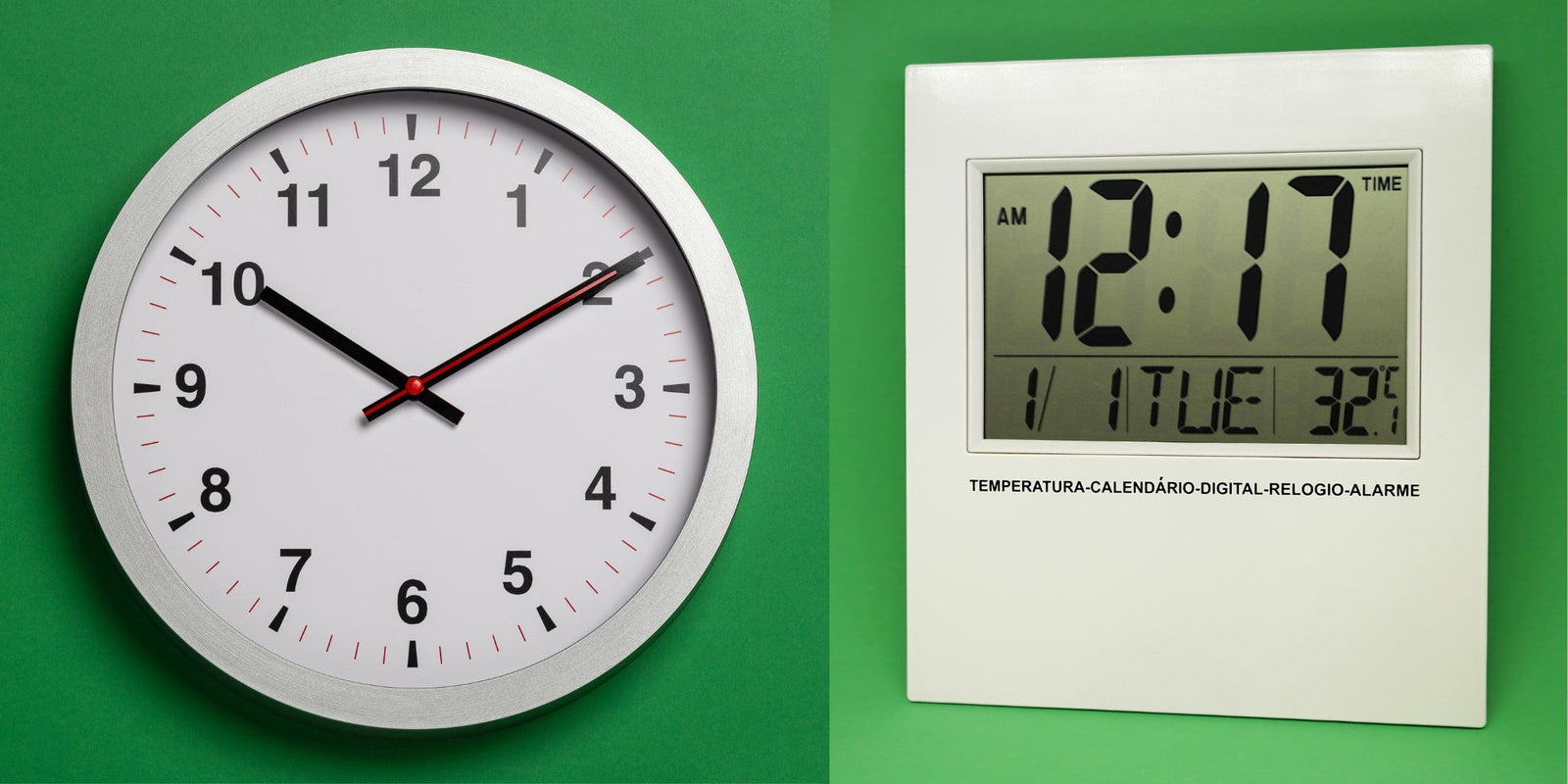
Analog clocks have been a part of daily life for centuries. They use moving hands to show time. The face of an analog clock usually has numbers from 1 to 12.

Understanding the basics of analog clocks helps to appreciate their design and function. These clocks are simple yet effective tools for telling time.

How Analog Clocks Work

Analog clocks use three hands: hour, minute, and sometimes second. The hour hand moves the slowest. The minute hand moves faster, completing one round in 60 minutes. The second hand moves quickly, making a full circle in 60 seconds. Inside, gears control the movement of these hands. A battery or a mechanical spring powers the clock.

Common Designs And Styles

Many analog clocks have round faces, but square and rectangular ones exist. Some clocks show all numbers, while others use dots or lines. The hands can be simple or decorative. Classic styles include wooden frames and Roman numerals. Modern designs often feature minimal faces and bright colors.

Advantages Of Analog Clocks

Analog clocks help improve time-reading skills. They show the passage of time visually. This makes it easier to understand concepts like quarter past or half past. They do not rely on digital displays, so they work during power outages. Analog clocks add charm and style to any room.

Digital Clock Features

Digital clocks have become common in homes, schools, and offices. They show the time with numbers, making it easy to read at a glance. These clocks often include extra features that add convenience to daily life. Understanding these features helps you choose the right clock for your needs.

How Digital Clocks Operate

Digital clocks use electronic circuits to keep time. A quartz crystal inside vibrates at a steady rate. The clock counts these vibrations to track seconds, minutes, and hours. The time is shown on an LED or LCD screen in numbers. This process keeps the display accurate and easy to read.

Popular Digital Clock Types

There are many types of digital clocks. Alarm clocks are common and help wake people up. Wall clocks with digital displays are easy to see from far away. Some digital clocks include radios or Bluetooth speakers. Smart clocks connect to Wi-Fi and show weather or reminders.

Benefits Of Digital Clocks

Digital clocks are simple to read, even from a distance. They often include alarms, timers, and backlights for nighttime use. Many models offer snooze buttons and multiple alarms. Digital clocks need less maintenance than analog ones. They keep accurate time and usually cost less.

Comparing Accuracy And Reliability

Choosing the right clock depends a lot on accuracy and reliability. Both analog and digital clocks offer different benefits in these areas. Understanding their strengths helps you pick the best option for your needs.

Timekeeping Precision

Digital clocks often keep time more precisely than analog ones. They use electronic signals that reduce errors. Analog clocks rely on mechanical parts, which can drift over time. This makes digital clocks better for exact timekeeping. Still, high-quality analog clocks can be quite accurate too.

Power Sources And Battery Life

Digital clocks usually need batteries or electricity to run. Battery life varies but often lasts several months. Analog clocks may use batteries or wind-up mechanisms. Wind-up clocks do not need batteries but require regular winding. Battery-powered analog clocks often last longer than digital ones.

Durability And Maintenance

Analog clocks tend to be more durable due to fewer electronic parts. Mechanical parts can wear out but are often easy to fix. Digital clocks have more delicate components that can fail. Maintenance for digital clocks mostly involves battery replacement. Analog clocks may need occasional cleaning and adjustments.

Analog Vs Digital Clock: Ultimate Guide to Choosing Right

Credit: www.premierclocks.com

User Experience And Readability

User experience and readability play a big role in choosing between analog and digital clocks. How easy it is to read the time affects daily use. Lighting and user needs also matter. Each type of clock offers different benefits for reading and viewing.

Ease Of Reading Time

Digital clocks show numbers directly. This makes reading the time quick and clear. No need to guess the position of hands. Analog clocks require interpreting the hands’ positions. Some people find this slower or confusing. Others enjoy the visual aspect of analog clocks. Learning to read analog clocks takes practice for some users.

Visibility In Different Lighting

Digital clocks often have backlights. This helps reading time in dark rooms. Some digital clocks use bright screens that work well in daylight. Analog clocks rely on contrast between hands and face. Good lighting is needed to see analog clocks clearly. Glow-in-the-dark hands or numbers improve visibility at night.

User Preferences And Accessibility

User habits influence clock choice. Older adults may prefer analog clocks for familiarity. Younger users often like digital clocks for speed. People with vision problems may find digital clocks easier to read. Analog clocks can be harder for those with low vision. Accessibility features like large digits or voice time help digital clock users.

Design And Aesthetics

Design and aesthetics play a big role in choosing between analog and digital clocks. The look of a clock can change a room’s feel. It can add charm, modernity, or a classic vibe.

Both types have unique designs that suit different tastes and spaces. Understanding these differences helps you pick a clock that fits your style perfectly.

Style Matching With Decor

Analog clocks often have a timeless, classic look. Their round faces and moving hands bring a warm, traditional feel. They work well in homes with vintage or rustic decor.

Digital clocks have a sleek, clean design. Their bright numbers and simple shapes fit modern and minimalist spaces. They blend well with contemporary furniture and gadgets.

Customization Options

Analog clocks come in many styles, from ornate to simple. You can find wood, metal, or plastic frames in various colors. Some have unique hands or numbers that add character.

Digital clocks often offer features like different display colors and brightness levels. Some let you change the time format or add alarms. These options help match your preferences easily.

Size And Portability

Analog clocks range from small bedside models to large wall pieces. Their size can make a strong style statement or fit discreetly in any spot. Many are lightweight and easy to move.

Digital clocks tend to be compact and light. They are perfect for desks, nightstands, or travel. Their size and shape make them highly portable and practical.

Additional Features And Functions

Clocks today do more than just show time. Both analog and digital clocks offer extra features that suit different needs. These features can make a clock more useful in daily life.

Alarm And Timer Capabilities

Digital clocks often include built-in alarms and timers. These can be set easily with buttons. Many allow multiple alarms for different times. Analog clocks may have alarms but usually only one. Timers are rare in analog models. Digital alarms are louder and more precise, helping you wake up on time.

Smart Features And Connectivity

Some digital clocks connect to Wi-Fi or Bluetooth. They sync time automatically and update for daylight savings. Smart clocks may show weather or news updates. You can control them with voice assistants. Analog clocks lack these smart functions. They focus on simple, classic timekeeping without technology.

Energy Efficiency

Analog clocks use less power and often run on one battery for months. Digital clocks use more energy because of displays and features. Some digital models have energy-saving modes. Solar-powered analog clocks save even more energy. Choosing the right clock depends on how much power you want to use.

Cost Considerations

Cost is a major factor when choosing between analog and digital clocks. Understanding the expenses helps you pick the best option for your budget.

Different types of clocks have different price points and upkeep needs. This section breaks down these costs.

Price Range Comparison

Analog clocks often start at lower prices. Simple models can cost very little. Designer or vintage analog clocks may be pricier. Digital clocks usually have a wider price range. Basic digital clocks are affordable. Advanced models with extra features cost more. Both types offer options for tight or flexible budgets.

Long-term Value

Analog clocks tend to last longer without upgrades. Their simple mechanism needs less power. Digital clocks may need battery or electricity replacements. Some digital models become outdated quickly. Analog clocks keep their charm and function for years. Digital clocks offer more functions but may not last as long.

Repair And Replacement Costs

Repairing analog clocks can be affordable if parts are available. Some vintage clocks might need expert care, which costs more. Digital clocks can be harder to fix. Their circuits and screens are often costly to replace. Sometimes replacing the whole digital clock is cheaper than repair. Consider these factors when thinking about long-term costs.

Analog Vs Digital Clock: Ultimate Guide to Choosing Right

Credit: www.premierclocks.com

Choosing The Right Clock For You

Choosing the right clock means picking one that fits your life and space well. A clock is more than just a timekeeper. It can add style, help with punctuality, and even boost focus. Understanding your needs and environment helps you choose wisely.

Assessing Your Needs

Think about how you use a clock daily. Do you prefer quick time checks or detailed readings? Some people like seeing the exact seconds. Others want a simple glance to know the hour. Consider your vision and how much detail you want.

Also, decide if you want a clock that makes noise. Some analog clocks tick, which can bother light sleepers. Digital clocks usually run silently. Your personal comfort matters a lot in this choice.

Matching Clock Type To Environment

Match the clock style to the room where it will hang. A kitchen might suit a digital clock for easy reading during cooking. A living room could benefit from an analog clock as a decorative piece. Offices often need clear, fast time checks, so digital clocks work well.

Consider lighting too. Digital clocks need power and light to display clearly. Analog clocks can be easier to see in dim light or without power. The environment shapes what type fits best.

Tips For Making The Final Decision

Test both types before buying. Notice which one feels natural to read. Check if the size fits your space. A large clock may suit a big wall but look odd in a small room.

Think about maintenance. Digital clocks may need battery changes or power sources. Analog clocks might need winding or battery changes less often. Choose the one that fits your lifestyle and routine.

Analog Vs Digital Clock: Ultimate Guide to Choosing Right

Credit: executivefunctioningsuccess.com

Frequently Asked Questions

What Is The Main Difference Between Analog And Digital Clocks?

Analog clocks show time with hands on a dial. Digital clocks display time with numbers on a screen.

Which Clock Type Is Easier To Read For Kids?

Digital clocks are usually easier for kids to read because they show clear numbers. Analog clocks need learning to read the hands.

Do Analog Clocks Use More Power Than Digital Ones?

Analog clocks often use less power, especially if they are mechanical. Digital clocks usually need batteries or electricity.

Can Digital Clocks Show More Information Than Analog Clocks?

Yes, digital clocks can show date, temperature, and alarms. Analog clocks mainly show only the current time.

Which Clock Type Suits Modern Home Decor Better?

Digital clocks fit well in modern, minimalist spaces. Analog clocks offer a classic, traditional look that suits vintage styles.

Conclusion

Choosing between analog and digital clocks depends on your needs. Analog clocks show time with hands, which some find easier to read. Digital clocks display numbers and often include extra features. Both types serve their purpose well. Think about where and how you will use the clock.

Comfort and style matter too. Either way, you get a tool that helps you keep track of time every day. Simple, clear, and useful—choose what fits you best.

Hdmi Audio Vs Digital Optical: Ultimate Sound Showdown Explained

Hdmi Audio Vs Digital Optical

Are you confused about the difference between HDMI audio and digital optical connections? You’re not alone.

When setting up your home theater or sound system, choosing the right audio connection can feel overwhelming. But understanding how HDMI audio and digital optical work can make a huge difference in the sound quality you experience. You’ll discover which option suits your needs best and how to get the most out of your audio setup.

Keep reading, because the right choice could transform the way you enjoy movies, music, and games.

Hdmi Audio Basics

HDMI audio is a common way to send sound from one device to another. It carries audio and video signals through a single cable. This makes it simple and clean to connect devices like TVs, gaming consoles, and sound systems. Understanding how HDMI works helps you choose the right setup for your home entertainment.

Let’s explore the basics of HDMI audio and how it handles sound.

How Hdmi Transfers Sound

HDMI sends audio as digital data. This means the sound stays in its original form without losing quality. It uses high-speed signals to carry sound from the source to the output device. The cable supports multiple audio channels, allowing surround sound formats to work perfectly.

Supported Audio Formats

HDMI supports many audio formats. These include stereo sound, 5.1, and 7.1 surround sound. It also handles advanced formats like Dolby TrueHD and DTS-HD Master Audio. These formats offer clear and rich sound. The support for high-quality audio makes HDMI popular for home theaters.

Video And Audio Integration

One key benefit of HDMI is its ability to carry video and audio together. This removes the need for separate cables. It saves space and reduces cable clutter. The connection ensures audio and video stay in sync. This leads to a better viewing and listening experience.

Hdmi Audio Vs Digital Optical: Ultimate Sound Showdown Explained

Credit: www.amazon.com

Digital Optical Audio Basics

Digital optical audio is a popular method for transmitting sound. It uses light to carry audio signals. This method keeps sound clear and free from electrical noise. You often find optical audio in home theaters and soundbars. It connects devices like TVs, DVD players, and gaming consoles.

Understanding how digital optical audio works helps you choose the right audio connection. It also shows the type of sound quality you can expect.

How Optical Audio Works

Optical audio uses fiber optic cables. These cables carry light pulses representing audio data. The light travels through a thin glass or plastic fiber. A laser or LED sends the light signal. At the receiving end, a sensor converts light back to electrical audio signals.

This process reduces interference from other electronic devices. It ensures the sound stays clean and clear over longer distances.

Common Audio Formats

Optical audio supports many popular formats. It handles stereo sound and surround sound systems. Formats like Dolby Digital and DTS are common. These deliver multi-channel audio for a richer experience. The cable carries compressed audio to keep data size low. It suits most home audio setups and gaming systems.

Limitations And Strengths

Optical audio has clear strengths. It avoids electrical interference and signal loss. It works well for long cable runs. The cable is thin and flexible. Still, it has limits. It does not support high-definition audio formats like Dolby TrueHD. It also can’t carry video signals. For these, HDMI might be better. Optical audio remains a reliable and simple choice for good sound.

Audio Quality Comparison

Audio quality matters a lot when choosing between HDMI audio and digital optical cables. Both carry sound signals but differ in how they deliver sound. Understanding these differences helps pick the right cable for your setup. This section compares their sound quality in clear points.

Sound Fidelity And Clarity

HDMI supports uncompressed audio formats, keeping sound pure and clear. It can carry high-resolution audio like Dolby TrueHD and DTS-HD Master Audio. Digital optical cables send compressed audio, which may lose some details. The result is slightly less clear sound than HDMI. For critical listening, HDMI often provides better fidelity.

Channel Support And Surround Sound

HDMI handles multiple audio channels easily, supporting up to 8 channels or more. It works well with modern surround sound systems like 7.1 or Atmos. Optical cables usually support up to 5.1 channels but cannot handle newer formats. This limits the richness of sound in a home theater. HDMI is a better choice for full surround sound experience.

Latency And Signal Interference

HDMI cables tend to have lower latency, making audio sync smoother with video. Digital optical cables use light signals, which resist electrical interference well. This reduces noise but may introduce slight delays. Both cables offer good performance, but HDMI usually has an edge for fast, clear audio transmission without delay.

Hdmi Audio Vs Digital Optical: Ultimate Sound Showdown Explained

Credit: www.amazon.com

Compatibility And Setup

Understanding compatibility and setup helps you choose the right audio connection. Both HDMI and digital optical cables carry audio signals but work differently. Knowing device support, cable length, and installation ease makes setup smoother.

Device Support For Hdmi And Optical

Most modern TVs, soundbars, and gaming consoles support HDMI. HDMI carries both audio and video signals in one cable. Digital optical ports appear on older devices and some newer ones. Optical only sends audio, so video needs a separate cable. Check your device ports before buying cables.

Cable Length And Durability

HDMI cables usually work well up to 50 feet. Longer cables may lose signal quality. Optical cables can run longer, sometimes over 100 feet, without signal loss. Optical cables use plastic or glass fibers inside, making them fragile. HDMI cables are thicker and more durable for daily use.

Ease Of Installation

HDMI cables plug in easily with a simple rectangular connector. One cable handles audio and video, reducing clutter. Optical cables have a small, square connector that fits only one way. They need careful handling to avoid damaging the fiber inside. Both cables are simple to connect but HDMI is more user-friendly.

Use Cases For Each Connection

Choosing between HDMI audio and digital optical depends on the devices you use. Each connection type fits different setups and needs. Understanding where each excels helps you pick the best option for your system. Let’s explore common use cases for both connections.

Home Theater Systems

HDMI is often best for home theaters. It carries both audio and video signals together. This means fewer cables and easier setup. HDMI supports high-quality sound formats like Dolby TrueHD and DTS-HD Master Audio. These formats enhance surround sound experience. Digital optical works well too but has limits. It does not support the latest high-definition audio formats. Optical is good for older systems without HDMI inputs.

Gaming Consoles And Pcs

HDMI is the preferred choice for gaming consoles and PCs. It delivers both clear video and audio through one cable. This reduces clutter around your setup. HDMI supports 5.1 and 7.1 surround sound for immersive gaming. Optical audio can still work for sound only. It may be used if your device has no HDMI audio output. But optical can limit audio quality in fast-paced games.

Streaming Devices And Tvs

Streaming devices and modern TVs usually support HDMI audio. It allows direct connection for both sound and picture. This makes streaming simple and clean. Digital optical is useful for TVs with limited HDMI ports. It sends good quality audio to soundbars or receivers. Optical is also handy for older streaming devices without HDMI audio output.

Cost And Availability

Choosing between HDMI audio and digital optical depends on cost and availability. These factors affect your budget and setup options. Understanding prices and equipment needs helps you pick the right connection. Also, thinking about future upgrades saves money later.

Cable Prices And Options

HDMI cables usually cost more than digital optical ones. Basic HDMI cables start around $5 to $10. Optical cables often cost less, starting near $3. Both types come in various lengths and qualities. You can find affordable options in most electronics stores. Quality matters for longer cables to avoid signal loss.

Equipment Requirements

HDMI needs devices with HDMI ports. Most TVs, soundbars, and receivers have them today. Optical cables require TOSLINK ports. These appear on many older audio devices and some new ones. Some devices have both, making switching easy. Check your gear before buying cables.

Future-proofing Your Setup

HDMI supports higher audio formats and video signals. This makes it better for future devices. Optical cables focus on audio only and do not carry video. If you plan to upgrade your system, HDMI offers more flexibility. Optical may suit simple audio setups well.

Hdmi Audio Vs Digital Optical: Ultimate Sound Showdown Explained

Credit: www.jtechdigital.com

Frequently Asked Questions

What Are The Main Differences Between Hdmi Audio And Digital Optical?

HDMI carries both audio and video signals, while digital optical only carries audio. HDMI supports higher audio quality and more channels. Optical is simpler but limited to audio only.

Can Digital Optical Support Surround Sound Like Hdmi?

Yes, digital optical supports surround sound but only up to 5. 1 channels. HDMI can handle more channels and better formats like Dolby Atmos. Optical is good for basic surround sound needs.

Which Is Better For Gaming: Hdmi Audio Or Digital Optical?

HDMI is better for gaming because it carries both sound and video. It also supports high-quality audio and low delay. Optical works but may miss some advanced sound features.

Is Digital Optical Compatible With All Sound Systems?

Most modern sound systems have digital optical inputs. It works well with older and some budget devices. HDMI is more common on newer, high-end systems.

Does Hdmi Audio Provide Better Sound Quality Than Digital Optical?

HDMI can deliver better sound quality with support for high-definition audio formats. Optical audio is limited to standard formats like Dolby Digital. For rich, clear sound, HDMI is preferred.

Conclusion

Choosing between HDMI audio and digital optical depends on your needs. HDMI carries both sound and video in one cable. Digital optical sends only sound but has less interference. HDMI supports more advanced sound formats. Optical works well with older devices.

Both options provide clear audio quality. Think about your setup and device compatibility. Either way, you get great sound for movies and music. Simple and effective.

Digital Marketing Vs Social Media Marketing: Key Differences Revealed

Digital Marketing Vs Social Media Marketing

Are you wondering how to boost your business and reach more customers online? You’ve probably heard about digital marketing and social media marketing, but do you know the real difference between the two?

Understanding these can change the way you promote your brand and spend your budget. This article will clear up the confusion and help you decide which strategy fits your goals best. Keep reading to discover what works for you and how to get the most out of your marketing efforts.

Digital Marketing Vs Social Media Marketing: Key Differences Revealed

Credit: peppermintcreate.com

Scope Of Digital Marketing

Digital marketing covers a wide range of activities beyond social media. It uses many channels to reach customers online. This broad scope allows businesses to connect with different audiences in various ways.

Understanding these channels helps clarify how digital marketing differs from just social media marketing. The wide reach and flexibility make digital marketing a powerful tool for businesses.

Channels Beyond Social Media

Digital marketing includes search engines, email, websites, and online ads. Search engine optimization (SEO) helps websites rank higher on Google. Email marketing sends messages directly to customers’ inboxes. Pay-per-click ads appear on search results or websites. Content marketing shares useful articles, videos, or blogs. These channels work together to attract and engage customers.

Integration With Traditional Marketing

Digital marketing often connects with traditional marketing methods. TV, radio, and print ads can support online campaigns. Using both online and offline channels builds stronger brand awareness. This mix helps reach people who prefer different types of media. Combining digital and traditional marketing creates a balanced approach.

Focus Areas Of Social Media Marketing

Social media marketing focuses on connecting with audiences through online platforms. It targets specific groups to build relationships and promote brands. Understanding key areas helps businesses use social media effectively.

Popular Social Platforms

Social media marketing uses platforms where people spend time daily. Facebook remains a top choice for wide reach and diverse audiences. Instagram attracts younger users with visual content like photos and videos. Twitter works well for quick updates and real-time conversations. LinkedIn targets professionals, ideal for business networking and B2B marketing. TikTok grows fast with short, creative videos that engage younger users. Choosing the right platform depends on where the audience is active.

Content Types And Engagement

Content drives social media success. Posts include images, videos, text, and stories. Videos capture attention quickly and often get more shares. Images create instant interest and help messages stand out. Stories offer short, temporary content that feels personal and urgent. Engagement happens through likes, comments, and shares. Responding to comments builds trust and encourages more interaction. Polls and questions invite users to join conversations. Good content keeps followers interested and loyal.

Target Audience And Reach

Understanding the target audience and reach is key in digital marketing and social media marketing. Both strategies aim to connect with people but use different methods. Knowing the difference helps businesses spend their budget wisely and get better results.

Broad Vs. Niche Targeting

Digital marketing often targets a broad audience using search engines, websites, and emails. It casts a wide net to attract many potential customers. Social media marketing usually focuses on niche groups with specific interests or demographics. Platforms like Facebook and Instagram allow precise targeting by age, location, and hobbies. This helps brands reach people who are more likely to be interested in their products.

Organic And Paid Strategies

Both digital and social media marketing use organic and paid methods. Organic strategies include content creation and search engine optimization. These methods build trust over time without direct costs. Paid strategies involve ads and sponsored posts. Digital marketing ads appear on search results and websites. Social media ads show up in users’ feeds and stories. Paid ads offer quick reach and precise targeting, while organic methods take longer but create lasting engagement.

Digital Marketing Vs Social Media Marketing: Key Differences Revealed

Credit: www.springboard.com

Tools And Techniques

Tools and techniques are essential in both digital marketing and social media marketing. They help businesses reach the right audience and measure success. These tools make tasks easier and more efficient. Each marketing approach uses specific tools to achieve its goals.

Analytics And Metrics

Analytics track user behavior and campaign performance. Digital marketing tools analyze website traffic, conversion rates, and user engagement. Social media marketing focuses on likes, shares, comments, and follower growth. Both types of analytics help marketers understand what works and what needs improvement. Data guides future marketing strategies and budget allocation.

Automation And Scheduling

Automation tools save time by handling repetitive tasks. Digital marketing uses email automation and customer relationship management (CRM) systems. Social media marketing relies on scheduling tools to plan posts ahead. These tools ensure consistent communication with the audience. Automation also improves efficiency and reduces human errors.

Budget Considerations

Budget plays a big role in choosing between digital marketing and social media marketing. Knowing the costs helps businesses plan better. It also allows them to use funds wisely for the best results.

Understanding how much each option costs is key. A clear idea of expenses helps avoid surprises. Budget limits often decide which marketing method suits a business.

Cost Variations

Digital marketing costs vary widely. It includes many channels like email, SEO, and pay-per-click ads. Each channel has its own price range.

Social media marketing usually costs less upfront. It focuses on platforms like Facebook, Instagram, or Twitter. Spending depends on ad type and audience size.

Small businesses may find social media marketing cheaper to start. Digital marketing can require larger budgets for full campaigns. Costs also change based on goals and tools used.

Return On Investment

Return on investment (ROI) measures how much profit comes from marketing spend. Digital marketing often shows clear ROI through tracking tools. Businesses can see which campaigns work best.

Social media marketing ROI can be harder to measure. Engagement and brand awareness may grow without immediate sales. Still, it builds customer trust over time.

Both methods can deliver strong ROI. Success depends on strategy, budget, and consistent effort. Wise spending leads to better returns in either case.

Campaign Goals And Objectives

Campaign goals and objectives guide every marketing effort. They define what a business wants to achieve. Digital marketing and social media marketing share some goals but differ in focus and approach. Understanding these differences helps choose the right strategy.

Brand Awareness

Brand awareness means making people recognize a brand. Digital marketing uses many channels like websites, email, and ads. It reaches a broad audience across the internet.

Social media marketing focuses on building brand presence on platforms like Facebook and Instagram. It engages users with posts, stories, and comments. This creates a more personal connection.

Lead Generation And Sales

Lead generation is about attracting potential customers. Digital marketing uses targeted ads, SEO, and email campaigns to collect leads. It tracks data to find the best prospects.

Social media marketing also generates leads through interactive content and direct messages. It can drive quick sales by promoting offers to active users. Both methods support sales but use different tools.

Challenges And Limitations

Digital marketing and social media marketing face various challenges. These hurdles can limit success and affect results. Understanding these issues helps businesses adapt and improve strategies.

Algorithm Changes

Algorithms control what content users see online. Platforms like Google and Facebook often change these rules. Marketers must constantly adjust their tactics. These changes can reduce visibility and reach. It becomes harder to keep audiences engaged. Staying updated with algorithm shifts is a constant task.

Audience Saturation

Many brands compete for attention on the same platforms. This leads to audience saturation. Users see too many ads and posts daily. It makes standing out difficult for marketers. Audiences may ignore or block repetitive content. Marketers need fresh ideas to stay noticed. Overcoming saturation requires creativity and persistence.

Future Trends

The future of digital marketing and social media marketing will change quickly. New tools and habits will shape how brands reach people. Staying updated will help marketers stay effective and relevant.

Emerging Technologies

Artificial intelligence will play a bigger role in marketing. It helps create personalized ads and content fast. Virtual reality and augmented reality will offer new ways to engage customers. Chatbots will improve customer service on social media. Voice search will change how people find information online. Marketers must learn to use these tools well.

Evolving Consumer Behavior

People want more authentic and honest brand messages. They prefer short, clear, and visual content. Mobile use will keep growing, so marketing must be mobile-friendly. Privacy concerns will make consumers cautious about their data. Social media users expect quick responses from brands. Trust and transparency will become key to winning customers.

Digital Marketing Vs Social Media Marketing: Key Differences Revealed

Credit: www.reliablesoft.net

Frequently Asked Questions

What Is The Main Difference Between Digital Marketing And Social Media Marketing?

Digital marketing covers all online marketing channels. Social media marketing focuses only on social platforms like Facebook or Instagram.

Can Social Media Marketing Work Without Digital Marketing?

Social media marketing can work alone but digital marketing helps reach more people. They often work best together.

Which Is Better For Small Businesses: Digital Or Social Media Marketing?

Social media marketing is often cheaper and easier for small businesses. Digital marketing offers a wider reach but may cost more.

How Do Digital Marketing And Social Media Marketing Measure Success?

Digital marketing tracks website visits, clicks, and sales. Social media marketing focuses on likes, shares, comments, and followers.

Does Social Media Marketing Include Paid Advertising?

Yes, social media marketing uses paid ads on platforms. Digital marketing also includes paid ads on search engines and websites.

Conclusion

Digital marketing covers many online methods to reach customers. Social media marketing focuses on platforms like Facebook and Instagram. Both help businesses grow but serve different purposes. Choosing the right one depends on your goals and audience. Use digital marketing for broad reach and data tracking.

Use social media marketing to build relationships and engage users. Combining both can create a strong online presence. Think about what fits your business best. Start small, test, and learn as you go. Success comes from using tools that work for you.

Digital Vs Disc PS5: Ultimate Comparison for Gamers 2026

Digital Vs Disc Ps5

Are you torn between choosing the Digital or Disc version of the PS5? This decision can shape your entire gaming experience, from how you buy games to how you enjoy them at home.

Understanding the key differences can save you money, hassle, and frustration. You’ll discover what sets these two versions apart and which one fits your lifestyle best. Keep reading to make the smartest choice for your gaming setup.

Digital Vs Disc PS5: Ultimate Comparison for Gamers 2026

Credit: lifehacker.com

Design And Build

The design and build of the PS5 play a big role in choosing between the Digital and Disc editions. Both models share a similar look but have some important differences. These differences affect their size, weight, and ports. Understanding these can help you decide which PS5 fits your needs better.

Size And Weight Differences

The Disc PS5 is larger and heavier than the Digital edition. This is because it has a built-in disc drive. The Digital PS5 is slimmer and lighter, making it easier to place in tight spaces. The size difference might affect where you keep the console in your room.

Aesthetic Variations

The Digital PS5 has a smooth, clean look without the disc slot. The Disc PS5 has a visible disc drive on one side. Both have the same white and black color scheme with blue LED lights. The difference is subtle but noticeable once you compare them side by side.

Port And Connectivity Options

Both models offer similar ports, including USB and HDMI connections. The Disc PS5 has an extra slot for the disc drive. Both support Wi-Fi and Bluetooth for wireless devices. The Digital edition lacks a disc drive but includes all the same ports for controllers and accessories.

Performance And Hardware

The performance and hardware of the PS5 Digital and Disc editions are very similar. Both versions offer powerful features that deliver smooth gaming experiences. This section explores the key hardware differences and similarities between the two models.

Processor And Gpu Specs

Both PS5 versions use the same processor and graphics unit. The CPU is a custom AMD Ryzen Zen 2 with eight cores. It runs at 3.5 GHz, providing fast and efficient processing. The GPU is based on AMD’s RDNA 2 architecture. It offers 10.28 teraflops of power. This setup supports ray tracing and high frame rates. Players get crisp visuals and smooth gameplay in both editions.

Storage Capacity And Expansion

Each PS5 comes with an 825 GB custom SSD. This storage allows quick loading times and fast data transfer. The Digital Edition has no disc drive, so all games must install digitally. The Disc Edition supports physical discs and digital downloads. Both models support M.2 SSD expansion. This lets players add more storage space for games and apps. Storage options are flexible to fit different needs.

Cooling Systems And Noise Levels

The cooling systems in both PS5 versions are nearly identical. Each uses a large fan and a heat sink to keep temperatures low. This setup ensures the console runs quietly under normal use. Noise levels remain minimal during gameplay. The cooling design prevents overheating and maintains performance. Gamers can enjoy long sessions without distraction from loud fans.

Game Library And Compatibility

The game library and compatibility are key parts of choosing between the Digital and Disc PS5. This affects what games you can play and how you access them. Each version offers different options for owning and playing games. Understanding these differences helps you pick the right PS5 for your needs.

Physical Vs Digital Game Access

The Disc PS5 lets you buy physical game discs from stores. You can trade, lend, or sell these discs later. The Digital PS5 only supports games bought online from the PlayStation Store. It does not have a disc drive. Digital games download directly to your console. This means no physical discs to handle or store.

Backward Compatibility

Both PS5 versions support many PS4 games. You can play most PS4 discs on the Disc PS5. The Digital PS5 can play PS4 games downloaded from your library. Some older PS3 or PS2 games may work through digital downloads or remasters. Check game support before buying older titles.

Exclusive Titles Availability

Exclusive games are available on both PS5 versions. These titles come from Sony’s studios and cannot be played elsewhere. The Disc PS5 has no advantage for exclusives. Digital and physical versions of these games are sold. Your choice does not limit access to exclusive PS5 games.

Digital Vs Disc PS5: Ultimate Comparison for Gamers 2026

Credit: www.theshortcut.com

User Experience

The user experience on the PS5 varies slightly between the Digital Edition and the Disc Edition. Both consoles offer powerful performance and smooth gameplay. Yet, the way players interact with games and features can feel different. This section explores the key differences in user experience.

Loading Times And Game Installation

Both PS5 versions load games quickly thanks to the fast SSD. The Digital PS5 downloads and installs games directly from the PlayStation Store. This process takes time depending on internet speed. The Disc PS5 requires inserting the game disc. It installs part of the game to the SSD but needs the disc to play. Loading times during gameplay are nearly the same on both models.

Interface And Features

The user interface is identical on both PS5 versions. Players navigate menus smoothly with the same layout and options. The Digital PS5 has no disc drive, so the interface does not show disc-related options. Both consoles support features like 3D audio, ray tracing, and the Control Center. Users can enjoy seamless updates and access to digital libraries on both models.

Controller Differences

The PS5 DualSense controller is the same for both versions. It offers haptic feedback and adaptive triggers. This adds a tactile feel to gameplay. There is no difference in controller performance or design between the Digital and Disc PS5. Players can use any DualSense controller on either console without issues.

Cost And Value

Choosing between the Digital and Disc PS5 models often comes down to cost and value. Understanding the price differences helps buyers make a smart choice. Both models offer great gaming experiences but vary in how much you pay upfront and over time.

Initial Purchase Price

The Digital PS5 costs less at the start. It has no disc drive, which lowers production costs. The Disc PS5 is more expensive because it includes a Blu-ray drive. This price gap makes the Digital version attractive for budget-conscious buyers. Still, the Disc model offers more flexibility with physical games.

Long-term Savings And Expenses

The Digital PS5 saves money by avoiding physical game purchases. Digital games often have sales and discounts. The Disc PS5 allows buying used or discounted physical copies, which can be cheaper. Both models may require spending on extra storage. Consider how often you buy new games to estimate long-term costs.

Resale And Trade-in Options

The Disc PS5 has an advantage in resale value. Physical copies can be sold or traded in for cash or credit. The Digital PS5 relies only on digital licenses, which cannot be resold. This limits options for recovering some purchase cost. Selling the Disc PS5 itself is similar to the Digital version, but game resale adds extra value.

Connectivity And Online Services

The PlayStation 5 offers strong connectivity and online services. Both Digital and Disc versions connect to the internet for a smooth gaming experience. These features affect how players access games, multiplayer modes, and online content.

Playstation Network Integration

Both PS5 models link to the PlayStation Network (PSN). PSN allows players to access friends, messages, and trophies. It also supports cloud saves, which helps keep game progress safe. This integration is key for social and gaming features.

Digital Storefront And Downloads

The Digital PS5 relies fully on the PlayStation Store for games. Players download all titles directly to the console. The Disc PS5 can also download games but uses physical discs too. Download speed depends on the internet connection for both models.

Multiplayer And Subscription Services

Online multiplayer requires a PS Plus subscription on both PS5 versions. PS Plus offers free monthly games and exclusive discounts. Both models access streaming services like Netflix and Spotify. Subscription services work equally well on Digital and Disc PS5s.

Future-proofing And Upgrades

Choosing between the Digital and Disc PS5 models involves thinking about future-proofing and upgrades. Both versions offer strong performance now, but how they handle updates and new games matters for the long term. Understanding software support, hardware life, and game compatibility helps make a better decision.

Software Updates And Support

Sony provides regular software updates for both PS5 models. These updates improve system stability and add new features. The updates are the same for Digital and Disc versions. Both receive security patches and performance improvements simultaneously. This means users get the latest software benefits regardless of the model chosen.

Hardware Longevity

Hardware inside both PS5 versions is nearly identical. The main difference is the disc drive in the Disc model. This extra part may face wear over time. The Digital model has fewer moving parts, which may reduce hardware issues. Both consoles come with built-in cooling and robust components to extend lifespan. Proper care can help either model last many years.

Compatibility With Upcoming Titles

Both PS5 models run all new PS5 games. Most new titles also support backward compatibility with PS4 games. However, physical disc games require the Disc version. Digital only users must buy games from the PlayStation Store. Some collectors or gamers who prefer physical copies might choose the Disc model. Otherwise, both consoles support the full library of new and upcoming games.

Digital Vs Disc PS5: Ultimate Comparison for Gamers 2026

Credit: www.laptopmag.com

Which Model Fits Your Gaming Style

Choosing between the Digital and Disc PS5 models depends on how you play games. Each version offers unique benefits for different gaming styles. Understanding your habits helps you pick the right fit.

Think about how often you play, what types of games you prefer, and how you like to own your games. These points guide your choice.

Casual Vs Hardcore Gaming

Casual gamers play less often and enjoy easy access to games. The Digital PS5 works well here, offering quick downloads and no need for discs. It saves time and space.

Hardcore gamers prefer a wide game collection and physical copies. The Disc PS5 suits them, allowing use of used games and sharing discs. It supports a large library.

Physical Collectors Vs Digital Enthusiasts

Collectors value game cases and physical artwork. They like to build shelves of games. The Disc PS5 lets them keep and show off these items.

Digital enthusiasts want convenience and instant access. They buy games online and avoid clutter. The Digital PS5 fits this lifestyle perfectly.

Space And Setup Considerations

The Digital PS5 is slightly slimmer and lighter. It fits well in smaller spaces and simple setups.

The Disc PS5 needs more room due to its drive. It works best with larger entertainment centers.

Think about your room size and setup before choosing a model.

Frequently Asked Questions

What Are The Main Differences Between Digital And Disc Ps5?

Digital PS5 only plays downloaded games, while Disc PS5 uses physical discs. Disc version can play used or borrowed games; Digital cannot.

Which Ps5 Version Is Better For Game Collection?

Disc PS5 allows collecting physical games and sharing with friends. Digital PS5 saves space but needs internet to download games.

Can Digital Ps5 Play Games Offline?

Yes, but only after games are fully downloaded and activated. Some features may need internet, but most single-player games work offline.

Is The Digital Ps5 Cheaper Than The Disc Version?

Digital PS5 has a lower upfront price but no disc drive. Game prices may be higher online, which could add up over time.

How Do Game Updates Work On Digital Vs Disc Ps5?

Both versions require internet to download updates and patches. Updates install automatically when connected to the internet on either PS5.

Conclusion

Choosing between Digital and Disc PS5 depends on your needs. The Digital PS5 offers a sleek design and easy access to games online. The Disc PS5 lets you play physical games and share discs with friends. Both versions deliver great performance and amazing graphics.

Think about your budget, game preferences, and internet speed. Each option has its own benefits. Make a choice that fits your gaming style and enjoy the PlayStation experience. Simple, clear, and ready to play.

Computed Radiography Vs Digital Radiography: Key Differences Explained

Computed Radiography Vs Digital Radiography

Are you confused about the difference between Computed Radiography and Digital Radiography? You’re not alone.

Choosing the right imaging method can feel overwhelming, especially when both sound so similar. But understanding how each works can make a big difference for your health, your time, and even your wallet. This article will clear up the confusion and help you know exactly what to expect from each option.

Keep reading—you’ll discover key facts that could change how you view medical imaging forever.

Computed Radiography Vs Digital Radiography: Key Differences Explained

Credit: www.youtube.com

Basics Of Computed Radiography

Computed Radiography (CR) is a medical imaging method that uses special technology to create X-ray images. It is a step between traditional film X-rays and fully digital systems. CR captures images on plates instead of film. These plates store the image data and then transfer it to a computer. This process helps doctors see inside the body without surgery.

CR is widely used in hospitals and clinics. It improves image handling and reduces the need for chemicals used in film processing. Understanding how CR works helps to see its role in medical imaging today.

How Computed Radiography Works

CR uses a special plate coated with photostimulable phosphor. When X-rays hit the plate, it stores the energy from the rays. The plate is then scanned with a laser beam. This laser releases the stored energy as light. A sensor captures this light and converts it into an electronic signal. The signal creates a digital image on a computer screen. Doctors can then analyze the image to diagnose problems.

Equipment Used In Computed Radiography

The main equipment includes the CR plate, a laser scanner, and a computer system. The CR plate replaces traditional X-ray film. The laser scanner reads the plate after exposure. It sends image data to the computer. The computer processes and displays the image. Other tools like image storage systems help manage patient records. This setup makes CR flexible and easy to use in many settings.

Image Quality In Computed Radiography

CR images have good quality but vary by system and technique. The digital images can be adjusted for brightness and contrast. This helps improve the view of bones and tissues. CR images have less detail than some digital systems. Still, they are clear enough for many diagnoses. The ability to enhance images helps doctors find issues faster. CR provides a reliable way to see internal body structures.

Basics Of Digital Radiography

Digital radiography is a modern method of taking X-ray images. It uses digital sensors instead of traditional film. This technology helps doctors see inside the body quickly and clearly. Digital radiography has many benefits, such as faster image processing and easier storage.

Understanding the basics helps to see why it is widely used in medical fields today. It improves patient care by providing sharper images and reducing radiation exposure.

How Digital Radiography Works

Digital radiography captures X-ray images using digital sensors. These sensors convert X-rays into electronic signals. The signals then create a digital image on a computer screen. This process happens almost instantly. No need to develop film in a darkroom.

The images can be adjusted for better clarity. Doctors can zoom in or change contrast. This flexibility helps in diagnosing problems more accurately.

Equipment Used In Digital Radiography

The main equipment includes a digital sensor or detector. It replaces traditional X-ray film. A computer system processes and displays images. Sometimes, a flat panel detector is used. This device is thin and lightweight.

A typical digital radiography setup also has an X-ray tube. It produces the X-rays needed for imaging. The entire system is designed for quick image capture and easy handling.

Image Quality In Digital Radiography

Digital radiography provides clear and detailed images. It can show small differences in tissue density. This makes it easier to spot issues like fractures or infections.

Images are sharp and can be enhanced using software. This helps doctors make better decisions. The quality reduces the need for retakes, saving time and radiation dose.

Comparing Image Acquisition

Comparing image acquisition in computed radiography (CR) and digital radiography (DR) reveals key differences. These differences affect how quickly images are captured, stored, and processed. Understanding these aspects helps medical staff choose the right technology for their needs.

Speed And Efficiency

Digital radiography captures images instantly. The sensor converts X-rays directly into digital images. This reduces the wait time for results. Computed radiography uses a cassette with a special plate. The plate must be scanned after exposure, which takes more time. DR offers faster workflows and quicker patient care.

Image Storage And Retrieval

Digital radiography stores images directly in a computer system. Images can be accessed immediately from any workstation. Computed radiography requires manual transfer of images from the scanner to storage. This adds extra steps and delays. DR simplifies image management and helps avoid lost files.

Image Processing Techniques

Both CR and DR allow image enhancement using software. DR images often have higher resolution and better contrast. This helps in clearer diagnosis. CR images need more processing to improve quality. DR’s advanced processing tools provide sharper and more detailed images quickly.

Computed Radiography Vs Digital Radiography: Key Differences Explained

Credit: ndtblog-us.fujifilm.com

Radiation Exposure Differences

Radiation exposure is a key concern in both Computed Radiography (CR) and Digital Radiography (DR). It affects patient safety and image quality. Understanding the differences in radiation doses helps in choosing the right technology for medical imaging.

Dose Levels In Computed Radiography

Computed Radiography uses a special plate to capture X-ray images. This process often requires a higher radiation dose than digital methods. The imaging plates need enough exposure to produce clear pictures. Sometimes, this means patients receive more radiation during CR scans.

Higher dose levels in CR can affect patient safety, especially in repeated exams. Medical staff must monitor and control exposure carefully. Despite this, CR remains useful in many settings due to its cost and flexibility.

Dose Levels In Digital Radiography

Digital Radiography captures images directly with a digital sensor. This method usually needs less radiation than CR. The sensors are more sensitive, allowing clear images at lower doses. Patients benefit from reduced radiation exposure during DR exams.

Lower dose levels in DR help reduce risks linked to radiation. The fast processing also improves workflow and patient comfort. DR technology is becoming more common in hospitals and clinics for these reasons.

Safety Considerations

Both CR and DR require strict safety protocols to protect patients and staff. Limiting radiation dose is a top priority in imaging centers. Protective equipment and proper training support safe use of both technologies.

Regular equipment checks ensure accurate dose delivery. Staff should follow guidelines to minimize unnecessary exposure. Choosing the right radiography method depends on balancing image quality and radiation safety.

Cost And Maintenance Factors

Cost and maintenance play a big role in choosing between computed radiography (CR) and digital radiography (DR). These factors affect the budget and daily work of clinics and hospitals. Understanding the costs and upkeep helps make a smart decision.

Initial Investment

Computed radiography systems usually cost less at the start. They use special plates to capture images, which are cheaper than digital sensors. Digital radiography requires a higher upfront cost because of advanced technology. The digital sensors and software raise the initial price. Smaller clinics might prefer CR because of lower startup costs.

Operational Costs

Operational costs include running the equipment and supplies. CR needs plates that wear out and must be replaced regularly. This adds to ongoing expenses. DR systems cut costs by creating images instantly without extra materials. Power use is similar for both, but DR often saves time, reducing staff costs. Over time, DR may be cheaper to operate.

Maintenance Requirements

CR machines need regular cleaning and plate care to avoid image errors. Plates can get scratched or damaged and need replacement. DR systems require less frequent maintenance but need software updates. Sensor repairs can be costly if damaged. Both systems need trained staff for upkeep. Keeping machines in good shape ensures clear images and reliable service.

Clinical Applications And Suitability

Clinical applications of Computed Radiography (CR) and Digital Radiography (DR) vary based on their technology. Each suits different medical environments and patient needs. Understanding these differences helps in choosing the right tool for better diagnosis and treatment.

Best Uses For Computed Radiography

Computed Radiography is ideal for clinics with limited budgets. It works well in settings that already use traditional X-ray equipment. CR is flexible because it uses imaging plates that can be reused. It suits general radiology tasks like chest X-rays and bone imaging. CR also performs well in mobile units and remote areas. It provides decent image quality for many routine exams. The process is slower than DR but still effective for many uses.

Best Uses For Digital Radiography

Digital Radiography offers faster image capture and viewing. It is perfect for busy hospitals needing quick results. DR provides higher image resolution, which helps in detailed diagnostics. It is great for emergency rooms, dental clinics, and orthopedics. DR reduces radiation exposure compared to CR. It supports advanced image processing for better clarity. The system allows instant sharing of images for consultations. DR is excellent for frequent imaging and high patient volume.

Choosing The Right Technology

Selecting between CR and DR depends on clinical needs and budget. Consider patient volume and required image quality. Facilities with high throughput benefit more from DR’s speed. Smaller clinics may find CR more affordable and flexible. Think about future upgrades and technology support. Training staff on new systems is also important. The right choice improves workflow and patient care.

Future Trends In Radiography

The future of radiography is changing fast. New tools and ideas are shaping how we capture and use images. These changes affect both Computed Radiography (CR) and Digital Radiography (DR). The field is moving toward clearer, faster, and smarter imaging. This improves patient care and helps doctors make better decisions.

Technological Advancements

Radiography machines are becoming more powerful and compact. Sensors now capture images with higher clarity and less radiation. Portable devices allow imaging outside traditional clinics. These advancements help reach more patients in remote areas. Equipment also gets easier to use. This means quicker exams and less waiting time.

Integration With Ai And Software

Artificial intelligence is changing how radiographs are read. AI can spot problems that humans might miss. Software helps enhance image quality automatically. It also organizes large amounts of data efficiently. This saves time for radiologists and reduces errors. AI tools support faster diagnosis and treatment plans.

Impact On Healthcare Practices

Hospitals and clinics use radiography in new ways. Imaging becomes part of routine checkups and emergency care. Faster results lead to quicker treatment decisions. This reduces patient stress and hospital stays. Telemedicine benefits as images can be shared instantly. Radiography helps doctors collaborate worldwide for better care.

Computed Radiography Vs Digital Radiography: Key Differences Explained

Credit: www.jucm.com

Frequently Asked Questions

What Is The Main Difference Between Computed And Digital Radiography?

Computed radiography uses a special cassette to capture images, while digital radiography uses a direct digital detector. Digital radiography offers faster image processing and better image quality.

Which Radiography Method Is Faster For Image Processing?

Digital radiography provides images instantly on a computer screen. Computed radiography requires extra steps to scan and process the image.

Are Computed And Digital Radiography Equally Safe For Patients?

Both methods use low doses of X-rays and are safe for patients. The radiation exposure levels are similar in both techniques.

Which Radiography Type Is More Cost-effective For Clinics?

Computed radiography has lower initial costs but higher ongoing expenses. Digital radiography costs more upfront but saves money over time with less maintenance.

Can Digital Radiography Improve Diagnosis Accuracy Compared To Computed?

Yes, digital radiography offers clearer images with better detail. This helps doctors make quicker and more accurate diagnoses.

Conclusion

Choosing between computed radiography and digital radiography depends on needs. Computed radiography offers lower costs and easy integration. Digital radiography provides faster results and better image quality. Both methods have unique benefits for medical imaging. Understanding these differences helps make smarter decisions.

Think about budget, speed, and clarity when choosing. Each option suits different situations and preferences. Clear images improve diagnosis and patient care. Consider what fits your facility best. The right choice supports effective and efficient health services.