
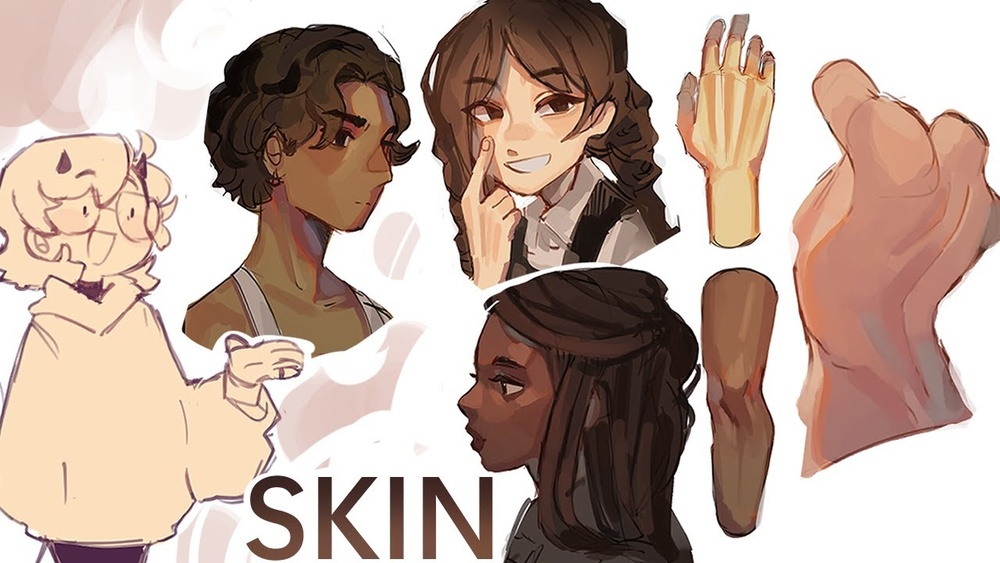
When you’re working on digital paintings, choosing how to bring your characters or scenes to life can be tricky. You might have heard about flat render and render color skin techniques, but which one truly makes your art stand out?
Understanding the difference between these two can change how your work feels, making it either simple and bold or rich and lifelike. If you want your digital paintings to grab attention and express emotion, knowing when and how to use flat render versus render color skin is key.
Keep reading, and you’ll learn exactly how these styles affect your art and how to pick the right one for your next project.
Flat Render Basics
Flat render is a basic step in digital painting. It helps artists lay down simple colors without shading or highlights. This technique sets the foundation for more detailed work later. Flat render focuses on solid color blocks. These blocks define shapes and areas clearly.
Definition And Purpose
Flat render means coloring areas with one solid tone. It does not include shadows or light effects. The main goal is to organize the artwork’s color scheme. Flat render helps artists see shapes and colors clearly before adding details.
Common Techniques
Artists use brushes with hard edges for flat renders. They often fill sections with one color quickly. Layering colors without blending is common. This keeps the painting clean and simple. Some use selection tools to color inside lines exactly.
Advantages In Digital Art
Flat render saves time in early stages. It makes fixing mistakes easier and faster. Artists can focus on composition and color choices first. This method keeps the painting neat and clear. It helps build a strong base for shading and textures later.

Credit: tips.clip-studio.com
Render Color Skin Essentials
Render Color Skin Essentials focus on creating lifelike skin tones in digital paintings. This method adds depth and warmth to portraits. It goes beyond flat colors by showing light, shadow, and subtle color changes.
Using Render Color Skin helps artists bring characters to life. It creates a natural look that viewers connect with. This technique requires understanding key features, specific methods, and clear benefits.
Key Features
Render Color Skin uses gradients and blends to mimic real skin. It captures highlights, midtones, and shadows. Small details like redness and cool tones appear naturally. The skin looks soft but textured, not flat or dull.
Colors shift smoothly across the face. This creates a sense of volume and shape. Layers build up slowly, improving the painting’s realism. The subtle color changes make the skin feel alive.
Techniques For Realism
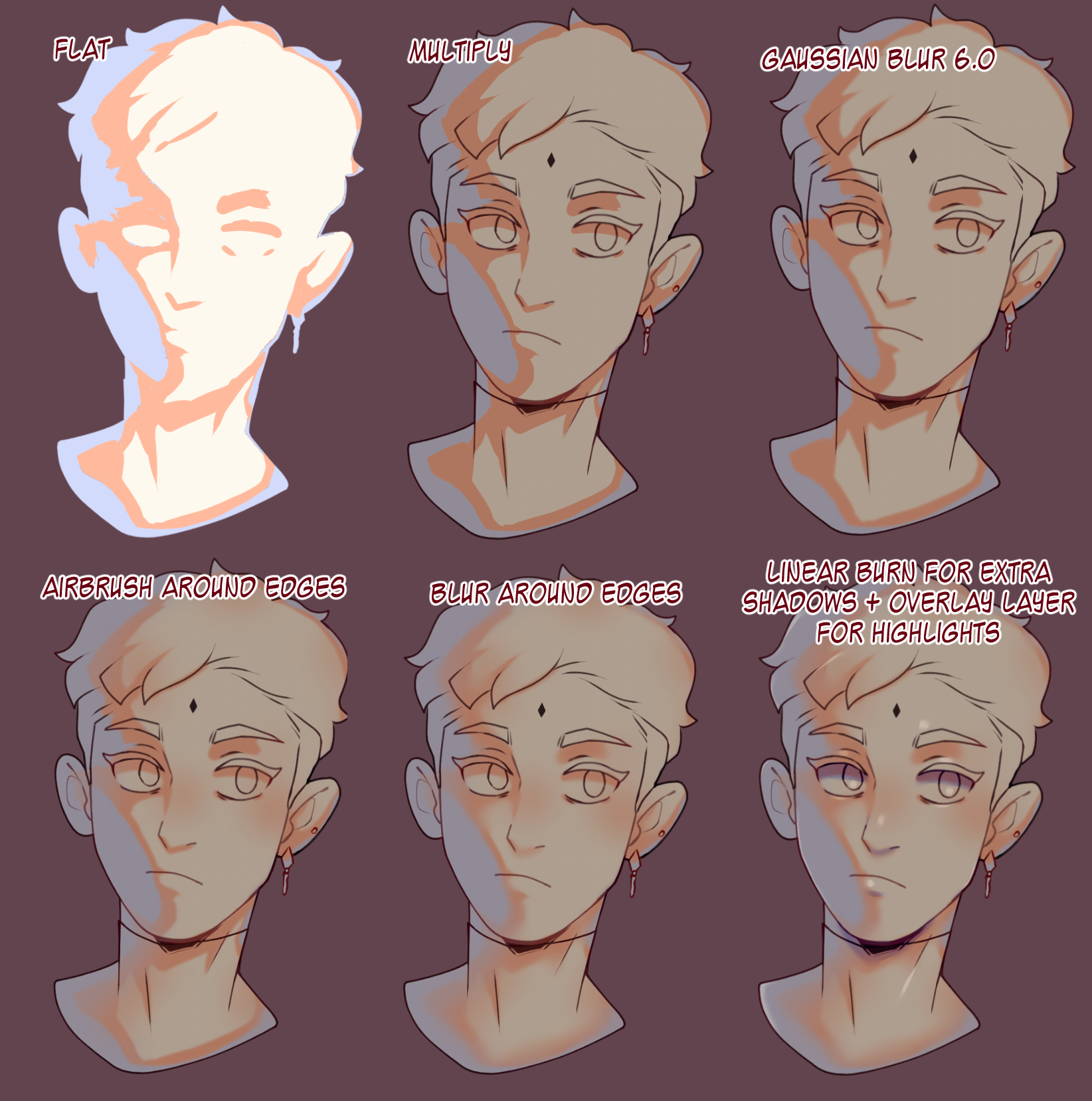
Start with a midtone base color. Add shadows with cooler tones and highlights with warmer tones. Use soft brushes for smooth transitions. Layer colors lightly to avoid harsh lines.
Observe real skin under different lights. Notice how colors change on cheeks, nose, and forehead. Blend colors gently to keep the skin natural. Avoid overdoing details, which can look fake.
Benefits For Portraits
Render Color Skin makes portraits more believable. It gives the face a three-dimensional feel. Viewers see emotion and personality in the skin tones.
It also helps to show age, health, and mood. This adds depth to the character. The finished artwork feels richer and more engaging.
Comparing Visual Impact
Comparing the visual impact of flat render and render color skin digital painting reveals clear differences. Each style offers unique qualities that affect how the artwork feels and how viewers connect with it. Understanding these differences helps artists choose the right approach for their projects.
Color Depth And Shadows
Flat renders use solid colors with little to no shading. This creates a clean and simple look. Render color skin adds layers of colors and shadows. These layers give the skin more volume and life. Shadows in render color skin make the image feel three-dimensional. Flat renders often appear more graphic and bold. Render color skin feels softer and more natural.
Texture And Detail
Flat renders have smooth surfaces without much texture. They focus on clear shapes and lines. Render color skin shows tiny details like pores and subtle color changes. These details bring realism and depth to the painting. Texture in render color skin makes characters look more lifelike. Flat render style is easier to read but less detailed.
Overall Aesthetic Appeal
Flat renders offer a modern and minimalistic appearance. This style works well for cartoons and icons. Render color skin has a richer and more complex look. It suits portraits and illustrations needing emotional depth. Both styles attract different viewers. The choice depends on the mood and message the artist wants to share.
Workflow Differences
Understanding the workflow differences between flat render and render color skin digital painting is important. Each method has its own process and steps. These differences affect how artists plan and complete their work.
The choice of workflow impacts the time taken, tools used, and the skill needed to finish a piece.
Time Investment
Flat render requires less time because it uses simple, solid colors. It focuses on shapes and basic shading. Render color skin digital painting takes longer. It needs detailed blending and smooth color changes. Artists spend more time creating realistic skin tones and textures.
Tools And Software
Flat renders often use basic brushes and fewer layers. Software like Adobe Illustrator or simple Photoshop setups work well. Render color skin painting needs advanced brushes and more layers. Programs like Photoshop or Procreate offer better tools for blending and texture work. Custom brushes help create realistic skin effects.
Skill Level Required
Flat render is easier for beginners. It focuses on clear shapes and simple colors. Render color skin painting demands higher skills. Artists must understand color theory and anatomy. Smooth blending and lighting effects require practice and patience.
Use Cases And Applications
Flat render and render color skin digital painting serve different purposes in art and design. Each style has unique advantages that fit specific creative needs. Understanding their use cases helps artists pick the right method for their projects.
Character Design
Flat render is great for clear, simple character shapes. It highlights forms without distractions from shading. This style helps designers focus on silhouette and costume details quickly.
Render color skin adds depth and realism to characters. It shows light, shadow, and skin texture. Artists use it to create lifelike portraits and expressive faces.
Concept Art
Flat render speeds up the idea process in concept art. It allows artists to try different shapes and colors fast. This method works well for early drafts and mood boards.
Render color skin is used in detailed concept art. It helps visualize how light affects characters and scenes. This style gives a better sense of atmosphere and mood.
Illustrations And Comics
Flat render suits bold, graphic styles in comics and illustrations. It creates strong contrasts and clear visuals. This makes the story easy to follow and visually striking.
Render color skin brings softness and realism to illustrations. It adds emotion and depth to characters. This style fits more dramatic or realistic storytelling.
Common Challenges
Creating digital paintings with flat render and render color skin techniques presents unique challenges. Artists often struggle with making the skin look natural and lively. Both methods require a careful balance between style and realism. Understanding these common issues helps improve the final artwork.
Avoiding Flatness In Flat Render
Flat render style uses simple shapes and colors. It can easily look dull or lifeless. Adding subtle shadows and highlights breaks the flat effect. Using varied tones within the same color adds depth. Small details like light reflections keep the skin interesting. Without these, the painting feels too plain and boring.
Maintaining Consistency In Skin Renders
Skin tones must stay consistent throughout the painting. Changes in hue or brightness can confuse the viewer. The light source should guide all shading and color shifts. Blending colors smoothly avoids harsh lines. Consistency builds a believable and polished look. This challenge requires patience and careful observation.
Balancing Speed And Detail
Fast painting saves time but risks losing important details. Detailed skin rendering makes the image realistic and rich. Artists must find a middle ground between speed and quality. Using shortcuts like texture brushes can help. Prioritize key areas like the face for more detail. This balance improves productivity without harming the artwork.
Tips For Choosing The Right Style
Choosing the right style between flat render and render color skin digital painting can shape your entire project. Each style brings a different look and feel. Understanding how to choose helps you make better art decisions.
Consider factors like your project goals, audience preferences, and your own skills. These tips guide you to pick the style that fits best.
Project Goals
Start by defining what your project needs. Flat render suits simple, clean designs. It works well for icons, logos, and quick visuals.
Render color skin adds depth and realism. It fits projects needing detailed characters or lifelike images. Know what your final output should express.
Audience Preferences
Think about who will see your work. Younger audiences might like bright, flat colors. It feels modern and easy to understand.
Older or art-focused viewers may prefer detailed render color skin. It shows skill and adds emotion. Match the style to what your audience enjoys.
Artist’s Strengths
Choose a style that matches your own skills. Flat render needs good use of shapes and color blocks. It is less time-consuming but needs strong design sense.
Render color skin demands good blending and shading skills. It takes more time but shows your painting abilities. Pick what feels natural and comfortable for you.
Credit: tips.clip-studio.com
Credit: www.clipstudio.net
Frequently Asked Questions
What Is Flat Render In Digital Painting?
Flat render shows colors without shading or highlights. It gives a simple, clean look. Artists use it to focus on shapes and colors.
How Does Render Color Skin Improve Digital Art?
Render color skin adds shading and light to skin tones. This makes the skin look more real and three-dimensional. It adds depth and detail to the painting.
Which Is Better: Flat Render Or Render Color Skin?
It depends on the art style and purpose. Flat render suits cartoons or minimal art. Render color skin works best for realism and detail.
Can Beginners Use Render Color Skin Easily?
Beginners might find render color skin harder at first. It needs understanding of light and shadow. Practice helps improve skills over time.
Why Choose Flat Render For Digital Characters?
Flat render is faster and easier to create. It highlights the character’s design and colors clearly. It is popular in comics and animation.
Conclusion
Flat render and render color skin digital painting each offer unique benefits. Flat render keeps things simple and clear. Render color skin adds depth and realism. Choosing depends on your style and project needs. Both techniques help artists express ideas effectively.
Practice both to find what suits you best. Keep experimenting to improve your digital art skills. Your choice shapes the final look and feel. Embrace the process and enjoy creating.