
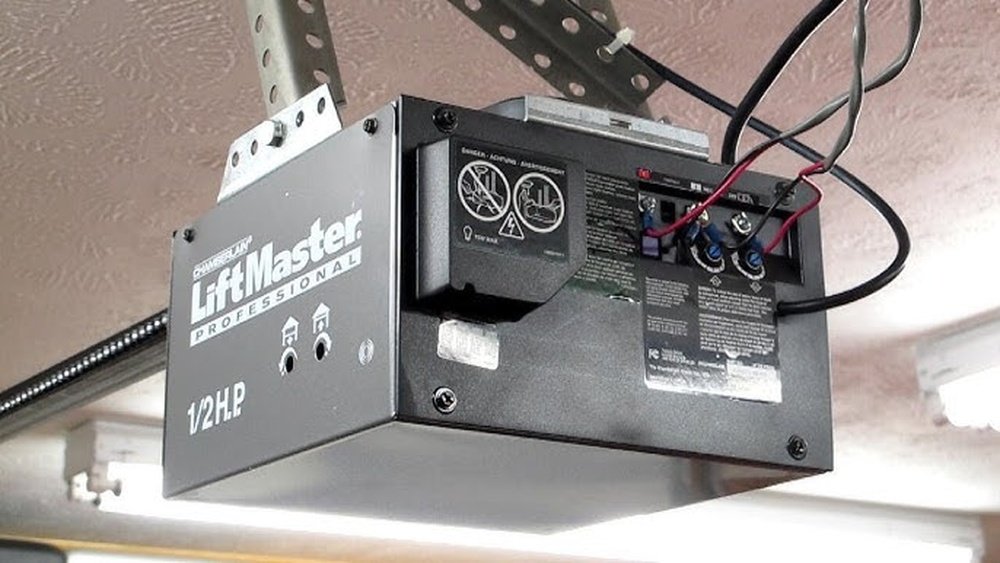
The smooth operation of a garage door opener relies on a seamless connection between your remote and the opener unit. When your Liftmaster garage door opener antenna isn’t working, this vital link is broken, leaving you stranded outside or struggling to gain access. This common yet frustrating issue can stem from a variety of causes, ranging from simple obstructions to more complex electrical problems. Understanding the potential culprits and how to troubleshoot them is key to restoring functionality quickly and efficiently.
This comprehensive guide will walk you through the most common reasons why your Liftmaster garage door opener antenna might not be working and provide actionable steps to diagnose and resolve the problem. We’ll cover everything from checking for physical damage and interference to understanding the internal components and when it might be time to call a professional.
By the end of this article, you’ll be equipped with the knowledge to tackle this issue with confidence, ensuring your garage door opener operates reliably once more.
Key Takeaways
- Antenna Location and Obstructions: The antenna’s placement is crucial. Ensure it’s hanging down freely and not obstructed by metal objects, building materials, or other antennas.
- Interference Sources: Electronic devices like LED lights, Wi-Fi routers, and even neighboring garage door openers can interfere with the antenna’s signal.
- Loose Connections: Check for loose wires connecting the antenna to the opener’s logic board.
- Damaged Antenna: Physical damage to the antenna wire or its connection point can render it ineffective.
- Opener Logic Board Issues: In some cases, the problem may lie with the opener’s internal circuitry, not the antenna itself.
- Remote Control Problems: A faulty remote or a low battery can mimic antenna issues.
- Environmental Factors: Extreme temperatures or moisture can sometimes affect electronic components.
- Professional Help: If basic troubleshooting fails, consulting a qualified Liftmaster technician is the safest and most effective next step.
Credit: www.youtube.com
Understanding The Liftmaster Garage Door Opener Antenna
The antenna on your Liftmaster garage door opener is a critical component responsible for receiving the radio frequency (RF) signals sent by your remote control. It acts as a conduit, translating the wireless commands into electrical signals that the opener’s logic board can interpret to activate the garage door.
Typically, this antenna is a thin, black wire that hangs down from the motor unit. Its design is optimized to pick up specific frequencies, usually around 310-315 MHz for most Liftmaster models, though this can vary.
The range of your garage door opener is directly tied to the effectiveness of its antenna. A well-functioning antenna, properly positioned and free from interference, can provide a reliable signal reception for distances up to 150 feet or more, depending on environmental factors. However, even slight damage or suboptimal placement can significantly reduce this range, leading to the frustrating experience of the remote not working unless you are standing directly in front of the garage. Understanding its role is the first step in diagnosing why it might not be performing as expected.
How The Antenna Works
At its core, the Liftmaster antenna is a simple dipole antenna. This means it consists of two conductive elements, typically the wire itself and its connection to the opener’s chassis or ground, which are designed to resonate at the specific frequency of the remote’s transmitter.
When a signal from the remote is broadcast, it creates an electromagnetic field. The antenna is designed to capture this field and convert it into a small electrical current. This current is then fed to the opener’s receiver circuit, which decodes the signal to initiate the door’s movement.
The length and orientation of the antenna are precisely engineered to match the operating frequency. For most Liftmaster openers operating in the 310-315 MHz range, the ideal length for a quarter-wave antenna is approximately 9. 5 inches. While the wire is often longer to allow for hanging, the effective radiating/receiving element is crucial.
Any alteration to this effective length, such as kinking, cutting, or improper positioning, can detune the antenna, reducing its sensitivity and range.
Common Antenna Designs And Variations
Liftmaster has used various antenna designs over the years, but the most common is the hanging wire antenna. This is a simple, single wire, usually black, that dangles from the motor unit. It’s designed to hang vertically, which is often the most effective orientation for omnidirectional signal reception. Some older models might have a slightly different wire gauge or insulation, but the fundamental principle remains the same.
More advanced or integrated systems might incorporate antennas that are built into the casing of the motor unit or use a small, external rod antenna. However, for the vast majority of residential Liftmaster openers, you’ll be dealing with the familiar hanging wire.
It’s important to identify which type you have, as troubleshooting steps might vary slightly. For instance, a built-in antenna might be more susceptible to damage from internal components or heat, whereas a hanging wire is more prone to external physical interference or damage.
Diagnosing Antenna Issues: Step-by-step Troubleshooting
When your Liftmaster garage door opener isn’t responding to your remote, the antenna is a prime suspect. However, before assuming the antenna is faulty, it’s essential to go through a systematic diagnostic process. This involves checking the most obvious and simplest potential causes first, working your way towards more complex issues.
1. Check For Physical Obstructions And Antenna Placement
The most common reason for a malfunctioning antenna is its physical placement or something obstructing its signal.
- Antenna Hanging Down: Ensure the antenna wire is hanging freely and vertically. It should not be coiled, tied up, or pressed against any surface. Liftmaster specifically designs these antennas to hang down to maximize reception. If it’s tucked away, bent sharply, or touching the ceiling or wall, its effectiveness is severely compromised.
- Metal Interference: Metal objects are notorious for blocking or reflecting radio signals. Check if anything metallic has been placed near or directly in front of the antenna. This could include:
- Metal shelving units
- Ductwork or pipes
- Other metal tools or equipment stored in the garage
- Even the metal frame of the garage door itself, if the antenna is too close when the door is in certain positions.
- Other Antennas: If you have multiple garage door openers or other RF-emitting devices in close proximity, their antennas could potentially interfere with each other, especially if they operate on similar frequencies.
Pro Tip: Try gently extending the antenna wire downwards as far as it will comfortably go, ensuring it has at least a few inches of clearance from the motor unit and any surrounding objects.
2. Inspect For Physical Damage To The Antenna Wire
The antenna wire is relatively delicate. Over time, it can become damaged, leading to signal loss.
- Visual Inspection: Carefully examine the entire length of the antenna wire. Look for:
- Cuts or nicks in the insulation
- Crushed sections of the wire
- Signs of fraying or corrosion at the connection point
- Loose connections where the wire attaches to the opener’s logic board.
- Connection Point: Pay close attention to where the antenna wire connects to the opener’s circuit board. Often, it’s a small terminal or plug. Ensure it’s securely seated and free from corrosion or bent pins. Sometimes, the wire might simply have pulled out of its connector.
If you find any damage, especially a break in the wire or a loose connection, this is a likely cause. Depending on the damage, you might be able to repair it, but often, replacing the antenna is the more reliable solution.
3. Identify And Mitigate Radio Frequency (rf) Interference
Modern garages are often filled with electronic devices that can emit RF signals, creating “noise” that drowns out the weaker signal from your remote.
- Common Sources of Interference:
- Wi-Fi Routers and Extenders: These devices broadcast signals that can sometimes overlap with garage door opener frequencies.
- LED Lighting: Many LED bulbs, especially cheaper ones, emit RFI. Try turning off all LED lights in and around the garage to see if the remote works.
- Wireless Doorbells and Security Systems: Other wireless devices can contribute to RF congestion.
- Neighboring Openers: If you live in a densely populated area, multiple garage door openers operating on the same or adjacent frequencies can cause interference. Liftmaster’s Security+ 2.0 technology helps mitigate this, but it’s not foolproof.
- Electric Vehicle Chargers: Some EV chargers can generate significant electromagnetic interference.
- Troubleshooting Interference:
- Turn Off Suspect Devices: Systematically turn off potential sources of interference one by one (Wi-Fi, LEDs, etc.) And test the remote after each change.
- Relocate Devices: If interference is suspected, try moving the offending device further away from the garage door opener.
- Shielding: In extreme cases, some professional installers might use shielding materials, but this is rarely necessary for typical residential setups.
4. Test The Remote Control And Battery
It’s easy to blame the antenna when the remote isn’t working, but the remote itself could be the problem.
- Check the Remote Battery: This is the simplest and most common remote issue. A weak or dead battery may not have enough power to transmit a strong enough signal for the antenna to pick up reliably. Replace the battery with a fresh one of the correct type (usually a coin cell like a CR2032 or CR2016).
- Test with Another Remote: If you have a second remote for the same opener, try using it. If the second remote works, the issue is almost certainly with the first remote.
- Test the Remote Signal (Advanced): You can sometimes check if the remote is transmitting by holding its button down while pointing it at a digital camera (like on your smartphone). Look at the camera’s screen; you should see a faint purple or white light flashing from the remote’s LED when the button is pressed. If you don’t see this light, the remote likely needs a new battery or is faulty.
5. Check The Opener Logic Board And Receiver
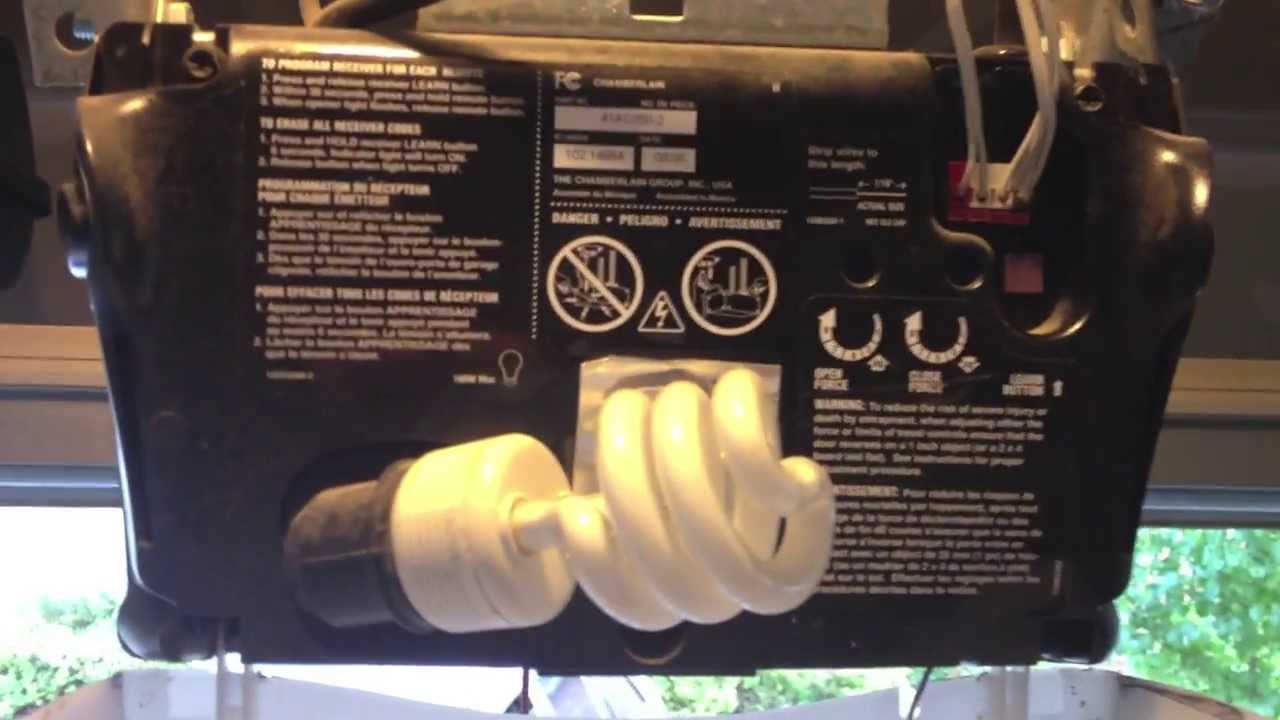
The antenna connects directly to the opener’s logic board, which houses the receiver circuitry. If the antenna itself is fine, the problem might be deeper within the opener.
- Internal Connections: As mentioned in the physical damage section, ensure the wires connecting the antenna to the logic board are secure. Sometimes, vibration or age can cause these connections to loosen.
- Receiver Module: Many Liftmaster openers have a separate receiver module that plugs into the logic board. This module contains the radio receiver. If this module is faulty, it won’t pick up signals even from a good antenna. Sometimes, this module can be replaced independently of the main logic board.
- Logic Board Failure: In rarer cases, the main logic board itself might have a fault that prevents it from processing the signal received by the antenna. This is typically the most expensive repair.
Warning: Working with the logic board involves dealing with electrical components. If you are not comfortable with electronics, it’s best to leave this step to a professional. Always disconnect power to the opener before opening the casing.

Credit: www.positivelynaperville.com
Replacing A Liftmaster Garage Door Opener Antenna
If you’ve determined that your Liftmaster antenna is damaged or faulty, replacing it is often a straightforward DIY task. Liftmaster replacement antennas are readily available online and at hardware stores.
Finding The Correct Replacement Antenna
- Identify Your Opener Model: The first step is to find the model number of your Liftmaster garage door opener. This is usually located on a sticker on the motor unit casing.
- Check the Manual: Your owner’s manual will specify the correct replacement antenna part number.
- Online Resources: If you don’t have the manual, you can search online using your opener’s model number to find compatible replacement antennas. Liftmaster part numbers often start with “41A…” or similar. For example, a common replacement antenna for many Security+ 2.0 models is the 41A3504.
- Antenna Type: Ensure you purchase the correct type, usually a hanging wire antenna, but confirm if your model uses a different design.
Installation Steps
Replacing the antenna typically involves these steps:
- Disconnect Power: Crucially, unplug the garage door opener from the electrical outlet. This is a vital safety step to prevent electrical shock.
- Open the Motor Unit Casing: Most Liftmaster motor units have a casing that can be opened, usually by removing a few screws.
- Locate the Old Antenna Connection: Identify where the existing antenna wire connects to the logic board. It might be a small screw terminal or a plug-in connector.
- Disconnect the Old Antenna: Carefully disconnect the old antenna wire. If it’s a screw terminal, loosen the screws. If it’s a plug, gently pull it out.
- Connect the New Antenna: Connect the new antenna wire to the same location on the logic board. Ensure the connection is secure. If it uses screw terminals, make sure the bare wire is properly seated under the screw and tightened.
- Route the New Antenna: Allow the new antenna wire to hang freely from the motor unit, ensuring it’s positioned similarly to how the old one was intended (hanging vertically). Avoid pinching or kinking the wire.
- Close the Motor Unit Casing: Reassemble the motor unit casing, ensuring all screws are tightened.
- Restore Power and Test: Plug the garage door opener back into the electrical outlet. Test your remote control to see if the issue is resolved.
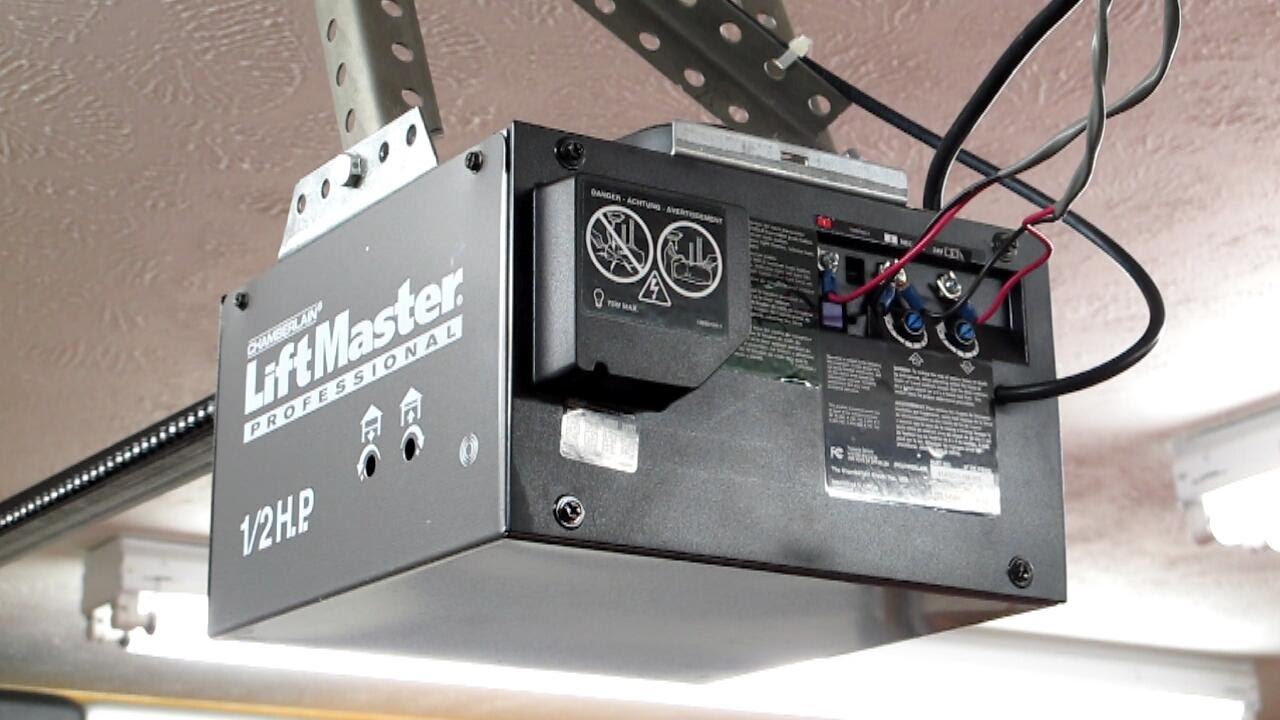
Example: When I replaced the antenna on my Liftmaster 1/2 HP opener, I found the old wire was frayed near the connection. I purchased a 41A3504 replacement. After unplugging the unit, I unscrewed the casing, located the two small screws holding the antenna wires, removed the old wires, attached the new ones, and reassembled. The remote worked perfectly afterward.
Credit: kingsprings-collins.weebly.com
When To Call A Professional
While many antenna issues can be resolved with basic troubleshooting and replacement, there are times when it’s best to call a qualified garage door technician.
- Uncertainty About the Cause: If you’ve gone through the troubleshooting steps and are still unsure what the problem is, a professional can quickly diagnose the issue.
- Complex Electrical Problems: If you suspect a fault with the logic board, receiver module, or internal wiring that you’re not comfortable addressing, a technician has the expertise and tools to handle it.
- Physical Damage to the Opener Unit: If the motor unit itself has sustained damage, or if the antenna connection point on the casing is broken, professional repair might be necessary.
- Lack of Time or Tools: If you don’t have the time, the right tools, or the confidence to perform the replacement yourself, hiring a professional ensures the job is done correctly and safely.
- Persistent Issues: Even after replacing the antenna, if the problem persists, it strongly suggests a deeper issue within the opener system that requires expert diagnosis.
When contacting a professional, be prepared to provide:
- The model number of your Liftmaster opener.
- A description of the problem (e.g., “remote not working,” “reduced range”).
- The troubleshooting steps you’ve already taken.
This information will help the technician diagnose the problem more efficiently. You can often find local Liftmaster dealers or garage door repair services through the Liftmaster website or a quick online search.
Advanced Troubleshooting And Potential Causes
Beyond the common issues, a few less frequent problems can manifest as antenna failure. These often require a deeper understanding of the opener’s electronics.
The Role Of The Receiver Logic Board
The antenna doesn’t operate in isolation. It’s connected to the receiver module, which is typically part of, or plugs into, the main logic board. This receiver is tuned to the specific frequency transmitted by your Liftmaster remotes.
- Receiver Sensitivity: Over time, the sensitivity of the receiver can degrade due to component aging or damage. Even a perfect antenna signal might not be strong enough for a worn-out receiver to detect.
- Frequency Drift: While rare, the receiver’s tuning frequency can drift slightly, making it less effective at picking up signals from the remote’s transmitter.
- Intermittent Faults: Sometimes, the receiver or logic board might have intermittent faults that cause signal reception to cut out sporadically. This can be particularly frustrating to diagnose as it might work sometimes and not others.
Example: A customer reported their Liftmaster remote only working when they were very close to the garage. They replaced the antenna, checked for interference, and replaced the remote battery. The issue persisted. Upon inspection, a qualified technician found that the receiver module on the logic board had a faulty capacitor, causing weak signal reception. Replacing the module resolved the problem.
Environmental Factors Affecting Performance
While less common, extreme environmental conditions can sometimes impact electronic components, including the antenna and receiver.
- Temperature Extremes: While garage door openers are designed to operate within a range of temperatures, prolonged exposure to extreme heat or cold can potentially affect the performance of sensitive electronic components, including those related to RF reception.
- Moisture and Corrosion: Garages can be prone to humidity or occasional water exposure. If moisture penetrates the motor unit casing, it can lead to corrosion on the logic board, antenna connections, or the receiver module, degrading performance. Regular inspection for signs of water damage or corrosion is advisable, especially in older units or those located in damp environments.
Compatibility Issues With Remotes And Accessories
Ensuring your remote and any accessories are compatible with your specific Liftmaster opener model is crucial.
- Frequency Mismatch: Liftmaster uses different frequencies and rolling code technologies across its product lines (e.g., Security+, Security+ 2.0, 315 MHz, 390 MHz). Using a remote designed for a different frequency or technology will not work, regardless of the antenna’s condition. Always verify remote compatibility using the opener’s model number.
- Accessory Interference: External keypads, smart home controllers, or other accessories that communicate wirelessly with the opener can sometimes introduce their own RF signals, potentially causing interference if not properly installed or if they malfunction.
Maintaining Your Liftmaster Garage Door Opener For Optimal Performance
Preventative maintenance is key to ensuring your Liftmaster garage door opener, including its antenna system, functions reliably for years to come. Regular checks can help you catch potential issues before they become major problems.
Regular Inspections
- Visual Checks: Periodically (e.g., every 6 months), perform a visual inspection of the antenna wire, checking for any signs of fraying, kinking, or damage. Also, check the connection point on the motor unit.
- Range Testing: Pay attention to the operating range of your remote. If you notice it consistently requires you to be closer to the garage than it used to, it might indicate a degrading antenna or receiver issue.
- Obstruction Check: Ensure no new items have been placed in the garage that could be obstructing the antenna’s downward path.
Cleaning And Lubrication
While not directly related to the antenna, keeping the entire garage door system clean and lubricated contributes to overall smooth operation, which indirectly supports the opener’s function.
- Clean the Motor Unit: Dust and debris can accumulate on the motor unit. Gently wipe it down with a dry or slightly damp cloth. Ensure power is disconnected before cleaning.
- Lubricate Moving Parts: Regularly lubricate the garage door’s rollers, hinges, and tracks according to the manufacturer’s recommendations. This reduces strain on the opener motor.
Software/firmware Updates (for Smart Openers)
For newer Liftmaster models with smart capabilities (e. g. , MyQ technology), ensure the opener’s firmware is up-to-date. While not directly related to the RF antenna, software glitches can sometimes affect overall system performance. Check the Liftmaster app or website for any available updates.
Battery Replacement Schedule
Establish a routine for replacing the batteries in your remotes and keyless entry pads. A good practice is to replace them annually, or whenever you notice a decrease in signal strength or range. This proactive approach prevents remote failure from being mistaken for an antenna problem.
Frequently Asked Questions
Why Is My Liftmaster Remote Not Working Even With A New Battery?
Several reasons could cause this besides a dead battery. The antenna might be obstructed, damaged, or experiencing interference. The remote itself could be faulty, or there might be an issue with the opener’s receiver logic board. It’s also possible the remote is not properly programmed or is incompatible with your opener model.
How Far Should My Liftmaster Garage Door Opener Remote Work?
Under ideal conditions, a properly functioning Liftmaster garage door opener with a clear antenna signal can operate effectively from up to 150 feet away. However, factors like the opener model, remote type, battery strength, surrounding structures (especially metal), and radio frequency interference can significantly reduce this range.
Can I Use A Universal Antenna For My Liftmaster Opener?
While universal antennas exist, it’s strongly recommended to use a replacement antenna specifically designed for your Liftmaster model. Using an incompatible antenna can lead to poor performance, reduced range, or even damage to the opener’s receiver system. Always check the part number compatibility.
What Does It Mean If My Garage Door Opener Only Works When I’m Very Close To It?
This symptom strongly suggests a problem with signal reception. The most likely causes are:
- Antenna Issue: The antenna is damaged, disconnected, obstructed, or experiencing significant RF interference.
- Receiver Issue: The receiver module or logic board within the opener is failing or has lost sensitivity.
- Remote Issue: The remote’s battery is very weak, or the remote itself is failing.