
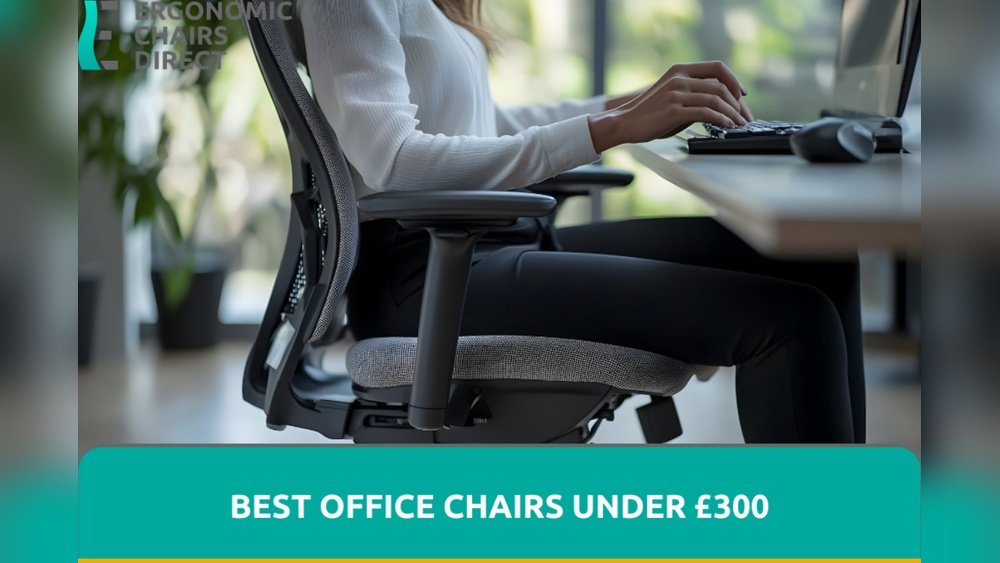
The quest for a comfortable and supportive workspace doesn’t have to break the bank. Many professionals believe that achieving true ergonomic bliss requires investing hundreds, if not thousands, of dollars in a chair. However, the reality is that excellent ergonomic support is accessible even on a tighter budget.
With careful research and an understanding of what truly matters in an ergonomic chair, you can find a model that cradles your back, promotes good posture, and enhances your productivity without exceeding a $300 price point.
This guide is designed to help you navigate the market and identify the best ergonomic chairs under $300. We’ll explore the essential features to look for, debunk common myths, and highlight some of the top contenders that offer exceptional value.
Whether you’re a remote worker, a student, or simply someone who spends a significant amount of time at a desk, investing in an ergonomic chair is an investment in your long-term health and well-being. Don’t let a limited budget deter you from creating a workspace that supports you, rather than strains you.
Key Takeaways
- Prioritize Lumbar Support: Look for adjustable lumbar support that can be positioned to match the natural curve of your lower back.
- Adjustability is Crucial: Features like seat height, armrest height and width, seat depth, and recline tension are vital for personalized comfort.
- Material Matters for Comfort: Mesh offers breathability, while padded fabric or leather can provide more cushioning, depending on your preference.
- Understand Weight Limits and Durability: Check the chair’s weight capacity and read reviews regarding its long-term build quality.
- Research and Reviews are Your Best Friends: Consult user reviews and professional assessments to gauge a chair’s real-world performance and longevity.
- Consider Your Specific Needs: Your height, weight, and any pre-existing back conditions will influence which chair is best for you.
Understanding Ergonomic Chair Essentials Under $300
When searching for an ergonomic chair under $300, it’s crucial to focus on the features that deliver the most significant impact on comfort and support. Not all chairs marketed as “ergonomic” live up to the name, especially at lower price points. However, by understanding the core principles of ergonomics and knowing what to look for, you can make an informed decision. The goal is to find a chair that promotes proper posture, reduces muscle strain, and enhances circulation, all of which contribute to better health and productivity during long work sessions.
Lumbar Support: The Foundation Of Back Health
Lumbar support is arguably the most critical feature of any ergonomic chair. It refers to the part of the chair that supports the natural inward curve of your lower spine. Without adequate lumbar support, your spine can flatten, leading to slouching and increased pressure on your lower back.
- Adjustable Lumbar Support: The best chairs offer adjustable lumbar support. This means you can move the support up or down to align with your spine’s curve and adjust its depth (how much it pushes forward) to achieve the perfect level of pressure. In the sub-$300 category, you might find chairs with fixed lumbar support that’s molded into the backrest. While not ideal, some designs are well-contoured and can still provide decent support for many users. If you find a chair with fixed support, try to sit in it to see if the curve naturally fits your back.
- Integrated vs. Add-on Support: Some chairs have lumbar support built directly into the backrest’s structure, while others might offer a separate cushion or adjustable mechanism. For chairs under $300, integrated support is more common.
Seat Adjustability: Finding Your Perfect Fit
The seat of an ergonomic chair plays a vital role in comfort and preventing pressure points. Several adjustments are key:
- Seat Height: This is a standard feature on almost all office chairs. The ideal height allows your feet to rest flat on the floor with your knees bent at approximately a 90-degree angle. Your thighs should be roughly parallel to the floor. This adjustment is typically made via a pneumatic lever under the seat.
- Seat Depth: This feature, also known as seat slide, allows you to adjust how far forward or backward the seat pan extends. Proper seat depth ensures that there’s a gap of about two to four fingers between the front edge of the seat and the back of your knees. This prevents pressure on the back of your thighs, which can impede circulation. While less common in budget chairs, some models under $300 offer this functionality.
- Seat Cushioning: The cushion should be firm enough to provide support but soft enough to be comfortable for extended periods. Avoid seats that are too hard or too soft, as both can lead to discomfort. High-density foam is generally a good indicator of quality cushioning.
Armrest Adjustability: Supporting Your Shoulders And Arms
Armrests, or armrests, are designed to support your forearms, allowing your shoulders to relax and preventing strain in your neck and upper back.
- Height Adjustment: This is the most common and essential armrest adjustment. It should allow you to position the armrests so your elbows are bent at roughly 90 degrees, with your forearms resting comfortably and parallel to the floor.
- Width Adjustment: Some chairs offer armrests that can be moved inwards or outwards. This is beneficial for users with broader or narrower shoulders, ensuring the armrests are positioned correctly without forcing your arms into an unnatural position.
- Pivoting (In/Out) and Forward/Backward Adjustment: Higher-end chairs offer more advanced armrest adjustments, like pivoting inwards or outwards, or sliding forward and backward. These are less common in the sub-$300 range but can be found on some models. For budget chairs, prioritizing height adjustability is key.
Backrest And Tilt Mechanism: Flexibility And Support
The backrest of an ergonomic chair should conform to the natural S-shape of your spine.
- Recline and Tilt: Most ergonomic chairs offer a recline function, allowing you to lean back. The tilt tension control lets you adjust how much effort is required to recline. A synchro-tilt mechanism, where the backrest reclines at a higher ratio than the seat, is a desirable feature as it maintains a more ergonomic posture even when reclining. Simpler tilt-only mechanisms tilt the entire chair as one unit.
- Locking Positions: Some chairs allow you to lock the backrest in several upright or reclined positions, offering more versatility.
- Backrest Height and Angle: While less common for adjustment on budget chairs, the overall height and angle of the backrest are important for providing adequate upper back and shoulder support.
Material And Breathability
The materials used in an ergonomic chair significantly impact comfort, especially during long sitting periods.
- Mesh: Mesh backrests are highly popular for their breathability, which helps keep you cool and prevents sweating. Mesh seats are also available, offering similar ventilation. However, mesh seats might not provide as much cushioning as padded options.
- Fabric: Fabric upholstery, often polyester or nylon blends, can offer good comfort and durability. It provides more cushioning than mesh but can be warmer.
- Leather/Faux Leather: While often associated with higher-end chairs, some budget-friendly options feature faux leather. It can offer a premium look and feel but is less breathable than mesh or fabric, potentially leading to discomfort in warmer climates or during extended use.
Top Ergonomic Chairs Under $300: Our Top Picks
Finding the best ergonomic chairs under $300 involves balancing essential features with cost-effectiveness. While you might not get every premium feature, several models excel at providing crucial ergonomic support. We’ve identified some of the most highly-regarded options that consistently receive positive reviews for their comfort, adjustability, and value. Remember that prices can fluctuate, so it’s always wise to check current pricing.
1. Clatina Mellet Ergonomic Chair
The Clatina Mellet Ergonomic Chair is frequently cited as one of the best value ergonomic chairs available. It strikes an excellent balance between adjustability and price, making it a strong contender for those on a budget.
- Key Features:
- Adjustable Lumbar Support: This chair features adjustable lumbar support that you can move up and down and adjust for depth, a feature often missing in chairs at this price point.
- Adjustable Headrest: The integrated headrest is also adjustable in height and angle, providing crucial neck support.
- 3D Armrests: The armrests are adjustable in height, width, and pivot (in/out), offering significant flexibility for comfortable arm positioning.
- Mesh Back and Seat: The breathable mesh backrest and seat promote airflow, keeping you cool during long work sessions.
- Recline and Tilt Lock: It offers a good recline range with multiple locking positions and adjustable tilt tension.
- Why it Stands Out: The level of adjustability, particularly the 3D armrests and adjustable lumbar support, is exceptional for its price. It offers a near-customizable fit that rivals chairs costing significantly more.
- Considerations: Some users find the seat cushion to be a bit firm initially, but it tends to soften over time. Ensure your body type aligns with the general dimensions; it’s best suited for average-sized individuals.
2. Ticova Ergonomic Office Chair
The Ticova Ergonomic Office Chair has gained popularity for its robust build and comprehensive ergonomic features, often punching above its weight class in terms of quality and support.
- Key Features:
- Adjustable Lumbar Support: Features a unique “four-point” adjustable lumbar support system that allows for precise positioning and pressure.
- Adjustable Headrest: The headrest is adjustable in height and angle for optimal neck and head support.
- 4D Armrests: Offers 4-dimensional armrest adjustment (height, width, forward/backward, and pivot), providing exceptional versatility.
- Thick Padded Seat: Unlike many mesh-seated options, the Ticova features a high-density foam seat cushion that provides plush comfort and support.
- Smooth Recline and Tilt Lock: A smooth recline mechanism with multiple locking positions and adjustable tilt tension is included.
- Why it Stands Out: The combination of a comfortable, padded seat and highly adjustable armrests (4D) makes this a standout choice for those who prioritize plushness alongside ergonomic function. The unique lumbar support system is also a significant advantage.
- Considerations: The seat might be slightly warm for those who prefer maximum breathability compared to a full mesh seat. The overall aesthetic is functional rather than overtly stylish.
3. Hbada Ergonomic Office Chair
Hbada is a brand known for offering stylish and functional office furniture at competitive prices. Their ergonomic offerings often blend modern design with practical ergonomic features.
- Key Features:
- Adjustable Lumbar Support: Typically includes adjustable lumbar support, though the depth adjustment might be less pronounced than on other models.
- Adjustable Armrests: Offers height and width adjustable armrests.
- Mesh Back: Features a breathable mesh backrest for good ventilation.
- Comfortable Seat: The seat is usually well-padded with high-density foam.
- Simple Tilt Mechanism: Often employs a straightforward tilt mechanism, which is effective for basic reclining.
- Why it Stands Out: The Hbada chair often scores high on aesthetics, making it a good choice if you want a chair that looks good in your home office. It provides solid basic ergonomic support at a very competitive price point.
- Considerations: The lumbar support might not be as customizable as on the Clatina or Ticova. Armrest adjustability is usually limited to height and width.
4. Ergohuman / Eurotech (entry-level Models)
While many Ergohuman and Eurotech chairs exceed the $300 mark, there are occasional entry-level models or sales that bring them within reach. These brands are renowned for their high-quality ergonomic designs.
- Key Features (typical of entry-level):
- BIFMA Certified: Often meets safety and durability standards set by the Business and Institutional Furniture Manufacturers Association.
- Adjustable Lumbar Support: Usually includes a form of adjustable lumbar support.
- Adjustable Armrests: Typically offers at least height and width adjustment.
- Mesh Back and Seat: Many models feature breathable mesh.
- Synchro-Tilt Mechanism: Higher quality tilt mechanisms that promote better posture.
- Why it Stands Out: If you can find one within budget, these brands offer superior build quality and often more refined ergonomic adjustments than other options. They are built for durability and long-term use.
- Considerations: Finding these specific models under $300 can be challenging and may require diligent searching for sales or refurbished options. Full adjustability might be limited on the most basic versions.
5. Sihoo Ergonomic Office Chair
The SIHOO Ergonomic Office Chair is another strong contender in the budget-friendly ergonomic market, often praised for its comfort and solid construction.
- Key Features:
- Adjustable Lumbar Support: Offers adjustable lumbar support, allowing users to fine-tune the fit.
- Adjustable Headrest: A supportive and adjustable headrest is included.
- Adjustable Armrests: Typically provides 3D armrest adjustability (height, width, and pivot).
- Mesh Back: Utilizes a breathable mesh backrest.
- Comfortable Seat Cushion: Features a high-density foam seat for good support.
- Why it Stands Out: The SIHOO chair provides a comprehensive set of ergonomic features, including good lumbar and headrest support, at a very accessible price. It’s a well-rounded option that caters to a wide range of users.
- Considerations: While generally well-built, the materials might not feel as premium as on more expensive chairs. Long-term durability can vary, so checking recent reviews is advisable.
Ergonomic Chair Comparison Table (under $300)
To help you visualize the differences between these top contenders, here’s a comparison table highlighting key ergonomic features. Prices are approximate and subject to change.
| Feature | Clatina Mellet Ergonomic Chair | Ticova Ergonomic Office Chair | Hbada Ergonomic Office Chair | SIHOO Ergonomic Office Chair |
|---|---|---|---|---|
| **Approximate Price** | $200 – $280 | $250 – $300 | $180 – $250 | $220 – $290 |
| **Lumbar Support** | Adjustable (Depth & Height) | Adjustable (4-point) | Adjustable (Height) | Adjustable (Height & Depth) |
| **Headrest** | Adjustable (Height & Angle) | Adjustable (Height & Angle) | Adjustable (Height & Angle) | Adjustable (Height & Angle) |
| **Armrest Adjustability** | 3D (Height, Width, Pivot) | 4D (Height, Width, Fwd/Back, Pivot) | 2D (Height, Width) | 3D (Height, Width, Pivot) |
| **Backrest Material** | Mesh | Mesh | Mesh | Mesh |
| **Seat Material** | Mesh | High-Density Foam | High-Density Foam | High-Density Foam |
| **Recline Mechanism** | Synchro-Tilt | Synchro-Tilt | Basic Tilt | Synchro-Tilt |
| **Weight Capacity** | ~250 lbs | ~300 lbs | ~250 lbs | ~300 lbs |
| **Warranty** | Typically 1-2 years | Typically 1-2 years | Typically 1 year | Typically 1 year |
*Note: Warranty information and weight capacities can vary by retailer and specific model version.*

Credit: leveringstudio.com
Beyond The Features: Factors For A Healthy Workspace
While specific features like lumbar support and adjustability are paramount, several other factors contribute to creating a truly ergonomic workspace that supports your health and well-being, especially when working with a budget. These elements often go hand-in-hand with choosing the right chair but also involve the surrounding environment.
Proper Setup And Usage
Even the best ergonomic chair won’t provide optimal benefits if it’s not set up correctly. In my experience, many users overlook the importance of proper chair setup.
- Desk Height: Ensure your desk height complements your chair. When sitting with your feet flat and knees at 90 degrees, your forearms should be parallel to the floor when resting on the desk or armrests. If your desk is too high, you might find yourself hunching your shoulders.
- Monitor Placement: The top of your monitor should be at or slightly below eye level, about an arm’s length away. This prevents neck strain. Use monitor stands or books if necessary.
- Keyboard and Mouse: Position your keyboard and mouse close enough so you don’t have to reach. Your wrists should remain straight and relaxed. Consider a keyboard tray if your desk is too high.
- Regular Movement: No chair can replace the need for regular movement. Aim to stand up, stretch, and walk around for a few minutes every 30-60 minutes. This improves circulation and reduces muscle stiffness.
Understanding Your Body Type And Needs
Ergonomics is not one-size-fits-all. What works perfectly for one person might not be ideal for another. Consider your individual characteristics:
- Height and Weight: Taller individuals may need chairs with higher backrests and deeper seats, while shorter individuals might struggle with seat height or depth. Heavier individuals should pay close attention to the chair’s weight capacity and build quality.
- Pre-existing Conditions: If you have existing back pain, neck issues, or other musculoskeletal problems, consult with a healthcare professional or an ergonomist. They can provide specific recommendations tailored to your condition. While budget chairs can offer relief, they might not be sufficient for severe issues.
- Sitting Habits: Are you someone who tends to perch on the edge of your seat, or do you lean back frequently? Understanding your typical sitting posture can help you choose a chair that supports those habits better.
Durability And Long-term Value
When buying a chair under $300, it’s essential to consider its long-term value. A chair that costs less but needs replacement after a year or two is not as cost-effective as a slightly more expensive one that lasts five years or more.
- Read Reviews Carefully: Pay attention to reviews that mention durability, issues with parts breaking, or a decline in comfort over time. Look for patterns in complaints.
- Check Warranty Information: While limited on budget chairs, a 1-2 year warranty is better than none. It indicates the manufacturer’s confidence in their product.
- Build Quality Indicators: Look for chairs with sturdy bases (often metal rather than plastic), smooth-operating gas lifts, and robust mechanisms.
The Role Of Movement And Breaks
It’s crucial to reiterate that even the most ergonomic chair is only part of the solution. Prolonged static sitting, regardless of how supportive the chair is, can be detrimental.
- The 20-20-20 Rule: For eye strain, look at something 20 feet away for 20 seconds every 20 minutes.
- Micro-Breaks: Incorporate short breaks every 30 minutes to stand, stretch your legs, and move your arms and shoulders.
- Active Sitting: Consider incorporating active sitting techniques, even in a supportive chair. This involves subtle movements and changes in posture throughout the day. Some chairs are designed to encourage this more than others.
Common Ergonomic Chair Myths Debunked
The world of office furniture is rife with misconceptions, especially concerning ergonomic chairs and their pricing. Understanding these myths can help you make a more informed decision and avoid overspending or settling for less than you need.
Myth 1: “ergonomic Chairs Are Prohibitively Expensive.”
This is perhaps the most pervasive myth. While high-end ergonomic chairs from brands like Herman Miller or Steelcase can cost well over $1000, there are numerous excellent options available for under $300. These budget-friendly chairs may not have every single bell and whistle, but they offer the core ergonomic features, like adjustable lumbar support, seat height, and decent armrests, that make a significant difference. The key is knowing which features are essential and which are luxuries.
Myth 2: “only Mesh Chairs Are Truly Ergonomic And Breathable.”
Mesh is popular for its breathability, and it’s a great choice for many, especially in warmer environments. However, it’s not the only material that can be comfortable or supportive. High-density foam cushions found in fabric or even some faux leather seats can provide excellent comfort and support without trapping heat if they are well-designed. The quality of the foam and the upholstery material plays a significant role. For some, a well-padded seat might be more comfortable than a firm mesh seat.
Myth 3: “all Chairs Labeled ‘ergonomic’ Are Genuinely Ergonomic.”
Unfortunately, “ergonomic” can sometimes be used as a marketing buzzword. A chair might have a slightly curved backrest and be labeled as ergonomic without offering any real adjustability or proper support. It’s crucial to look beyond the label and examine the chair’s