
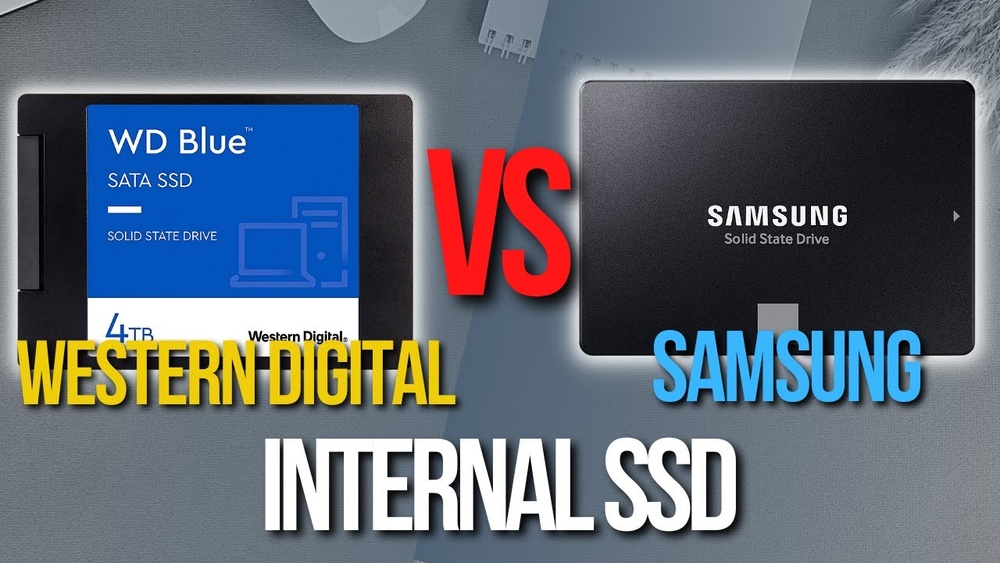
When it comes to choosing an SSD for your computer, you want the best speed, reliability, and value for your money. But with top brands like Western Digital and Samsung competing for your attention, making the right choice can be confusing.
Which one will give you faster performance? Which brand offers better durability? And most importantly, which SSD fits your needs and budget? Keep reading to uncover the key differences between Western Digital and Samsung SSDs, so you can make a smart decision that boosts your device’s performance without any regrets.
Credit: www.mbreviews.com
Ssd Technology Basics
Understanding SSD technology helps in choosing the right drive. SSDs store data using flash memory. This method makes them faster than traditional hard drives. They have no moving parts, which reduces noise and heat. Also, SSDs consume less power, making laptops last longer on battery.
Two popular SSD brands are Western Digital and Samsung. Both use solid-state technology but differ in design and features. Knowing how SSDs work and their key metrics helps in comparing these brands.
How Ssds Work
SSDs use NAND flash memory to store data. This memory holds information even without power. Data is stored in cells grouped in blocks. The SSD controller manages reading and writing data. It also handles error correction and wear leveling. This process extends the SSD’s life and keeps it fast.
Unlike hard drives, SSDs do not use spinning disks. This absence makes them quicker in accessing files. SSDs can instantly read data from any location. This speed boosts overall computer performance.
Key Performance Metrics
Speed is a main factor when choosing SSDs. It includes read and write speeds, measured in megabytes per second. Higher speeds mean faster file transfers and loading times. Another metric is input/output operations per second (IOPS). It measures how many tasks the SSD can handle each second. Higher IOPS indicate better multitasking ability.
Durability also matters. It is measured by TBW (terabytes written), showing how much data can be written over the SSD’s life. A higher TBW means longer lifespan. Lastly, look at the drive’s capacity. Choose a size that fits your storage needs. These metrics help compare Western Digital and Samsung SSDs effectively.

Credit: www.gamingpcbuilder.com
Brand Profiles
Choosing between Western Digital and Samsung SSDs starts with understanding their brand profiles. Both brands have strong reputations in storage technology. Each offers unique strengths and a wide range of products. This section breaks down what makes each brand stand out.
Western Digital Overview
Western Digital has been a leader in data storage for decades. The company offers hard drives, SSDs, and external storage solutions. Its SSDs focus on reliability and value. Western Digital targets both everyday users and professionals. The brand emphasizes durability and consistent performance. It also offers a variety of SSD types, including SATA and NVMe. Western Digital SSDs often come with solid warranties. The company supports its products with good customer service.
Samsung Overview
Samsung is a top player in electronics and memory technology. It produces some of the fastest SSDs available today. Samsung SSDs are known for speed and innovation. The brand uses advanced V-NAND technology for better performance. Samsung offers a broad range of SSDs, from budget to high-end models. Its drives are popular among gamers and creative professionals. Samsung also provides excellent software for managing SSD health. The brand is trusted for quality and cutting-edge features.
Speed Comparison
Speed plays a major role in choosing an SSD. Faster drives improve everyday tasks and boost system performance. Western Digital and Samsung offer strong contenders in this field. Comparing their speeds helps decide which suits your needs better.
Both brands use advanced technology, but their performance varies in different tests. Speed tests often measure two main types: sequential and random. Each type tells a different story about drive performance.
Sequential Read And Write Speeds
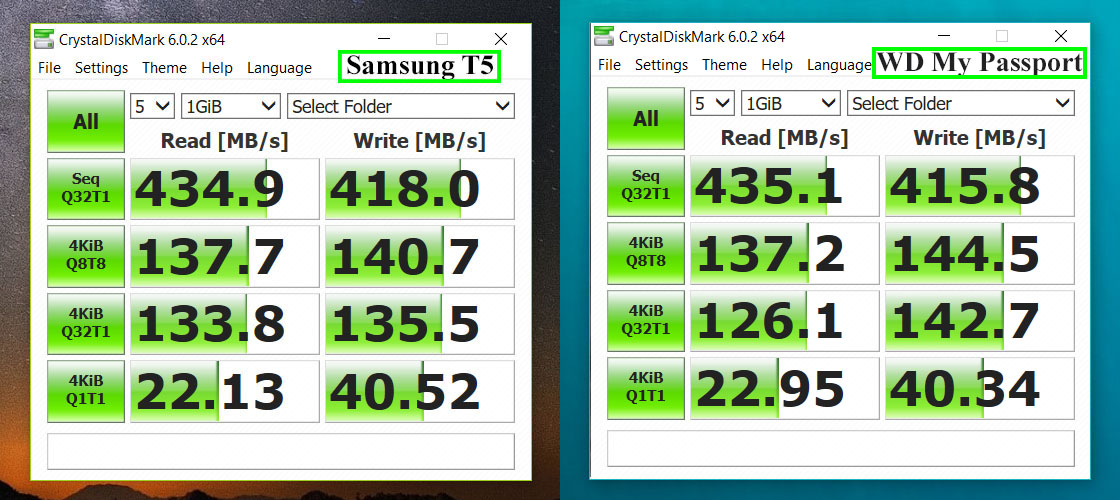
Sequential speeds show how fast large files move. This test copies big data blocks in order. Samsung SSDs generally deliver higher sequential read speeds, often exceeding 3500 MB/s. Western Digital matches closely but sometimes falls a bit behind.
Write speeds also matter for saving files. Samsung’s write speeds are strong, typically around 3000 MB/s. Western Digital’s write speeds are slightly lower but still fast enough for most users. Both brands handle large file transfers well.
Random Read And Write Speeds
Random speeds measure how quickly the SSD handles small files. These speeds affect app loading and multitasking. Samsung usually leads in random read speeds with higher IOPS numbers. Western Digital performs well but often lags slightly.
Random write speeds impact how fast new data saves in small chunks. Samsung drives tend to keep an edge here too. Western Digital’s random write speeds are solid but not as high as Samsung’s. Both provide smooth everyday performance.
Reliability Factors
Reliability is a key factor when choosing an SSD. It affects how long the drive lasts and how safe your data stays. Both Western Digital and Samsung focus on making their SSDs reliable. Let’s explore the main elements of reliability for these brands.
Durability And Endurance
Durability means how well the SSD can handle wear and tear. Endurance refers to how many times data can be written and erased before the drive fails. Western Digital SSDs offer solid endurance ratings, suitable for everyday use and some heavy workloads. Samsung SSDs often score higher in endurance tests, especially their Pro series. This means Samsung drives may last longer under intense use.
Error Correction And Data Protection
Error correction is crucial for keeping your data safe. Western Digital uses advanced error correction codes to fix data errors automatically. Samsung also employs strong error correction technologies. These help prevent data loss and maintain drive health. Both brands include features like power loss protection to save data during sudden shutdowns. These safeguards improve overall data security and reliability.
Product Lineup
Both Western Digital and Samsung offer a wide range of SSDs. Each brand focuses on different needs and uses. Understanding their product lineup helps pick the right SSD for your device. Below, we explore their main models and what sets them apart.
Western Digital Ssd Models
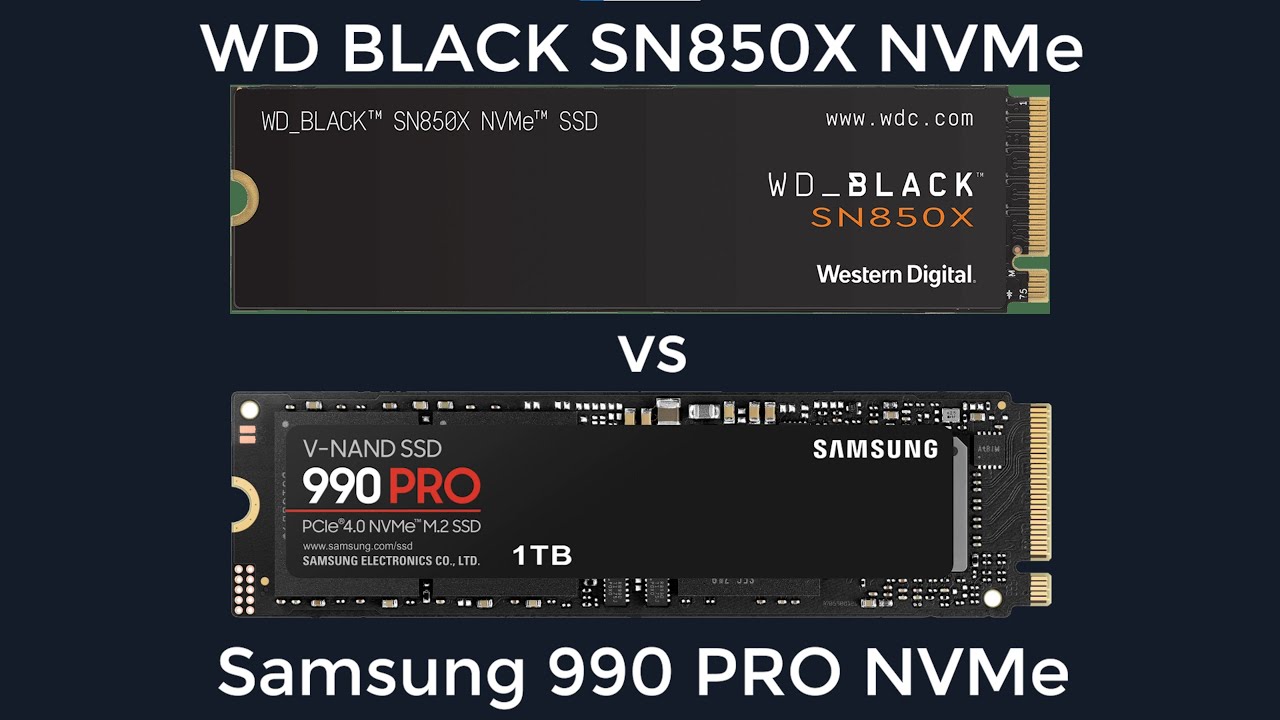
Western Digital has several SSD series. The WD Blue line suits everyday users. It balances speed and price for casual computing. WD Black targets gamers and creators. These drives deliver higher speed and durability. WD Green offers budget-friendly options for basic tasks. For professionals, WD Red SSDs support NAS systems. They provide reliability for constant data access.
Samsung Ssd Models
Samsung’s SSD lineup includes popular series like the 870 EVO. This model fits most users with fast read and write speeds. The 980 PRO is for gamers and professionals. It uses NVMe technology for ultra-fast performance. Samsung also offers the 970 EVO Plus, known for reliability. The T7 series is portable and compact, ideal for data on the go. Samsung’s models focus on performance and broad compatibility.
Credit: www.youtube.com
Pricing And Value
Choosing between Western Digital and Samsung SSDs means weighing price against what you get. Pricing and value matter most for many buyers. Both brands offer reliable drives but differ in cost and benefits. Understanding these differences helps pick the best SSD for your needs.
Cost Per Gigabyte
Western Digital SSDs usually cost less per gigabyte. This makes them a good choice for budget-conscious buyers. Samsung drives tend to be pricier but offer higher performance. You pay more for faster speeds and advanced tech. If storage size is your top priority, Western Digital gives more space for less money.
Warranty And Support
Samsung SSDs often come with longer warranties than Western Digital. Samsung offers up to 5 years on many models. Western Digital typically provides 3 to 5 years depending on the drive. Customer support from both is reliable and responsive. A longer warranty adds peace of mind for your investment.
User Experience
User experience plays a big role in choosing between Western Digital and Samsung SSDs. It covers how easy the drive is to install and how well it works with your device. It also looks at the software and firmware tools that come with each SSD. These tools help keep the drive running smoothly and improve performance over time.
Installation And Compatibility
Both Western Digital and Samsung SSDs are easy to install. They fit in most laptops and desktops using standard connectors. Western Digital offers models for different needs, including SATA and NVMe types. Samsung also provides a wide range of SSDs, known for their compact design and solid build.
Compatibility is strong for both brands. They work with Windows, Mac, and Linux systems. Drivers and support are usually built-in or available on their websites. This makes setup quick and hassle-free for most users.
Software And Firmware Features
Western Digital provides a user-friendly dashboard for drive health and performance checks. It includes tools for firmware updates and data backup. The software helps keep the SSD in good condition with easy-to-use features.
Samsung’s Magician software is known for its clear interface and useful tools. It offers performance optimization, firmware updates, and secure erase options. The software supports advanced features like over-provisioning to extend drive life.
Both brands regularly release firmware updates. These updates fix bugs and improve speed and reliability. Users can update their SSDs quickly through the provided software.
Use Case Recommendations
Choosing the right SSD depends on how you use your computer. Western Digital and Samsung offer great options. Each brand suits different needs. Understanding these can help you pick the best SSD.
Below are recommendations based on common use cases. This will guide you to the right choice for your tasks.
Gaming And High Performance
Samsung SSDs often deliver faster speeds. This means quicker game loading and better performance. Their NVMe drives handle large files smoothly. Western Digital also has strong options but focuses more on balanced performance. For serious gamers, Samsung’s top models can improve gameplay experience. Western Digital suits casual gamers who want good speed at a lower cost.
Everyday Computing
Western Digital SSDs shine in daily tasks like browsing and streaming. They offer reliable speed for everyday use. Samsung drives work well too but may be pricier. Western Digital’s value models provide good storage and speed. Ideal for students, office work, and home use. These SSDs keep your system responsive without overspending.
Professional Workloads
Samsung SSDs excel in heavy workloads like video editing and data analysis. Their high read/write speeds reduce waiting time. Western Digital offers models with large capacities and solid reliability. Professionals who need fast data transfer and durability find Samsung a strong choice. Western Digital suits those who want large storage with steady performance. Both brands serve professionals well but differ in speed and price.
Frequently Asked Questions
Which Ssd Brand Is Faster, Western Digital Or Samsung?
Samsung SSDs generally offer faster read and write speeds than Western Digital. This makes them better for tasks needing high speed. But speed depends on the specific model and use.
Are Western Digital Ssds More Affordable Than Samsung?
Western Digital SSDs often cost less than Samsung models with similar storage. This makes WD a good choice for budget buyers. Prices vary based on size and features.
How Reliable Are Western Digital And Samsung Ssds?
Both brands make reliable SSDs that last for years with normal use. Samsung has a strong reputation for durability. Western Digital also offers solid warranty and support.
Which Ssd Brand Has Better Software And Features?
Samsung provides advanced software for drive management and data security. Western Digital also has useful tools but they are simpler. Software needs depend on user preference.
Can I Use Western Digital Or Samsung Ssd For Gaming?
Yes, both brands offer SSDs that improve gaming load times. Samsung’s higher speed models are popular among gamers. Western Digital drives also provide smooth game performance.
Conclusion
Choosing between Western Digital and Samsung SSDs depends on your needs. Both brands offer reliable and fast storage options. Samsung tends to lead in speed and innovation. Western Digital provides good value and solid performance. Consider your budget and device compatibility.
Either choice will improve your computer’s speed and storage. Think about what matters most to you. Storage size, price, and warranty are key factors. Both SSDs are trusted by many users worldwide. Your decision will boost your digital experience. Simple and smart.