
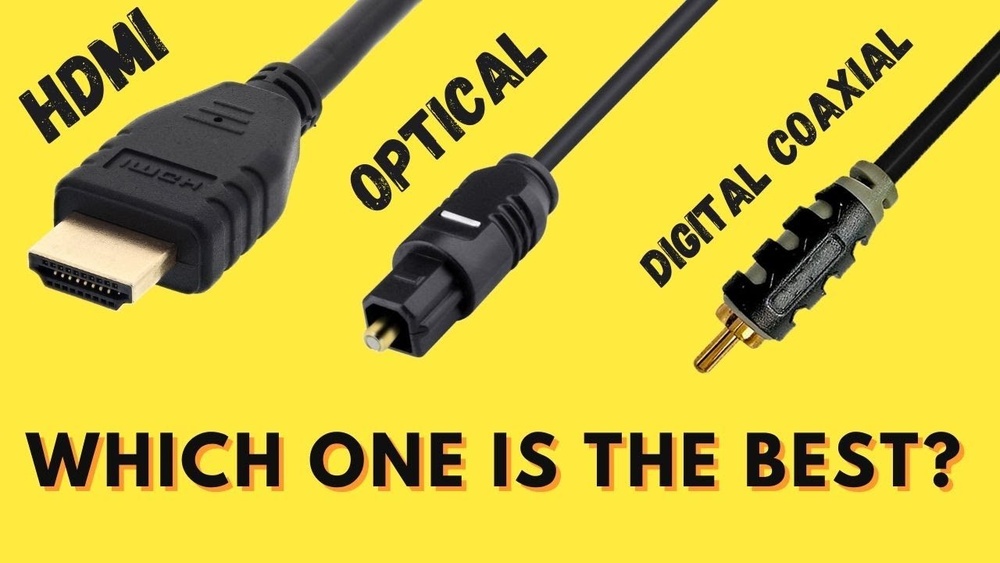
When it comes to getting the best sound from your devices, you might wonder: HDMI or Optical Digital Audio – which one should you choose? You want clear, powerful audio without any hassle, but the tech terms can feel confusing.
Don’t worry, this guide will help you understand the key differences quickly and easily. By the end, you’ll know exactly which option fits your setup and gives you the sound experience you deserve. Keep reading to make sure your audio delivers every time.
Credit: www.whathifi.com
Hdmi Audio Basics
HDMI audio has changed how we connect devices. It carries both sound and video through one cable. This makes setups simpler and cleaner. Understanding HDMI audio basics helps you choose the right option for your home or office.
Below, you will learn how HDMI sends sound, the formats it supports, and its key benefits.
How Hdmi Transmits Sound
HDMI sends digital audio signals along with video signals. This happens through a single cable. The audio data is encoded and sent in packets. These packets travel from the source device to the receiver or TV. The receiver then decodes and plays the sound.
This method keeps audio quality high without interference. It also supports multiple audio channels for surround sound.
Supported Audio Formats
HDMI supports many audio formats. It handles basic stereo sound and advanced surround sound. Formats like Dolby TrueHD and DTS-HD Master Audio are common. These formats deliver clear, detailed sound for movies and music. HDMI also supports uncompressed audio, which keeps the sound pure.
Advantages Of Hdmi Audio
Using HDMI for audio has many benefits. It reduces the number of cables needed. This cuts down on clutter and confusion. HDMI can carry high-definition audio with no loss in quality. It supports both video and audio signals at once. This makes it easier to connect devices like Blu-ray players, game consoles, and soundbars.
HDMI also supports advanced features like audio return channel (ARC). This lets your TV send sound back to a receiver without extra cables.
Optical Digital Audio Essentials
Optical digital audio is a popular way to send sound from one device to another. It uses light to carry sound signals. This method offers clear sound without electrical interference. Many people choose optical audio for home theaters and sound systems.
Understanding the basics of optical digital audio helps you decide if it fits your needs. Below are key points about how it works, what audio formats it supports, and its main benefits.
How Optical Audio Works
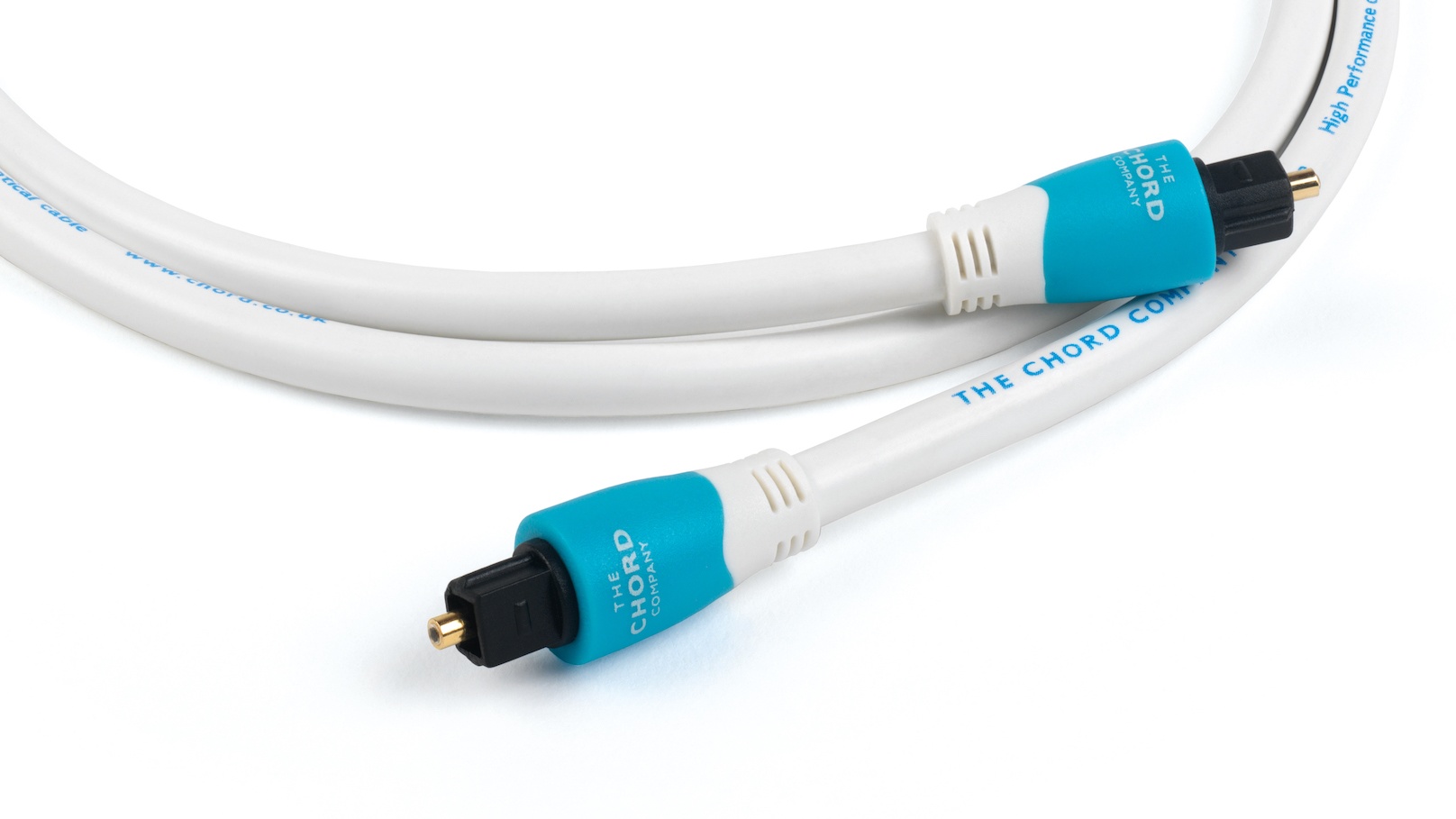
Optical audio sends sound using light pulses. It uses a small glass or plastic cable called TOSLINK. The source device converts sound into light signals. The receiving device changes light back into sound. This process keeps audio free from noise and interference.
Common Audio Formats
Optical audio supports popular formats like Dolby Digital and DTS. It can carry surround sound signals. Stereo audio is also common with optical connections. Some formats need more bandwidth than optical can provide. Still, optical works well for many home audio needs.
Benefits Of Optical Audio
Optical audio avoids electrical interference found in copper cables. It delivers clear and crisp sound quality. The cable is thin and flexible, making it easy to install. It supports multiple audio channels for surround sound. Optical cables also resist corrosion, lasting longer than some alternatives.
Sound Quality Comparison
Choosing between HDMI and optical digital audio often leads to questions about sound quality. Both cables carry digital signals, but they deliver audio differently. Understanding these differences helps pick the best option for your setup.
Sound quality depends on several factors, including the type of audio data, cable quality, and timing. Let’s explore how these elements affect the listening experience.
Audio Fidelity Differences
HDMI supports uncompressed audio formats like Dolby TrueHD and DTS-HD Master Audio. These formats offer high-resolution sound with rich details. Optical cables carry compressed audio, usually limited to Dolby Digital or DTS. This can reduce sound clarity and depth. For stereo or basic surround sound, both work well. For advanced audio formats, HDMI delivers better fidelity.
Impact Of Cable Quality
Cable quality affects signal strength and noise levels. HDMI cables are less prone to interference due to better shielding. Optical cables use light signals and are immune to electrical noise. Poor-quality optical cables can cause signal loss or dropouts. High-quality cables ensure a clean, stable audio signal. Choosing the right cable can improve sound performance.
Latency And Synchronization
Latency means delay between audio and video signals. HDMI carries both audio and video, which helps keep them in sync. Optical audio only sends sound, so syncing can be tricky. Some devices add audio delay to match video timing. HDMI’s integrated design often results in better synchronization. This is important for movies and games.
Compatibility And Setup
Choosing between HDMI and optical digital audio depends on device compatibility and setup. Both cables send sound but work differently. Understanding their setup needs helps you pick the right one.
Device Compatibility
HDMI supports both audio and video signals. Most modern TVs, gaming consoles, and soundbars have HDMI ports. Optical audio cables only carry sound. Older devices, like some DVD players or sound systems, use optical ports. Check your devices for the right input and output ports. Some devices might not support HDMI audio, making optical the only option.
Ease Of Installation
HDMI cables plug into one port and carry sound and picture. This means fewer cables and simpler setup. Optical cables connect only audio, so you need another cable for video. Optical cables are easy to plug in but require careful alignment. The ends are fragile and need gentle handling. HDMI connectors are more robust and fit snugly.
Cable Length And Durability
HDMI cables work best under 50 feet to keep strong signals. Optical cables can run longer distances without signal loss. Optical cables are made of plastic or glass fiber. They can break if bent sharply. HDMI cables are thicker and less likely to bend or break. Choose the cable type based on your room layout and distance.
Use Cases And Scenarios
Choosing between HDMI and optical digital audio depends on the device and setup. Each connection type suits different situations. Understanding their use cases helps in picking the right one.
Home Theater Systems
HDMI is common in home theater systems. It carries both audio and video signals through one cable. This makes setup easier and cleaner. Optical cables only send audio, so they need an extra cable for video. For surround sound formats like Dolby TrueHD or DTS-HD Master Audio, HDMI offers better support. Optical cables work well with basic surround sound but have limits on advanced audio formats.
Gaming Consoles
Gaming consoles often use HDMI to connect to TVs and sound systems. HDMI transfers high-quality audio and video at once. This helps deliver immersive gameplay with clear sound effects and graphics. Optical cables can carry audio from some consoles but don’t support video. For best performance and ease, HDMI is preferred in gaming setups.
Streaming Devices
Streaming devices like Roku or Apple TV usually have HDMI outputs. HDMI sends both video and audio to your TV or receiver. This keeps connections simple and neat. Optical audio may be an option, but it only carries sound. Using HDMI ensures full compatibility with modern streaming services and high-definition content.

Credit: www.youtube.com
Troubleshooting Common Issues
Troubleshooting common issues with HDMI and optical digital audio can help improve your sound experience. Many users face problems that stop the audio from playing smoothly. Knowing how to fix these issues saves time and frustration. Below are some typical problems and quick fixes to keep your audio clear and consistent.
Signal Dropouts
Signal dropouts cause audio to cut in and out. This issue often happens with HDMI cables due to poor connections or damaged wires. Try unplugging and replugging the cable firmly. Using a high-quality cable can reduce dropouts. For optical audio, make sure the cable is not bent or broken. Clean the connectors gently to remove dust or dirt that blocks the signal.
Audio Format Mismatches
Audio format mismatches cause no sound or distorted audio. HDMI supports many audio formats, but some devices may not. Check your device settings and select a compatible audio format. Optical audio supports fewer formats, mainly stereo and Dolby Digital. Change your device output settings to match the supported format. This step ensures your sound system receives the right signal.
Connection Stability
Unstable connections lead to poor audio quality or interruptions. Loose cables cause this problem with both HDMI and optical audio. Always secure the cables in the ports firmly. Avoid moving or twisting cables while in use. Keep cables away from power cords or devices causing interference. A stable connection keeps your audio consistent and clear.
Future Trends In Audio Connectivity
Audio technology keeps evolving, shaping how we enjoy sound. New trends in audio connectivity aim to improve sound quality and ease of use. Both HDMI and optical digital audio cables will be affected by these changes. Understanding these trends helps in choosing the right connection for future devices.
Emerging Audio Technologies
Audio tech is moving beyond traditional formats. Object-based audio, like Dolby Atmos, offers immersive sound. Wireless audio connections are becoming more reliable and faster. These innovations require better bandwidth and signal quality. Devices must support these new formats to deliver great audio.
Hdmi Advancements
HDMI continues to improve with each new version. HDMI 2.1 supports higher audio quality and faster data transfer. It can carry uncompressed audio and video signals simultaneously. This makes HDMI ideal for modern home theaters and gaming setups. Future HDMI versions may include even more audio features.
Optical Audio Relevance
Optical audio remains popular for simple setups and older devices. It supports clear digital audio without interference. Optical cables do not carry video signals, limiting their use. Newer audio formats may not work well with optical connections. Still, optical audio serves well for basic stereo and surround sound.

Credit: www.lumicapital.eu
Frequently Asked Questions
What Is The Main Difference Between Hdmi And Optical Audio?
HDMI carries both video and audio signals in one cable. Optical audio only carries sound using light signals.
Which One Has Better Sound Quality, Hdmi Or Optical?
HDMI supports higher sound quality with formats like Dolby TrueHD. Optical is limited to older formats like Dolby Digital.
Can Hdmi And Optical Cables Connect To The Same Device?
Some devices have both ports, but they serve different functions. You cannot use both cables for the same audio track.
Is Optical Audio Cable Good For Home Theater Systems?
Optical works well for basic surround sound systems. For advanced audio, HDMI is a better choice.
Does Hdmi Support Surround Sound Better Than Optical?
Yes, HDMI supports modern surround sound formats like 7. 1 channels. Optical usually supports up to 5. 1 channels only.
Conclusion
Choosing between HDMI and optical digital audio depends on your needs. HDMI carries both sound and video through one cable. Optical cables only carry sound but avoid interference. For high-quality surround sound, HDMI often works better. Optical is good for older devices and simpler setups.
Think about your devices and what you want. Both can deliver clear audio. Your choice should match your equipment and budget. Either way, you can enjoy good sound at home. Simple and clear—just what you need.