
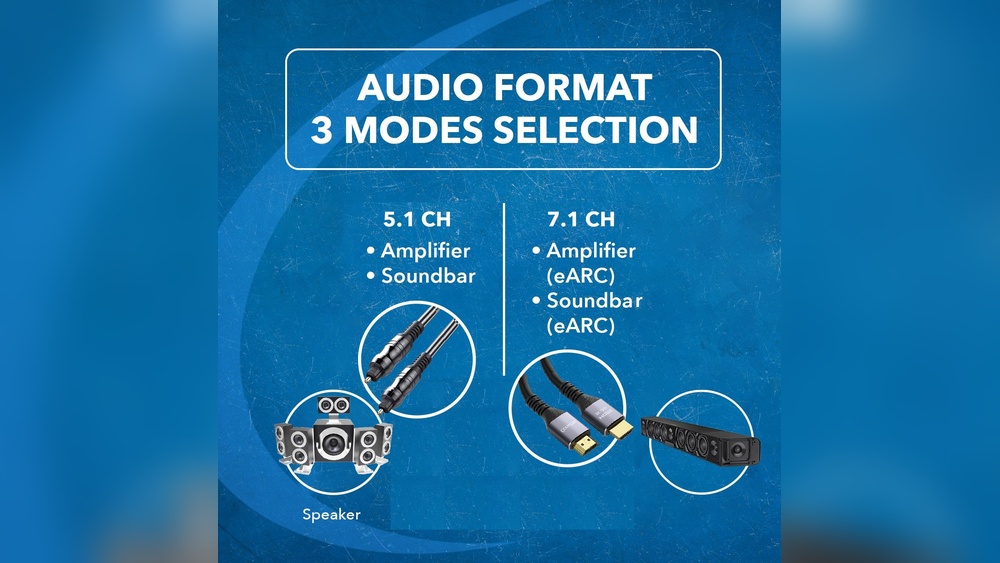
Are you confused about whether to use Digital Optical Audio or HDMI for your home entertainment system? Choosing the right connection can make a big difference in sound quality and ease of use.
You want clear, powerful audio without the hassle of complicated setups or extra cables. This guide will help you understand the key differences between Digital Optical Audio and HDMI, so you can make the best choice for your TV, soundbar, or gaming console.
Keep reading to find out which option will give you the best listening experience and make your setup simple and efficient.
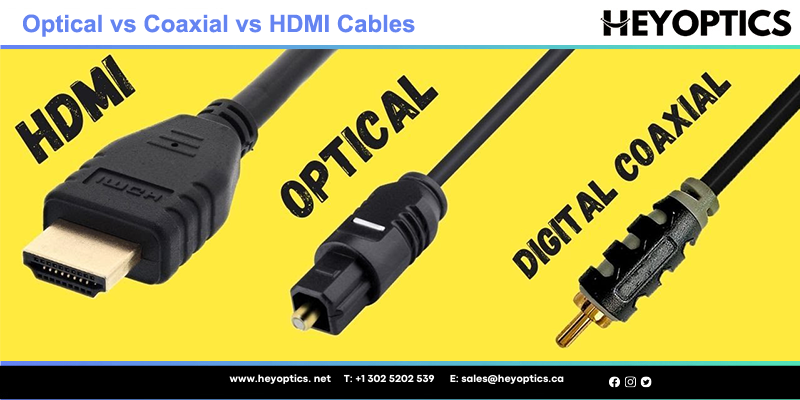
Credit: www.heyoptics.net
Digital Optical Audio Basics
Digital optical audio is a popular way to send sound signals. It uses light to carry audio data. This method keeps sound clear and free from electrical noise.
Many people choose optical audio for home theaters and sound systems. It supports high-quality sound for movies, music, and games. Understanding how it works helps you use it better.
What Is Optical Audio?
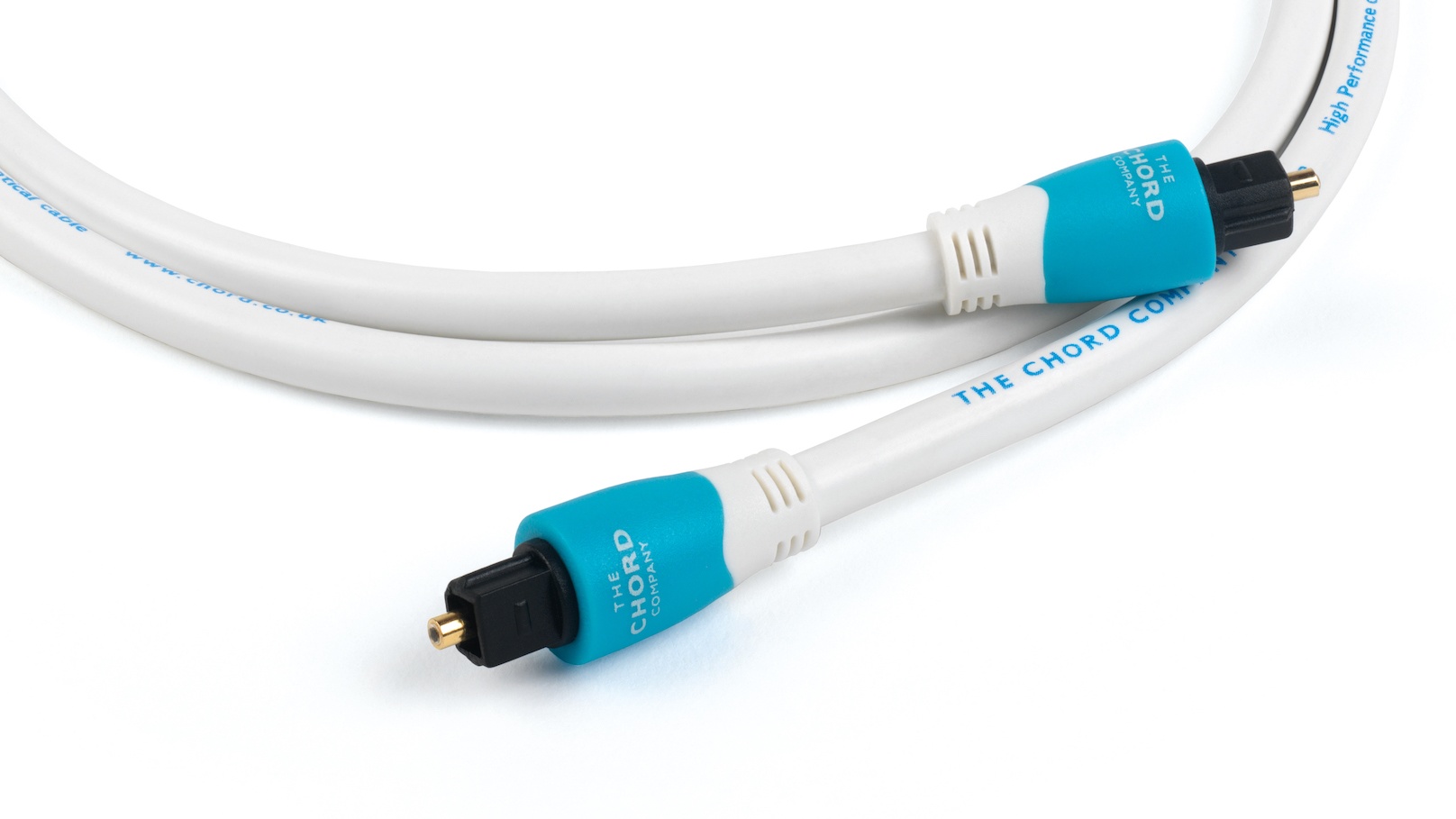
Optical audio sends sound using light pulses. It travels through a special cable called a TOSLINK. This cable looks like a small glass or plastic fiber.
The light signals carry digital audio data. These signals keep audio free from interference. Optical audio supports stereo and surround sound formats.
How Optical Audio Works
Optical audio converts sound into light pulses. A small LED inside the device sends these pulses. The light travels through the optical cable to the receiver.
The receiver changes the light back into audio signals. This process keeps the sound quality high. It avoids problems like static or humming noise.
Common Optical Audio Devices
Many devices use optical audio connections. TVs often have an optical output for sound systems. Soundbars and home theater receivers accept optical input.
Gaming consoles and DVD players also support optical audio. This connection helps deliver clear and rich sound. It works well with many types of audio gear.

Credit: www.amazon.com
Hdmi Audio Fundamentals
Understanding HDMI audio basics helps you choose the right connection for your devices. HDMI carries both video and audio signals through one cable. This simplifies setup and reduces clutter behind your TV or sound system.
Many people use HDMI for high-quality sound. It supports various audio formats and offers clear, digital sound. Knowing how HDMI audio works can improve your home entertainment experience.
What Is Hdmi?
HDMI stands for High-Definition Multimedia Interface. It is a cable and port used to send audio and video signals. HDMI replaced older cables like VGA and RCA. It carries signals in digital form, which keeps the quality high.
HDMI is common in TVs, computers, game consoles, and Blu-ray players. It supports high-definition video and multi-channel audio in one cable. This makes it easier to connect devices without many wires.
Audio Capabilities Of Hdmi
HDMI supports multiple audio formats, including stereo, surround sound, and lossless audio. It can carry up to 8 channels of high-quality audio. This supports formats like Dolby TrueHD and DTS-HD Master Audio.
It also supports newer formats like Dolby Atmos and DTS:X. These provide immersive sound with height effects. HDMI can send audio signals without compression, keeping sound clear and detailed.
Devices Supporting Hdmi Audio
Most modern devices support HDMI audio. TVs, soundbars, AV receivers, and gaming consoles all use HDMI. Blu-ray players and streaming devices also rely on HDMI for audio and video.
Laptops and desktop computers often include HDMI ports. This lets users connect to monitors or TVs with sound. HDMI compatibility is widespread and essential for modern media devices.
Sound Quality Comparison
Sound quality plays a key role in choosing between Digital Optical Audio and HDMI connections. Both can deliver great audio, but they differ in how they handle sound data. Understanding these differences helps pick the best option for your setup.
Audio Formats Supported
Digital Optical Audio supports stereo and compressed surround sound like Dolby Digital and DTS. It cannot carry newer, high-definition formats such as Dolby TrueHD or DTS-HD Master Audio. HDMI supports all these formats and more, including uncompressed audio tracks. This means HDMI can deliver richer, clearer sound with more detail.
Bitrate And Bandwidth Differences
Optical cables have a limited bandwidth around 5 Mbps. This restricts the amount of audio data transmitted. HDMI offers much higher bandwidth, up to 18 Gbps or more, depending on the version. Higher bandwidth allows HDMI to carry uncompressed multi-channel audio and higher bitrates. As a result, HDMI handles complex audio signals better.
Impact On Listening Experience
Audio through HDMI often sounds fuller and more immersive. It supports advanced features like surround sound formats and higher sample rates. Optical audio still delivers clear sound but lacks the depth of high-definition audio. For movies and games, HDMI provides a more engaging experience. For basic stereo or standard surround sound, optical audio remains a solid choice.
Compatibility And Connectivity
Compatibility and connectivity play a key role in choosing between digital optical audio and HDMI. These factors affect how well your devices work together and how easy it is to set up your system. Understanding these differences helps you pick the right option for your needs.
Device Compatibility
Digital optical audio works with many older and newer audio devices. It sends only sound signals, so it cannot carry video. HDMI supports both audio and video in one cable. Most modern TVs, soundbars, and gaming consoles use HDMI. Some older devices may lack HDMI ports, making optical audio a better fit.
Cable Length And Signal Loss
Optical cables use light to transmit sound. They can lose signal over long distances, usually after 30 feet. HDMI cables carry electrical signals and can also lose quality over very long runs. But HDMI supports repeaters and boosters to extend length. Shorter cables help keep sound clear for both types.
Ease Of Setup And Use
Optical cables connect easily with a simple plug. They do not carry video, so you need another cable for TV images. HDMI bundles audio and video, reducing cable clutter. It also supports automatic device recognition and volume control. This makes HDMI simpler for many users to manage.
Advanced Features
Advanced features set digital optical audio and HDMI apart in many ways. These features affect sound quality, video integration, and connectivity. Understanding these differences helps choose the right option for your devices.
Surround Sound Support
Digital optical audio supports surround sound formats like Dolby Digital and DTS. It delivers clear, high-quality audio for movies and games. HDMI supports all these formats plus newer ones like Dolby TrueHD and DTS-HD Master Audio. HDMI offers richer, lossless audio for home theaters.
Audio Return Channel (arc)
ARC lets your TV send audio back to a sound system using one cable. Digital optical cables do not support ARC. HDMI cables include ARC, reducing cable clutter and simplifying connections. This feature works well for smart TVs and streaming devices.
Hdr And Video Integration
Digital optical cables only carry audio signals. They cannot transmit video or support HDR features. HDMI carries both audio and video signals in one cable. It supports HDR formats like HDR10 and Dolby Vision. This makes HDMI ideal for high-quality video and sound setups.
Use Cases And Recommendations
Choosing between Digital Optical Audio and HDMI depends on your devices and needs. Both have unique strengths. Understanding where each works best helps you get clear sound and video.
Below are common use cases with clear recommendations for each connection type.
Home Theater Systems
Digital Optical Audio is a solid choice for home theaters. It carries high-quality sound without interference. Many older receivers support optical inputs only.
HDMI offers both audio and video in one cable. It supports advanced audio formats like Dolby Atmos. If your system is modern, HDMI is best for simplicity and quality.
Gaming Consoles
HDMI is the go-to for gaming consoles. It delivers high-definition video and audio through one cable. This reduces clutter and setup time.
Optical audio can work but limits audio features. It won’t carry the latest surround sound formats. HDMI ensures full audio and video experience for games.
Streaming Devices
Streaming devices like Roku or Fire TV often use HDMI. It handles both sound and picture easily. Streaming in high definition needs HDMI’s bandwidth.
Optical audio may be used if HDMI is unavailable. It still delivers good audio but no video. HDMI is best for smooth streaming and clear sound.
Cost And Availability
Cost and availability play a big role when choosing between digital optical audio and HDMI. Understanding the price and how easy it is to find cables and devices helps you make the best choice. Both options have pros and cons in these areas.
Price Differences
Digital optical cables usually cost less than HDMI cables. Optical cables are simple and use less material. HDMI cables can be more expensive, especially high-speed versions. Devices with HDMI ports might also cost more because of extra features.
Cable And Equipment Options
Digital optical cables are widely available and easy to buy. Most stores carry them at low prices. HDMI cables come in many types, including standard and ultra-high speed. This variety gives more options but can confuse buyers. Equipment with HDMI is common in modern TVs and sound systems. Optical ports appear mostly on older or mid-range devices.
Future-proofing Your Setup
HDMI supports newer audio and video formats. Choosing HDMI helps keep your setup ready for future tech. Digital optical audio has limits on sound quality and features. Optical may work well now but might not support upgrades later. Investing in HDMI equipment can save money over time.
Credit: www.whathifi.com
Frequently Asked Questions
What Is The Main Difference Between Digital Optical Audio And Hdmi?
Digital Optical Audio transmits sound only, while HDMI carries both sound and video signals. HDMI supports higher quality audio formats too.
Can I Use Digital Optical Audio For Surround Sound?
Yes, Digital Optical Audio supports surround sound but only up to 5. 1 channels. It cannot carry newer formats like Dolby Atmos.
Which Connection Is Better For Gaming, Optical Audio Or Hdmi?
HDMI is better for gaming because it carries both video and audio with low latency. Optical Audio only sends audio.
Does Hdmi Provide Better Sound Quality Than Digital Optical Audio?
HDMI usually offers better sound quality as it supports higher audio formats. Optical Audio is limited to standard surround sound.
Can I Connect A Tv To A Soundbar Using Digital Optical Audio?
Yes, many TVs and soundbars have Digital Optical ports for easy audio connection. HDMI ARC is another common option for this.
Conclusion
Choosing between digital optical audio and HDMI depends on your needs. Optical cables work well for simple audio setups. HDMI carries both video and audio with high quality. It supports newer formats and devices better. Think about your equipment and future upgrades.
Both options have clear strengths. Pick the one that fits your system best. Sound quality and convenience matter most. This helps you enjoy your music and movies fully.